Final Fantasy VIII - Graphical Update Mod (WIP)

  • Thread starter Thread starter blippyp
  • Start date Start date
Status
Not open for further replies.
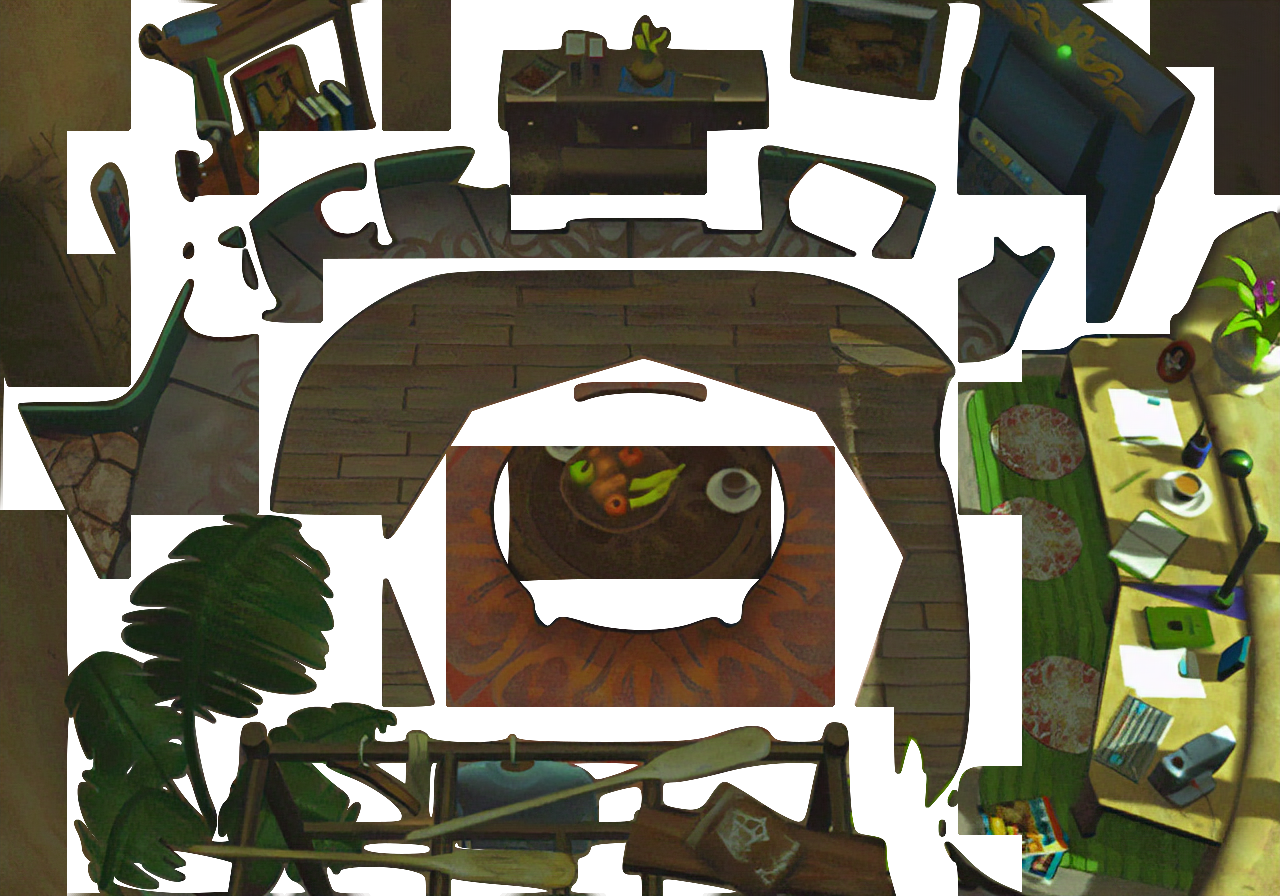
I closed the window with all the layers I had (since it was a failure), give me a second and I'll see if I can re-produce the mess I came up with yesterday.

 
Can you post a psd file of that so I can have a look on it or was it multilayered tiff?
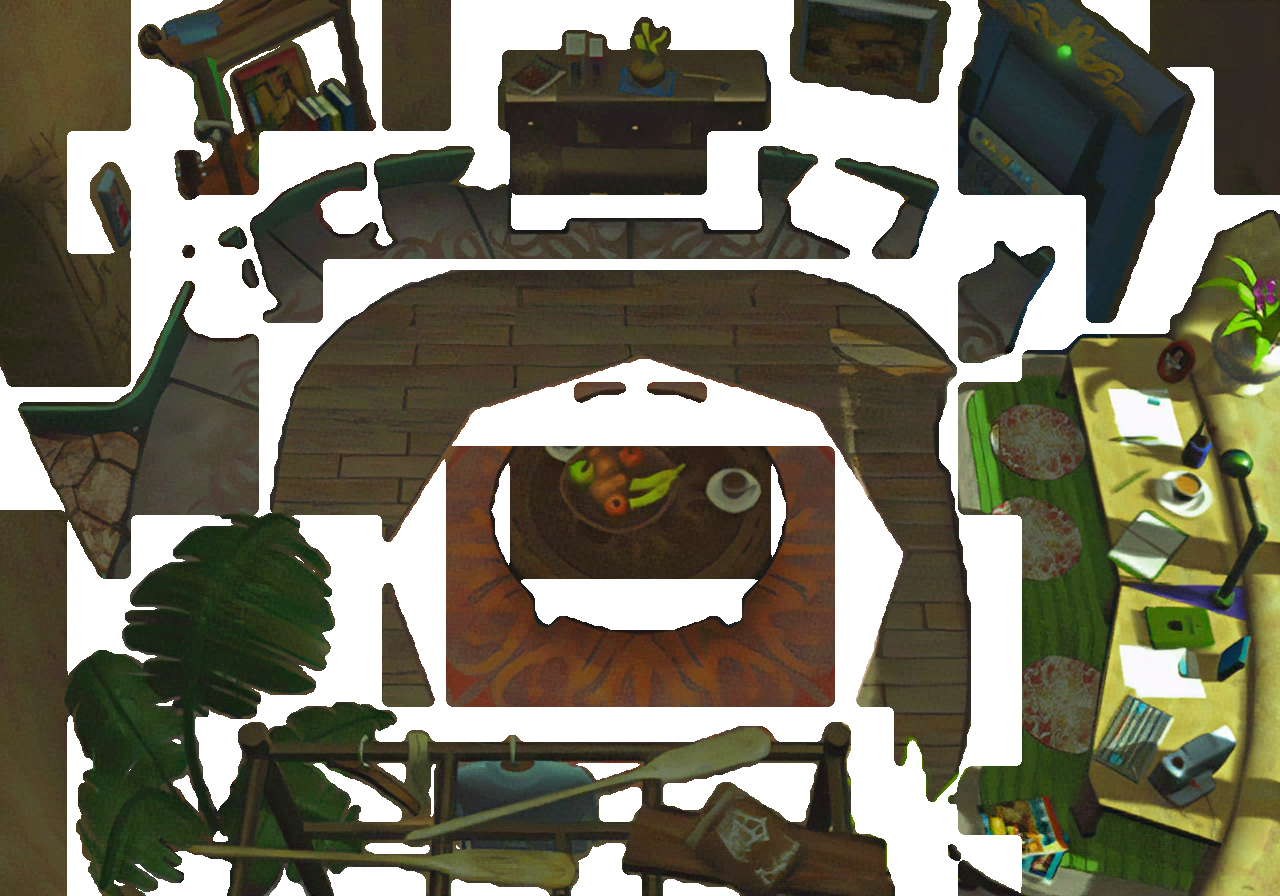
Mega Link

I think if I applied what Satsuki had going on with this, perhaps it would work. But I still don't fully understand how his process worked to make it seamless. At the same time though, I'm surprised it turned out as blocky as it was with potrace as the base also (which was probably a lot straighter than what I just produced).

The problem with how I did it though is that it might be impossible to make it seamless this way. One possible solution I came up with however, was to merge all the masks together when all is said and done, to determine what 'is left to mask', then merge that with one of the images that is purely part of the background (ie: no characters walk behind it). I'm not sure how Pupu works for re-creating the images though or if that would cause a problem, plus you would need to identify a 'pure' background image for every screen, which may not be possible. In the end, it would just be too much of a headache, if not even possible at all. Unfortunately, I'm not very familiar with scheme however so I'm not sure how much your scripts will help me. I initially tried scripting in scheme with GIMP a couple of years ago and got such a headache that I jumped for joy when I realized that you could use python instead, which I still didn't know, but was way more like how I'm use to coding.
 
Last edited:
Okay, I think I figured this out - but I certainly need to play with it to find a better 'middle ground'.

Look at the paddle in this image - In order to close the 'gaps' I selected more of the white background pixels to 'grow' (originally I was only growing it by one), in this image I had it at 6, which still left a couple of visible masking pixel holes here and there, so I'm assuming 7 would of completely solved this. However, clearly the mask around the paddle is now too big, even in this image. So what I'll have to decide on is how 'less straight' I want those lines to be, which SHOULD (I believe) allow me to choose a smaller number to increase my white pixels at. I'll definitely play with this again later and post my results, but I think I figured this out now.

ESpDK9m.png
 
Alright, so I think this is what I'm going to end up going with. I don't think there's any chance of a 'perfect' mask given what we're trying to do, but it's certainly better than the blocky mess I was using earlier, whether it's better than Satsuki's method or not is hard to say, it's certainly smoother, but his blocky approach has benefits as well imo. (FYI: by 'blocky mess' I was not referring to Satsuki's approach, but my own original one haha - STILL MANY THANKS to Satsuki for introducing me to his method, and sharing his approach, without it, I wouldn't have been able to use potrace for this, since I wasn't even aware of it!)

Mega Link for PSD with all layers

yiIa3cT.png


Steps used: (I'm sure this can be altered to simply resizing to 400%, in which case how many pixels used to expand the mask at may change to 4 or 3, you'd have to play with it, and it's what I will likely do, since I don't think it's necessary to go to 800%)


[list type=decimal]
[*]create a potrace of the original image (a vector image), which I generated a gimppath file
[*]copy original mask, import the gimppath
[*]resize to 800%
[*]fill selection with black then invert selection
[*]expand selection by 5 pixels
[*]fill with white
[*]resize 50% copy/paste the mask
[/list]

also, if you don't bother altering this and end up resizing from 800% to 400%, make sure you use NONE as your interpolation method when resizing the image so that you don't end up with any grey pixels.

of course, I won't know for sure if this will have issues until I try to implement it, but it at least seems to work with this particular scene.
 
Last edited:
Thx, unfortunately, I gave this a test in game and it doesn't work. Satsuki's method is way way better, so I'm going with his method instead.
 
What's the problem ingame? The mask looks really clean. :/
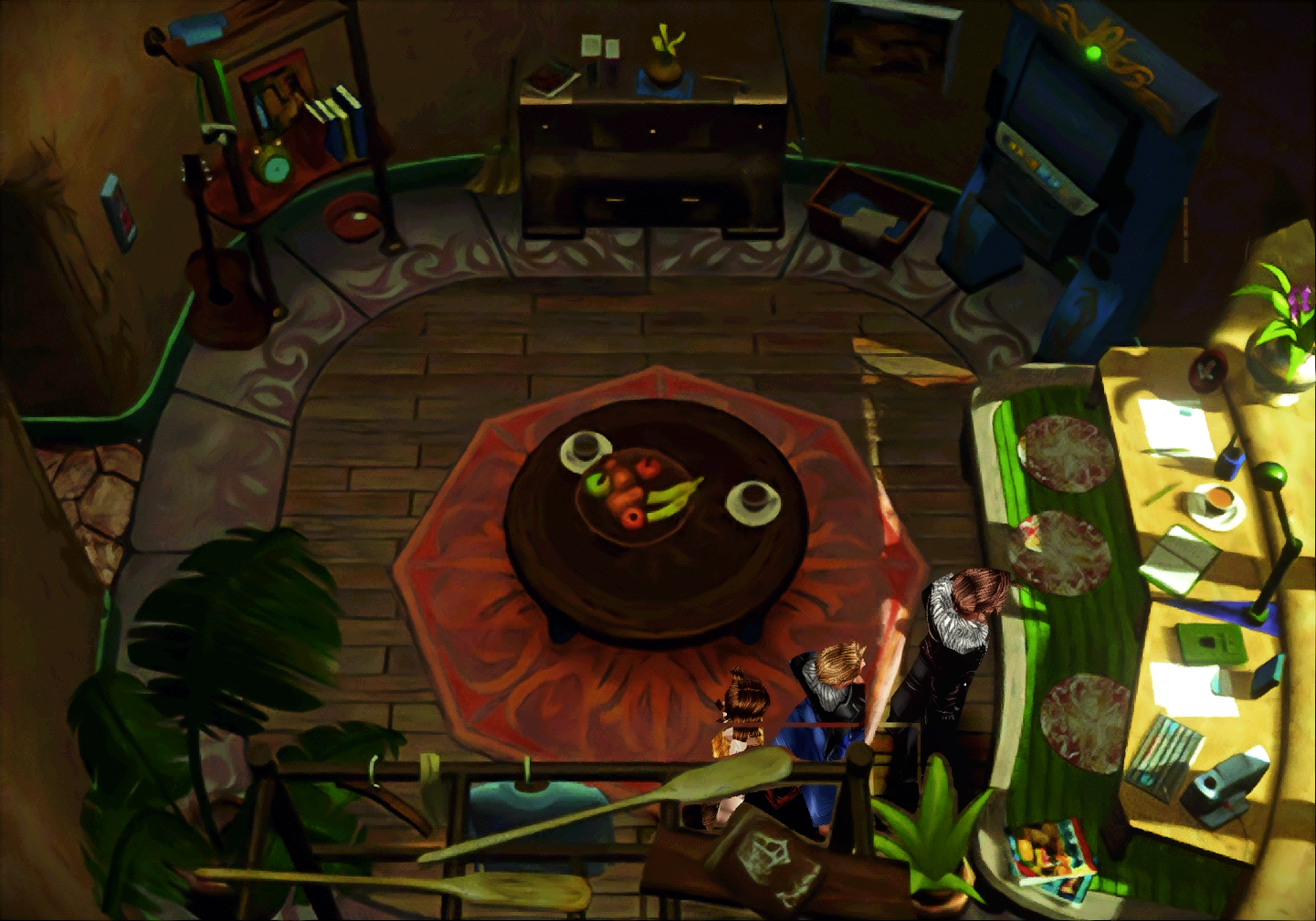
Unfortunately there are a couple issues that appear as you can see. One of those issues can likely be fixed if I can figure out why it's happening, but despite that, the overall effect is much worse. The masking doesn't match closely enough in game and looks 'lame' for lack of a better word. As you can see in the image below. For whatever reason, there's an odd overlapping of the masks, which I can't figure out why, not that I made any real attempt to figure it out yet though because the overall 'poor' masking ruins it for me in the end. Compare with the same image below it where I used my modified script from Satsuki. It's blockier, but the masking matches and is still cleaner than my original masking attempts, so I'm just going to go with his script.

My previously posted mask:
WgOtD2B.png


Using a modified script from Satsuki:
gLwC07C.png
 
Yes it seems ff8 use the same "strick layer system" than ff7 is, what's why you need potrace + non interpolated resize mixed to avoid missing pixels and layer collisions.
It's not perfect on some screens and you'll have to do smalls correction but that's the only way i found to have a correct render in ff7.
Great it have helped you, hopped you found a better way for ff8
 
Yes it seems ff8 use the same "strick layer system" than ff7 is, what's why you need potrace + non interpolated resize mixed to avoid missing pixels and layer collisions.
It's not perfect on some screens and you'll have to do smalls correction but that's the only way i found to have a correct render in ff7.
Great it have helped you, hopped you found a better way for ff8
Woah woah woah! Hold on a second - Are you telling me that you aren't providing a guarantee with this!?!??  haha ;-P

It's cool, don't worry I won't come back yelling at ya! The fact that you already (as far as I understand it) produced an update for FFVII using this technique tells me that it's pretty solid, even if there are a few "gotcha's" along the way. I'm sure the end result will still be better than simply upscaling the original masks (which given my previous video post, was horrible tbh). I know this isn't perfect either, but it's the best solution I have atm and I'm still very thankful to have it :)
 
Little update since I haven't posted here in a couple of days. I haven't stopped working on this, but I am taking a pause. Although yes - I can (and possibly should) begin generating the images for this project, as far as I know everything is now in place and ready to go on a satisfactory level. However, I have been digging into AI Neural Networking on a custom level, and already see potential for this if I customize it. I'm considering/testing out a couple possibilities. First off, I think that this might be a straight-shot to my final image processing, whereas currently, I'm running the images thru a few ai nn filters, and then applying many different filters on top of that. I'm hoping that I might be able to skip all of that and run one single ai filter on the images, and then maybe a much simpler 'cleaning' filter run thru gimp afterwards. Although it would take time to set this up, and even test it. If it works, it could drastically speed up my design time from requiring months to only a month or so (and most of that would likely be testing/designing the new models). Second, I'm also looking into the possibility of generating a model that will automatically upscale the masking as well (less likely) but still want to test it out, as there is also great potential for this also I think.
 
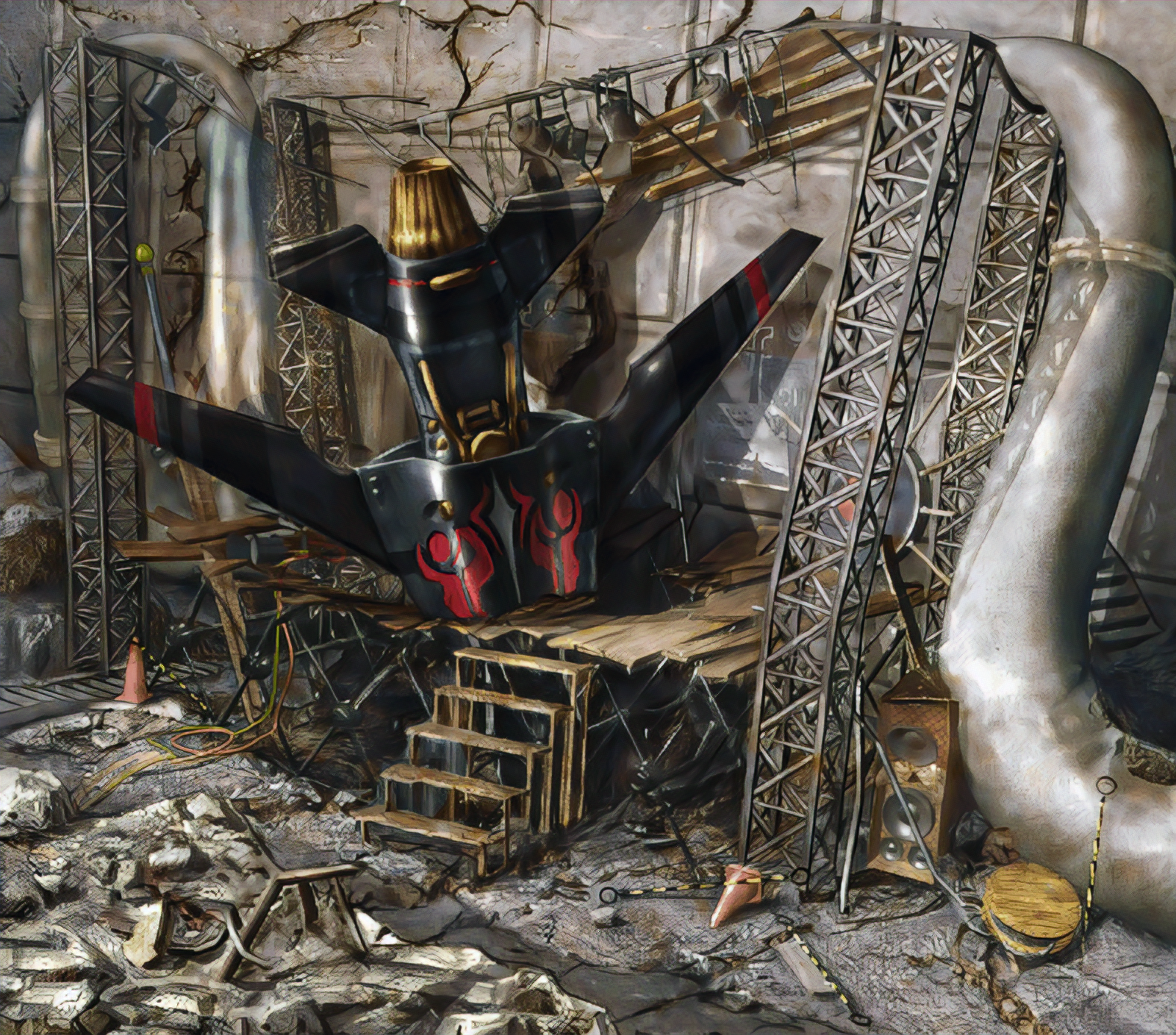
I tested the idea of using a GAN for masking yesterday and ultimately gave up on it after a while, it was working well, but clearly the masks weren't going to line up. I think there are methods for fixing this, but I'm giving up on that aspect for now and began working on my GAN to replace my own filtering process. The results for this was drastically much better. Below is an example of the type of images it's already producing at only about 194 epochs (about 7000 iterations). Already this is putting a huge smile on my face and is fairly comparable to what I was previously attempting to produce for this project. I certainly prefer my previous methods overall, however when you consider that this image takes about 5 seconds to produce compared to the 2-2/12 minutes it takes in my previous process per image, this is a drastic increase in productivity. Instead of producing the images in months, I could now generate every image in the game to this quality in less than a day. I haven't tested how long it would take to produce masks for this yet, but I'm guessing about another day for that. After that it would be simply a matter of playing the game and finding mistakes (likely caused by using a complex background and would require those images to have a closer look and rebuilding them, which shouldn't take long).

Overall, I am very happy and excited. Despite getting a little too ambitious last night and trying to force my system to produce more than it could (causing the process to crash while I was sleeping and basically wasting all last night training the GAN), this is looking very promising indeed.

Produced by my current GAN:
SMyaSti.png


This is a completely unaltered image produced by the GAN without running any further filters thru it afterwards. Another point of note is that this image isn't even included in my training process, so this is what it's producing with an image introduced to the GAN that it's completely unaware of.
 
Last edited:
Looks damn good! It might be a bit too aggressive on the bottom though, but the overall details are beautiful. The missile looks great, as well as the speakers and the wood. What kind of images are you training it with? The FF9 model was trained with a variety of concept art which has a similar art direction. But not too sure if it would fit FF8 though.
 
Looks damn good! It might be a bit too aggressive on the bottom though, but the overall details are beautiful. The missile looks great, as well as the speakers and the wood. What kind of images are you training it with? The FF9 model was trained with a variety of concept art which has a similar art direction. But not too sure if it would fit FF8 though.
Still has a long way to go unfortunately, but if I had to use this, I would, it's a huge time saver. I'm training it using my own images actually. So it's literally learning to convert the original files to the style I was previously commited to (which would of taken months to complete all the images), which is a mix of three separate GAN's combined with the filtering I put it thru in GIMP. So in essence, it's the only step needed, it's learning to skip all of that and instead resize them like I wanted all in one much faster process, assuming all works out, and if not, it at least gives me a really close base to what I've been aiming for even if I do have to run a couple filters thru it in the end. It's definitely missing some of the finer details my previous process was doing, but it's still learning so I'll save judgement for when I've stopped that process and commit to whatever training I end up with, and considering the time saved, I'm willing to go with a slightly different result. All my previous attempts at a 'faster' process was simply lacking too much. This is close, but still a little blurry for my liking, I'm hoping some further training will fix that, but if not, I'm willing to deal with it.
 
Here's my result of a quick test of this picture with my auto tool (use waifu as prefilter then esrgan), if you want i can clean the tool and give it to you for your tests ^^
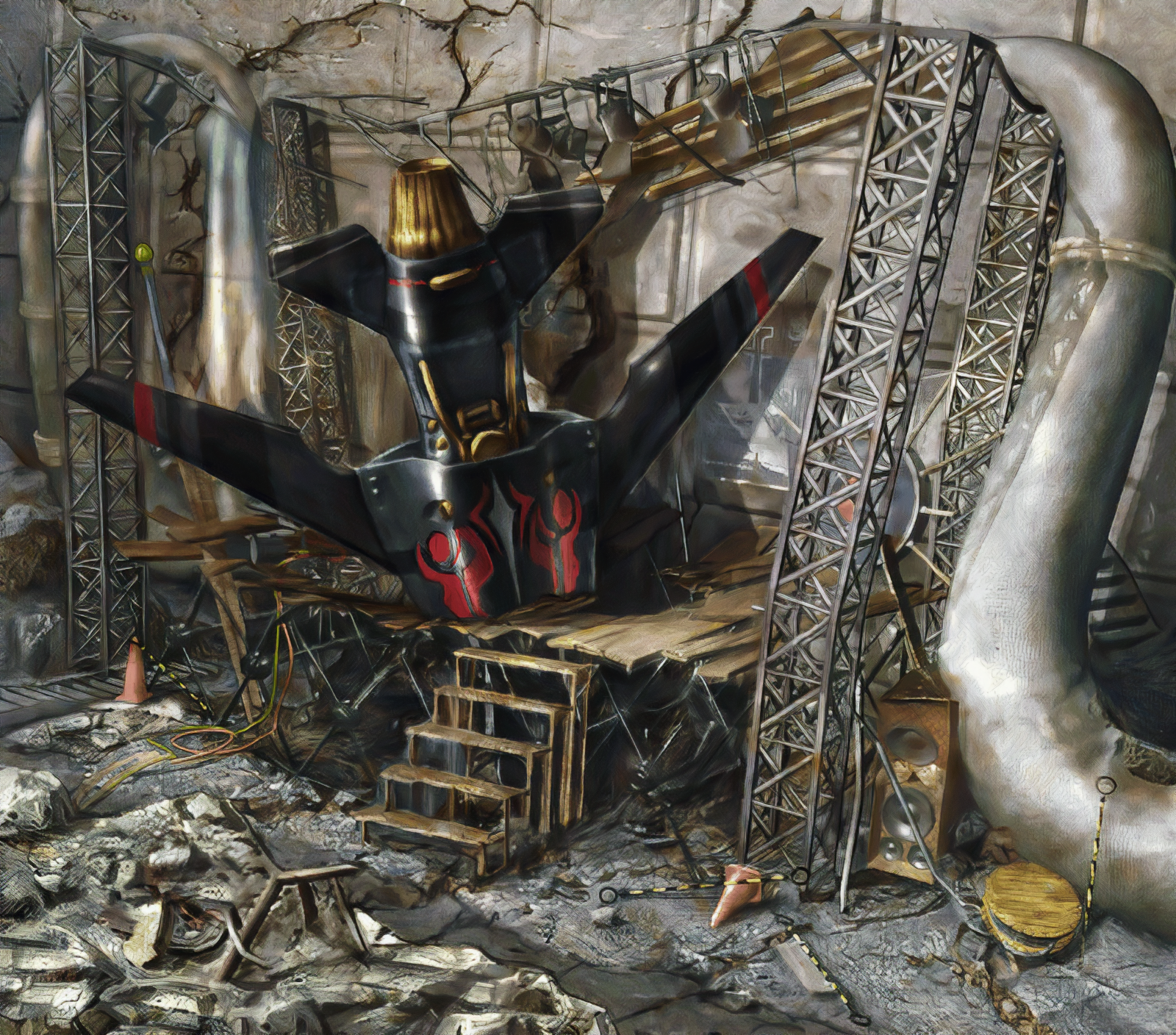
pdMCHwh.png.final.jpg
 
Here's my result of a quick test of this picture with my auto tool (use waifu as prefilter then esrgan), if you want i can clean the tool and give it to you for your tests ^^
That turned out quite nice. But I'm happy with what I'm using actually (in comparison, my GAN is learning from images like the one posted in this message).

NubMzXb.png


It just clearly takes a while to learn is all, nor will it produce the exact image I'm sure, but I'm hoping it will learn to get close, but I suspect it will take a 2-3 days to learn to pick up on the details. The really time consuming part of my previous process was cleaning up all the mess that the other GAN's did, but with my GAN, it's not producing that mess, so I should be able to easily slap a few filters on the images to get a similar effect, even if it never learns to pick up the details, depends on how close it gets I suppose. Considering how much faster this is, I'm loving it, and I'm still only around 12000 iterations still, so I have a long way to go if I choose. I'm taking a break atm though to finish up the masking part, so I can run another test on Balamb using whatever my GAN can offer at the time and test out the masking again, if all goes well, I'll just let it keep learning until I want my computer back and then take a couple of days to wrap this up into a beta state. Ironically, the time consuming part of this process now will be configuring a base background for each image, whereas before that was the short part haha. Aside from that the weeding out the bugs will be the biggest hassle once I've produced everything since I'll have to locate them and then fix them kind of by hand I suppose, which isn't that bad, but somewhat time consuming as I'm sure you're well aware since afaik, that's exactly what you're doing now with yours if I'm correct.
 
Yes the longest part is to check and correct by hand all layers, do small optimisation when esrgan is not as good as you want...
I've checked all ff7 cd1 and have a great alpha tester who can find some possible optimisation too ^^.
Of all parts if you want a great result ingame, you need to bug hunting, because the best upscale can be ruined by small layers bugs here and there
 
That's exactly the problem, I know when I'm finished there will be lots of stupid layer issues all over the game and the only way to find and fix them will be to play the game for myself. That's basically why I intend on releasing a beta, so hopefully others will also install it and help me out by letting me know where the issues pop up. Should speed it along nicely, assuming anyone uses it of course :P
 
Okay so a slight update on progress. Getting Satsuki's masking working was a much bigger headache then originally anticipated. Although I had a script put together to do it, and it seemed to work great, incorporating that into a recursive script that would mass modify more than one image at a time was a nightmare. I'm sure there is some easy fix for it, but in the end I gave up. Best I can tell is that it has something to do with how imagemagick works, but it kept running into all kinds of memory errors for some reason, I spent probably over a few hours yesterday trying to fix it using the script I currently had, but it just wasn't working, every attempt just caused more memory errors for god only knows what reason.

So, I woke up this morning deciding to finally sit and look at the code and try to reproduce what it was doing in GIMP instead, luckily it didn't take me long to determine the 'magic' behind the script, and I spent most of the day converting it over and as far as I can tell it is working fine. I generated images from my GAN yesterday (which are really old compared to how far it is now), but I ran my code to attach the masking to those images, and it looks like everything worked out fine.

I have to go get my daughter soon, so I might not have time to test it in-game until later probably, but I'm expecting it to work (although I'm also still expecting layering issues). If all goes well, I will likely re-produce the images again with my latest GAN or possibly put some effort into marking my files for the backgrounds for the Garden instead (for a change of scenery), either way, assuming everything is good, I will likely produce another video to demonstrate the state I'm currently at in a day or two (tomorrow is my birthday, so not sure how much work I'll put into this tomorrow), but I am excited to see it also, so who knows.

The hard part now (I think) is going thru the backgrounds to decide on 'base' backgrounds required and then fixing the layering issues that are sure to appear in the game. My GAN is still learning as I type this and will likely keep it going until I have either determined the 'base' backgrounds for each screen or until it 'over learns', which hopefully I don't miss the mark on that, at this point I will start saving the states every 5000 interations just to be sure, but I think it still has a long way to go without worries of that.
 
I found a pretty nasty logical error in my code for layering the backgrounds, and so far it seems to have solved all the issues in my previous video (minus the masking of course). I have rebuilt all of Balamb already and it seems quite functional as is, the only issue I noticed was one where the flag still kind of 'disappears' for a split second, but I think I figured out why that is, so hopefully during this next batch of screens I'm making that issue will get solved. I am also generating all of the bg folder tonight, so if all goes well, I should be able to take 10 minutes tomorrow and make a video of Balamb at least with my current GAN generation and the new masks (THANKS TO SATSUKI), which although are still not perfect, are much better then they were, and tbh, I think it would be very hard to get better masks without actually rebuilding them by hand, which I clearly have no intention of doing myself.

With a little luck I'll also be able to include the entire Garden tomorrow in the video as well (that's the bg folder, which is rather large), but I'm generating the entire folder, so that would make up for a LOT of gameplay done, not just running around the Garden, but many battle scenes, stuff like when you go on that jaunt to make the Garden fly, etc.. etc.. So basically anything Garden related. Unfortunately however, I personally do not have any save games that far ahead, so all I can really show is basically what you can see from the start of the game, so a lot of screens I won't be able to show.

To be honest, even as the GAN is currently creating the images, it looks pretty good imo, in fact, even the NPC's are starting to fit in with the style, so I'm really pleased with the results so far, although there are some scenes with NPC's, like I was complaining about before that simply can't be fixed imo, without an artist redoing them.

So fingers crossed, and hopefully by tomorrow there will be a lot of new content to show off.

I'm making another shoutout to anyone who might read this. I'm looking for a way to be able to tp to any point in the game so that I can check out the screens and test them without being forced to complete the entire game. Even someone's SAVED games would do me a world of good for testing. I have only gotten to the point so far where you fight Seifer and the Sorceress for the first time (that's when I discovered FFVIII had mods, and have had tunnel vision for this background mod only since), so I'm still not very far in the game and can't see much myself. So if anyone has saved games I can use, PLEASE LET ME KNOW, or better if someone knows someway to cheat so I can tp around, that would be so much better. I'm sure some people know how to finish this game pretty easily, but I"m not one of those people, I tend to grind it out and it takes forever, so any help would be awesome, thx.

If all goes well, I will likely very strongly consider pushing the entire content out (should take a couple of days I'd think to generate every background image including the masking in the game) and release a beta version within a week probably. It's possible (if not likely) I'm being overly hopeful atm, but honestly, I feel it's just about ready for it, and if the bg folder generates with little fuss, I think it's a pretty safe bet that the rest of game will generate fine as well since the bg folder covers a lot of material. I'd be an idiot to think I still won't run into any more surprises, but maybe I'll get lucky. :P
 
Last edited:
Status
Not open for further replies.
Back
Top