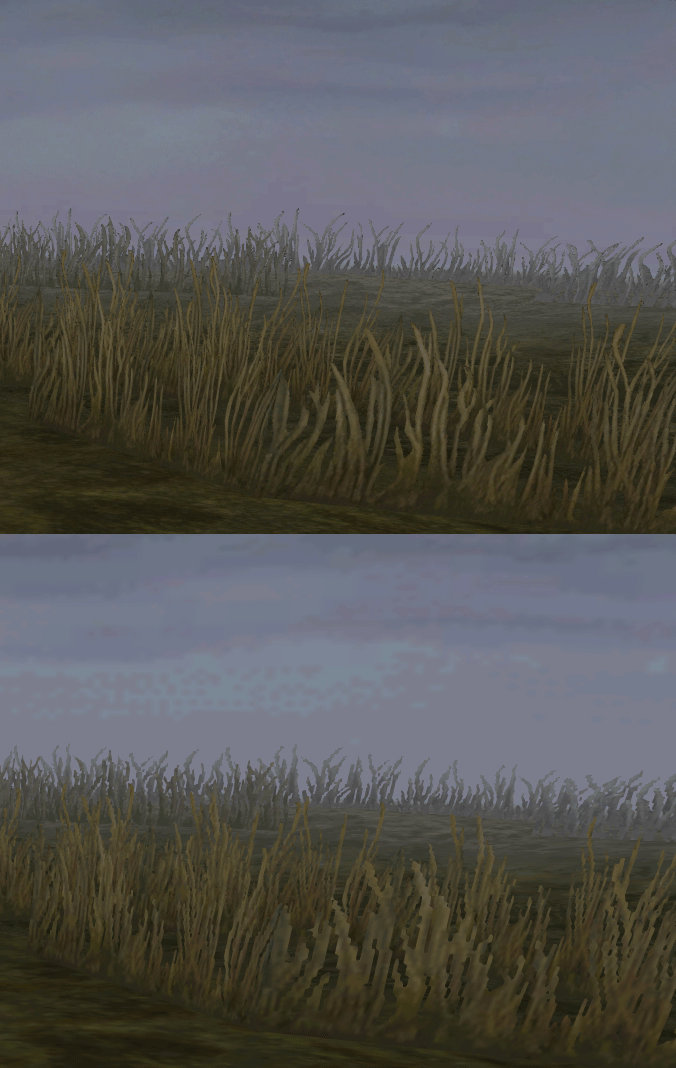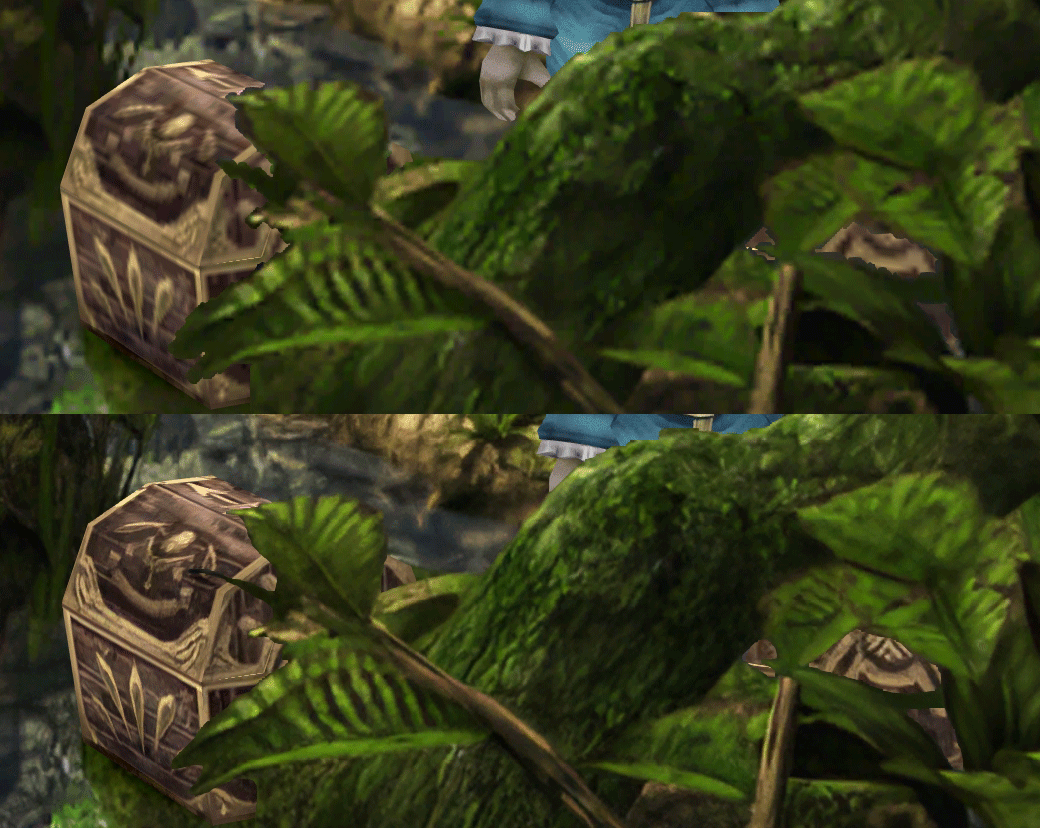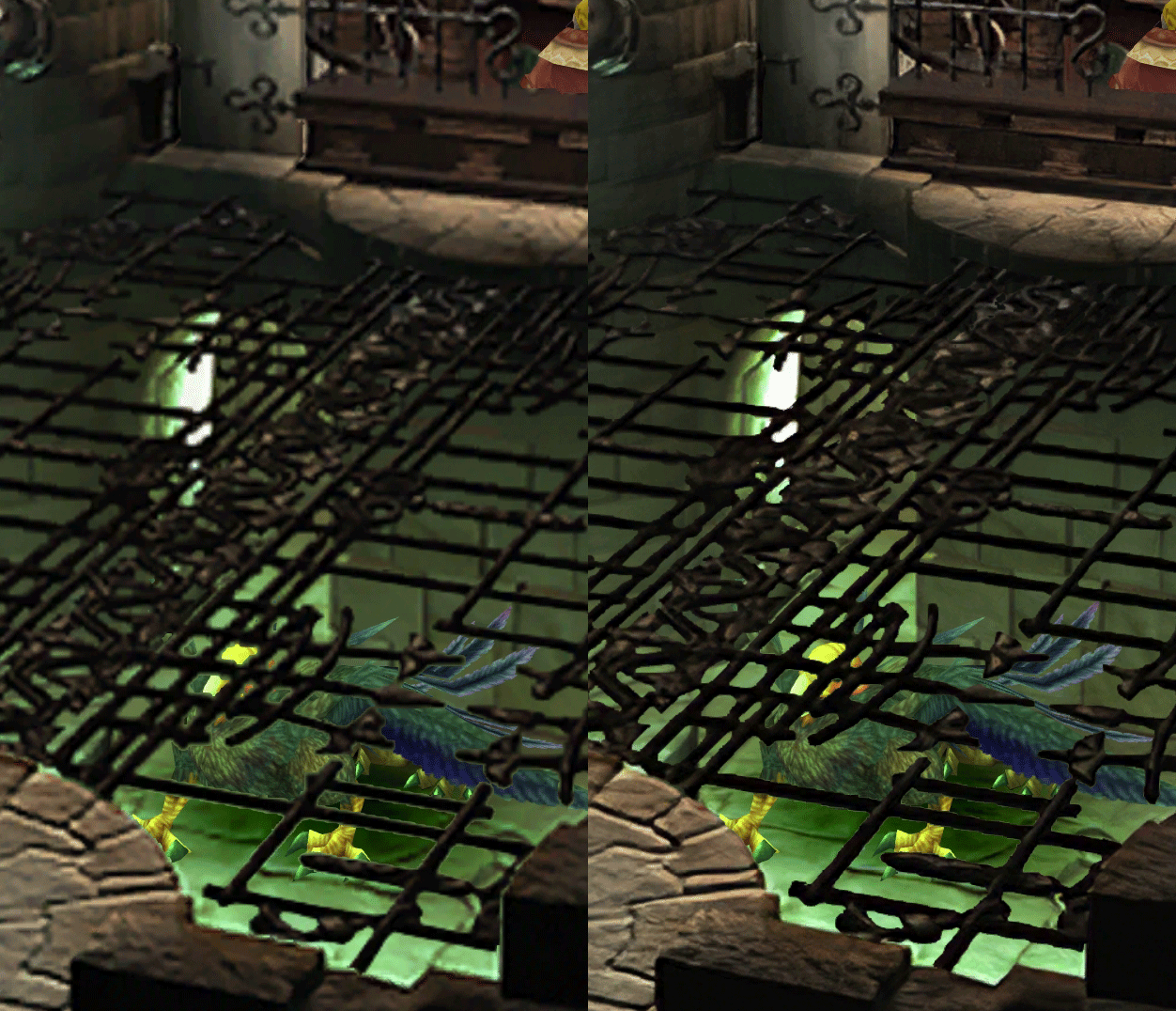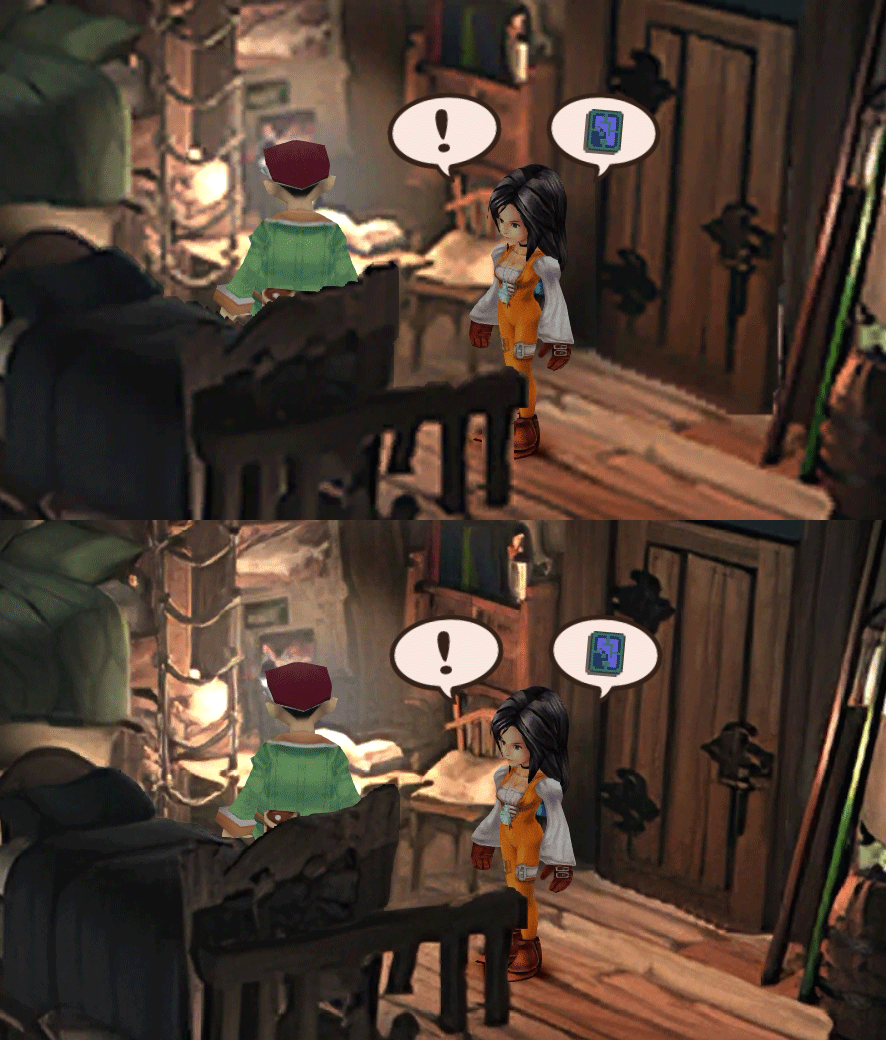

[FF9 PC] Moguri Mod update 8.2 (LIVE ON OFFICIAL SITE)

  • Thread starter Thread starter snouz
  • Start date Start date
Status
Not open for further replies.
s6YQdFA.jpg
eY0jRJ9.jpg
Kr5wC8e.jpg
lc1gfLK.jpg
JrssSrE.jpg


D O W N L O A D

THE UPDATE HAS NOW GONE LIVE OFFICIALLY


NEW 2020-05-23 - MOGURI 8 BETA V5 changelog -> Make a shortcut of the file to your drive then go into your drive, find the shortcut there and click "make a copy"
(outdated) 2020-05-11 - MOGURI 8 BETA V4 changelog
(outdated) 2020-05-04 - MOGURI 8 BETA V3 changelog
(outdated) 2020-04-28 - MOGURI 8 BETA V2 changelog
(outdated) 2020-04-23 - MOGURI 8 BETA V1


I N S T A L L _ G U I D E

[size=10pt]IF YOU DON'T HAVE MOGURI INSTALLED
1) Extract and replace the files in the .zip to SteamLibrary\steamapps\common\FINAL FANTASY IX\

IF YOU HAVE MOGURI INSTALLED (not required!)
1) If you installed it before 2020-04-2, uninstall and re-install Moguri again (SquareEnix pushed a Steam update that temporarily broke the game and Moguri)
2) Extract the content of StreamingAssets in \Program Files (x86)\Moguri Mod\StreamingAssets\
3) Extract \x64\FF9_Data\resources.assets & \x64\FF9_Data\sharedassets2.assets to SteamLibrary\steamapps\common\FINAL FANTASY IX\x64\FF9_Data\
   but DON'T replace Assembly-CSharp.dll

To check you have the right version, here's how the first frame should look
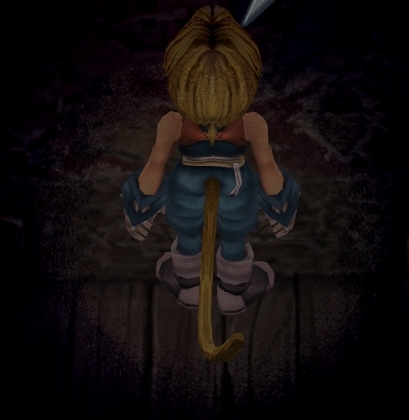
X6tHnEA.jpg


1) In steam, right click the game, go to "properties...", go to the LOCAL FILES tab, click VERIFY INTEGRITY OF GAME FILES. This will re-download the original files, but your saves are still intact.


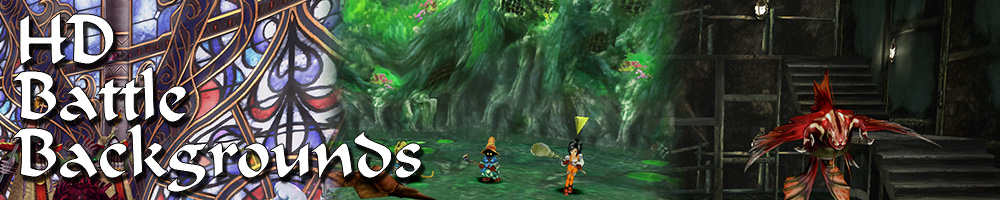
p0data2.bin - Battle backgrounds
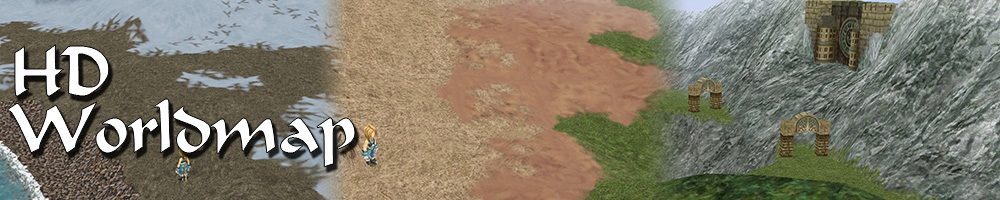
p0data3.bin - Worldmap textures
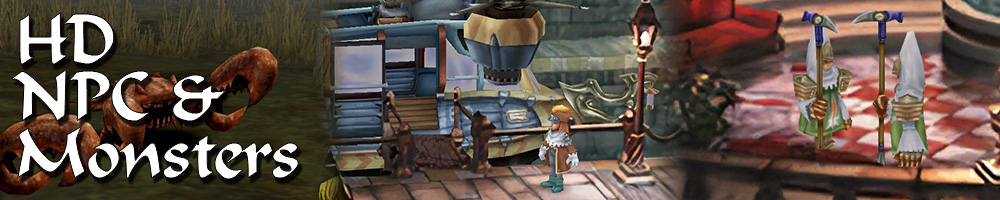
p0data4.bin - NPC, monsters and background items
p0data11.bin to p0data19.bin - Main backgrounds
resources.assets & sharedassets2.assets - UI stuff (maps, title screen...)
Assembly-CSharp.dll - The patched file that allows for the augmented resolution of backgrounds. (The one here and the one in moguri are different)

Note: If you have uninstalled Moguri and/or Memoria and you have names like ZidaneZidane, ViviVivi, you can salvage your save with this tool: https://www.ff7catalog.com/threads/7672/
Note: Alternate Fantasy is not currently supported.
[/size]


F E A T U R E S

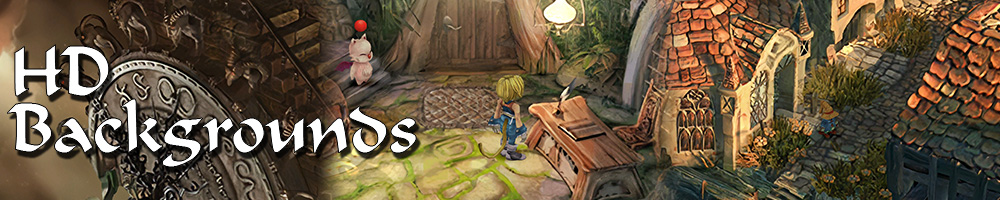
  • Backgrounds
  • Fixed : almost all visual glitches
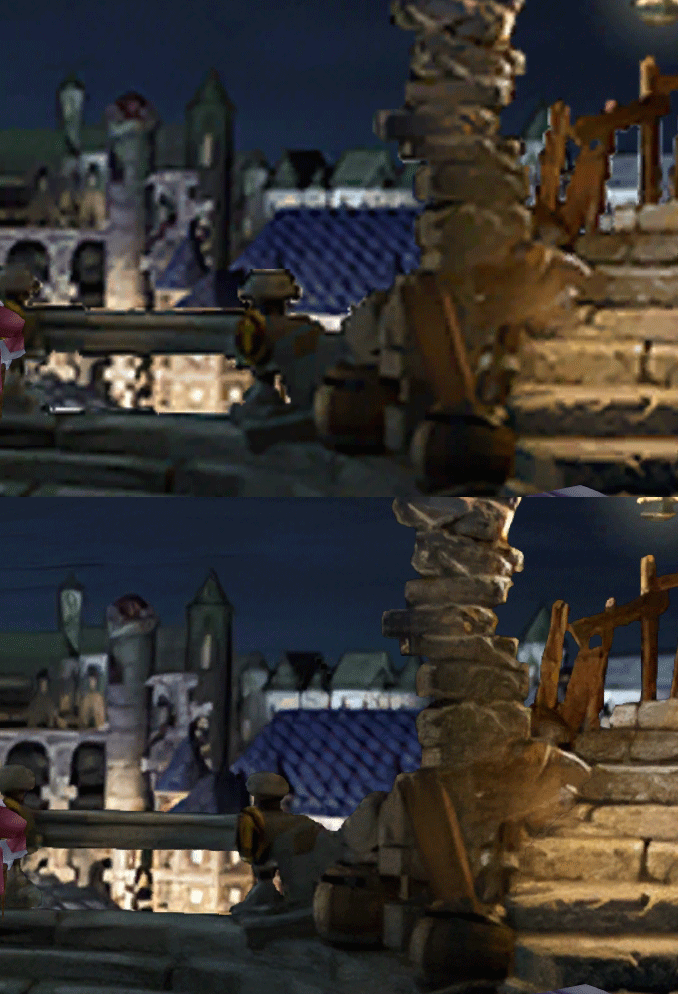
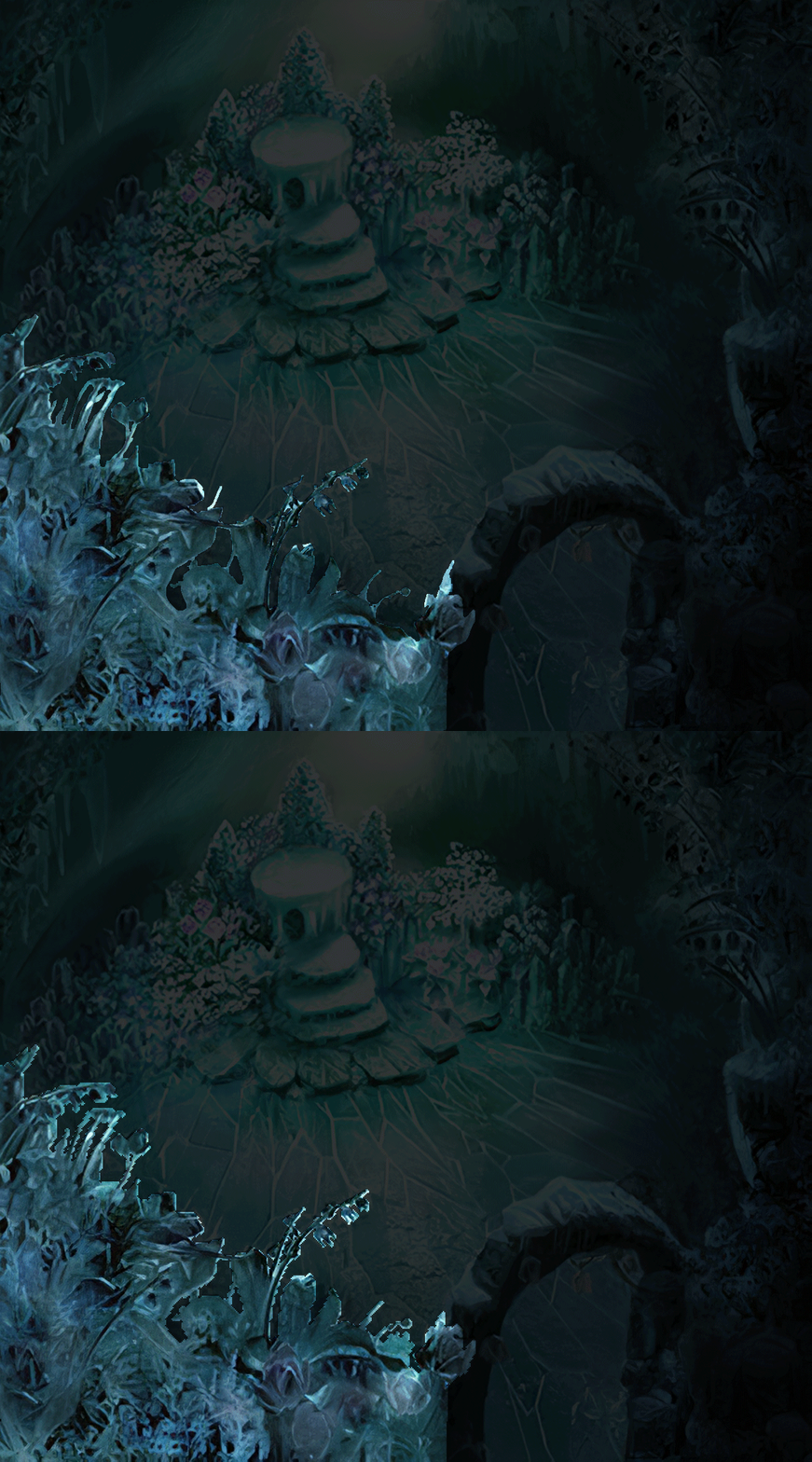
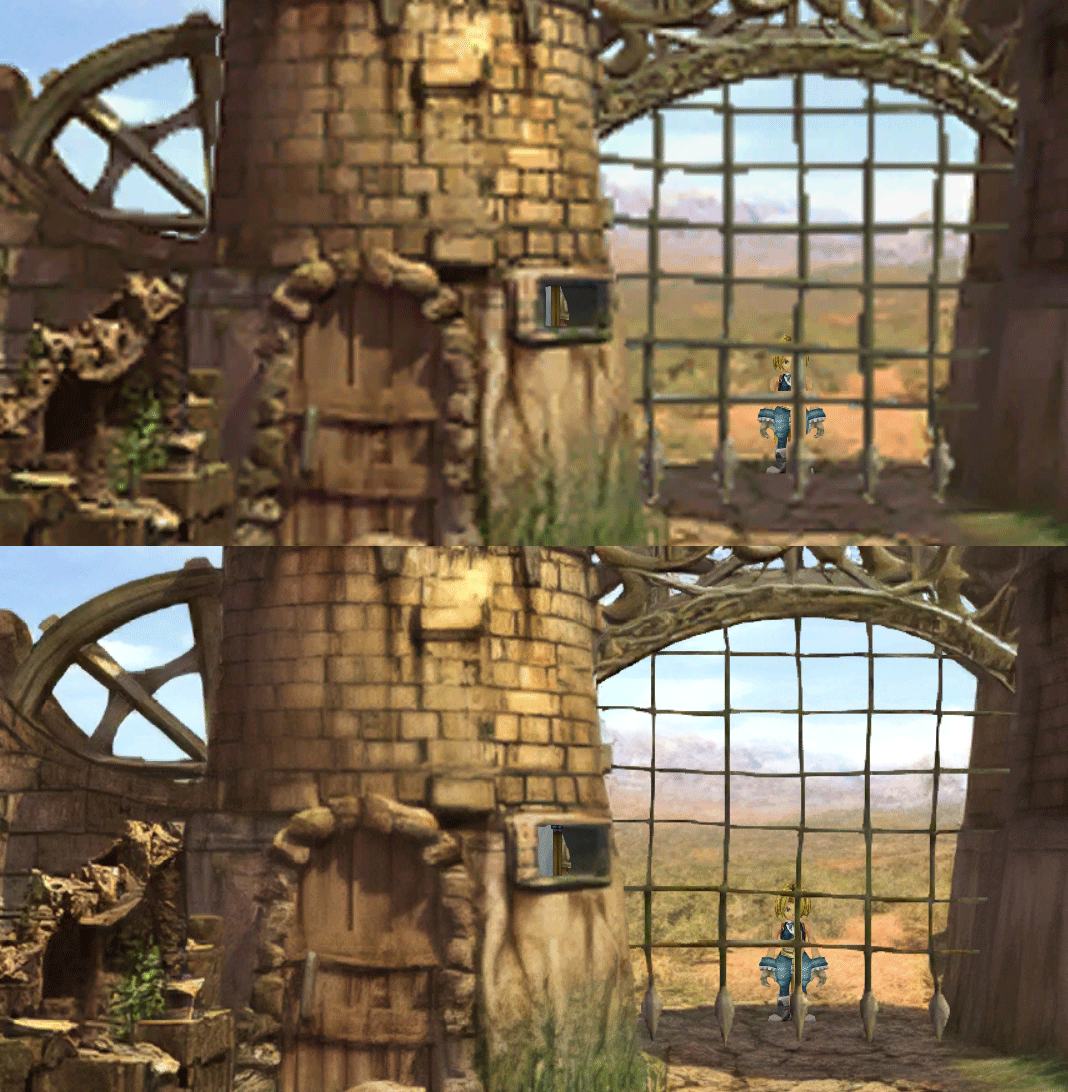
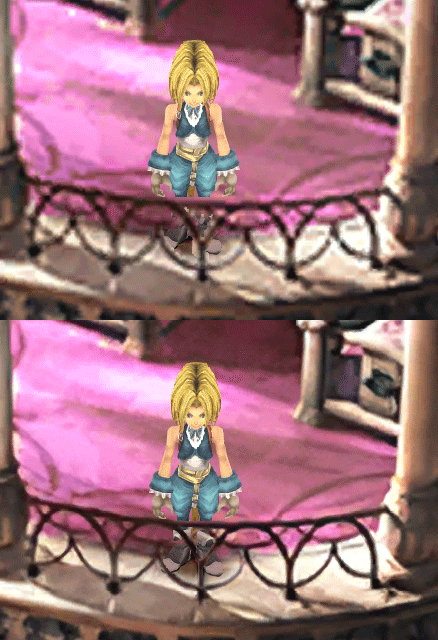
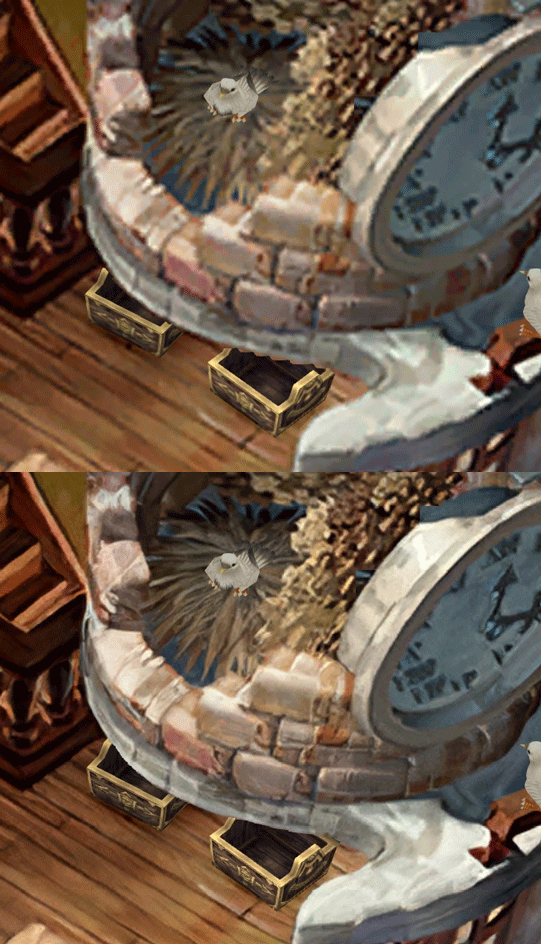
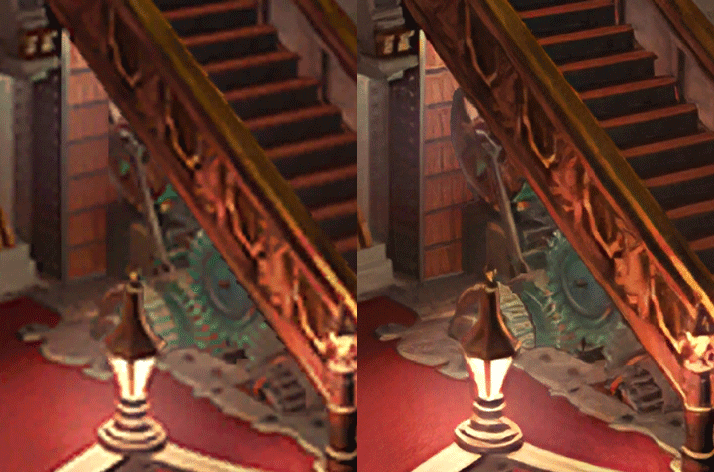
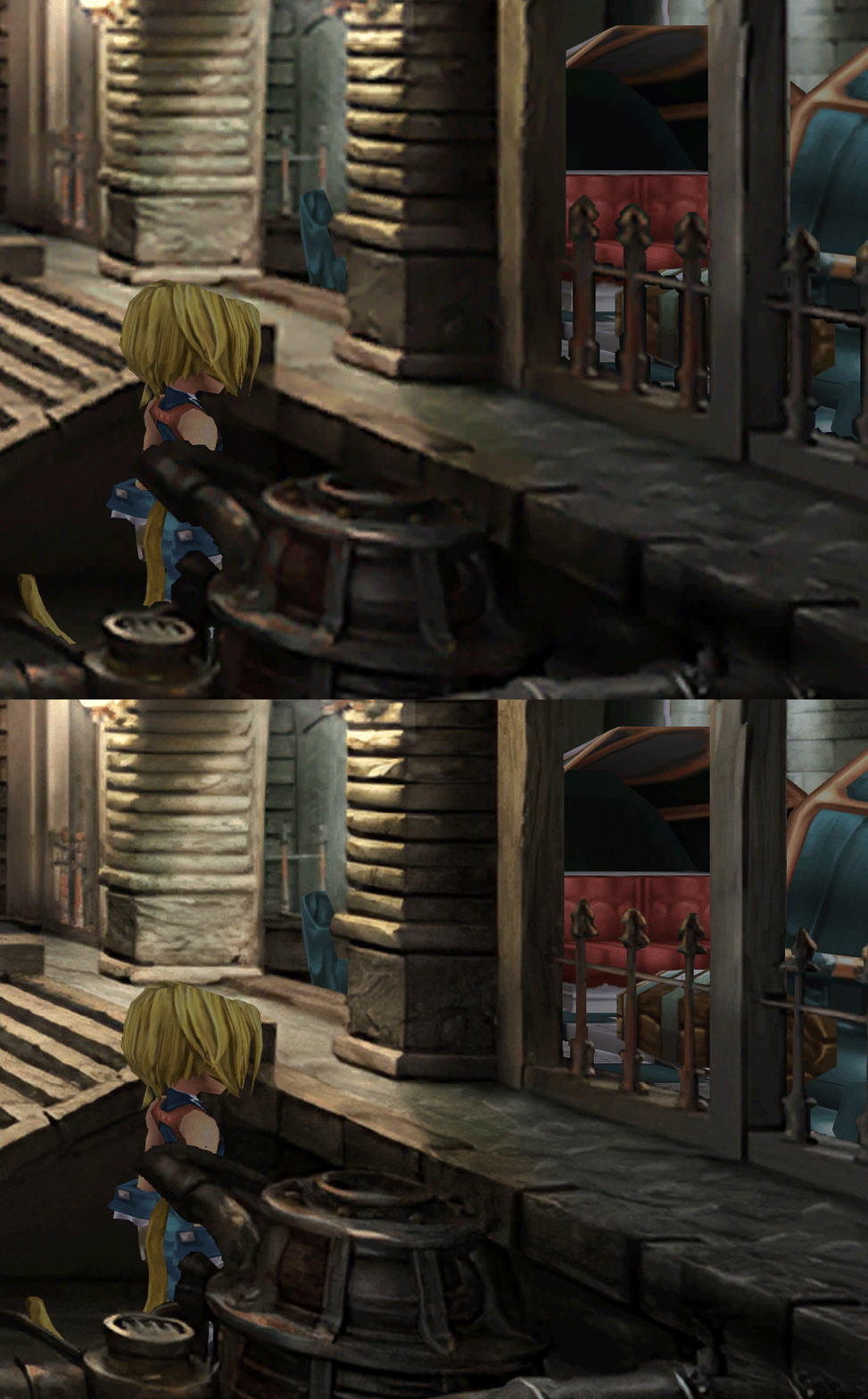
  • Redrawing of all layer edges (all 11000+)
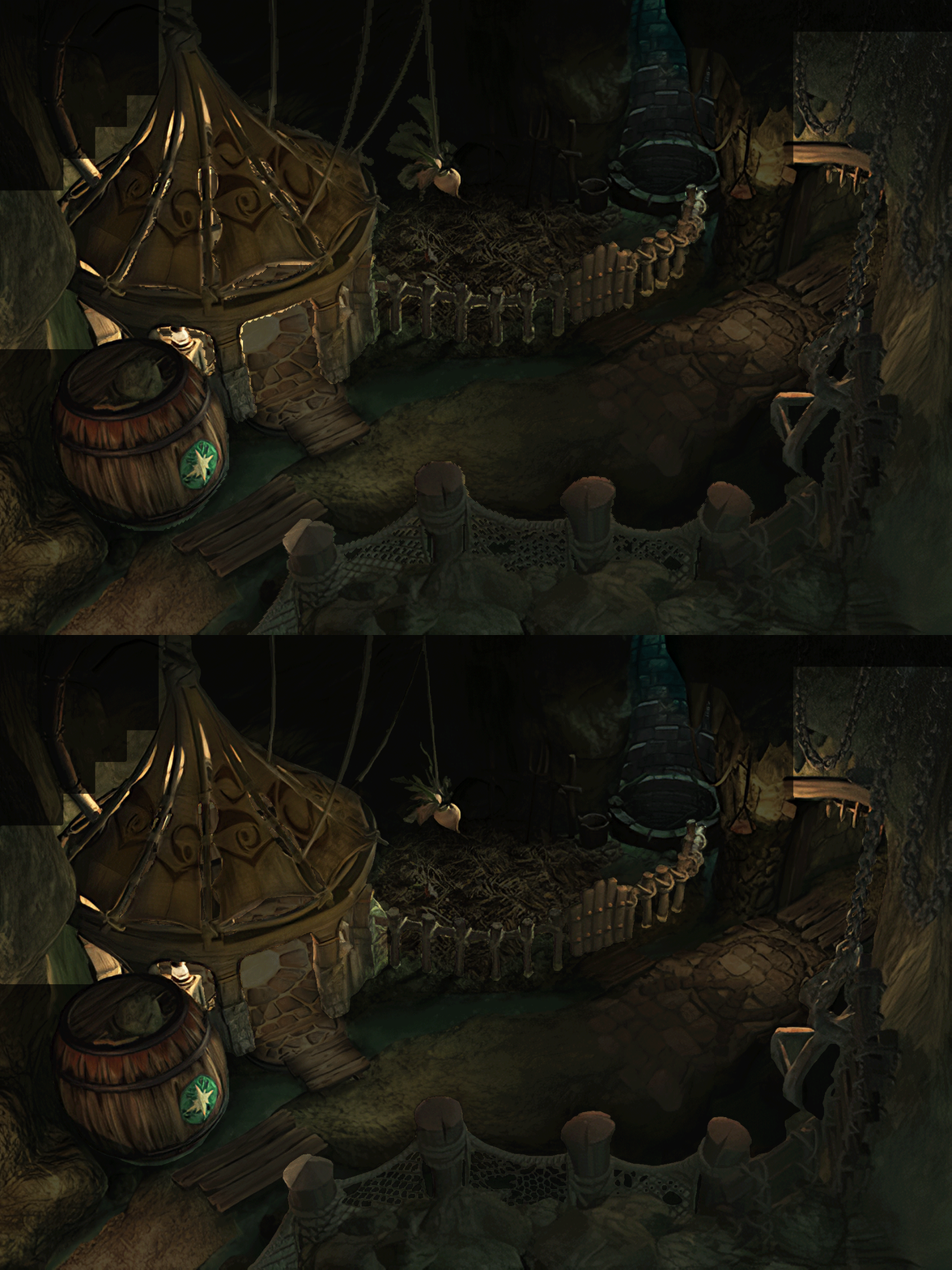
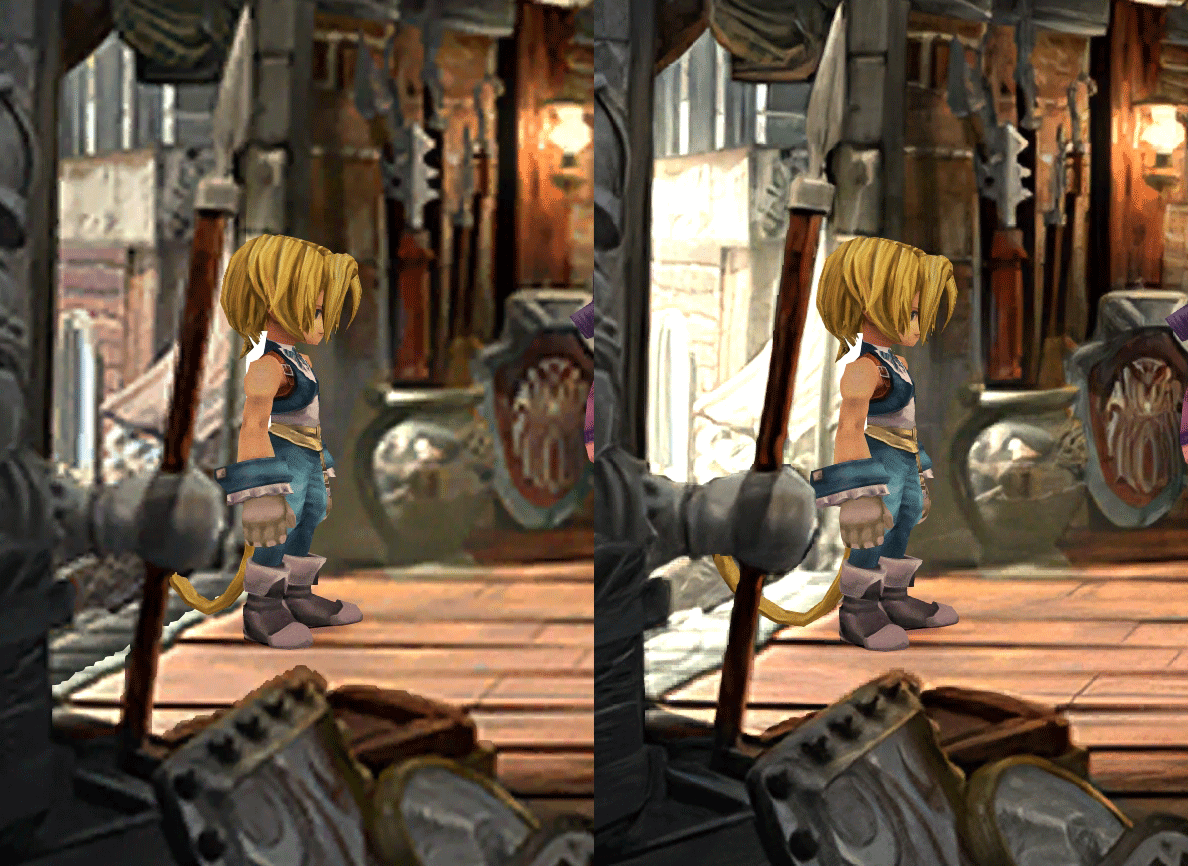
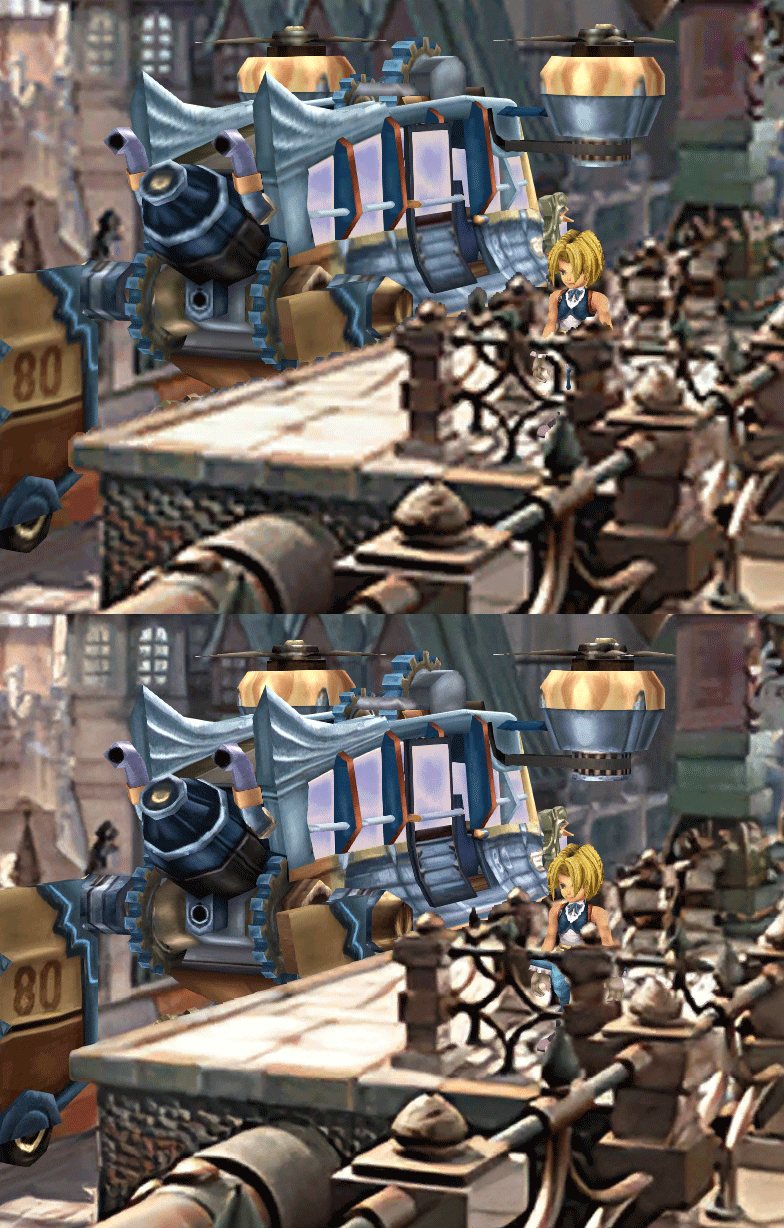
  • Cleaner / sharper graphics (all 6000+)
  • Better & cleaner lighting (all 1400+)
  • Countless manual image doctoring
  • Manually redrawn some parts (some partially based on portfolio images by Wesley Cann & Behrooz Roozbeh)
  • Background animations better integrated
  • Several bugs from the Steam & PSX versions fixed
  • Recreated all places names with original fonts (for English and French, rest to follow)
  • Seamless scrolling skies & backgrounds, removed 'staircase' edges
  • Recreated baked in textures NPCs
  • Background objects
  • HD background 3D objects
  • HD NPC (with exceptions)
  • Worldmap
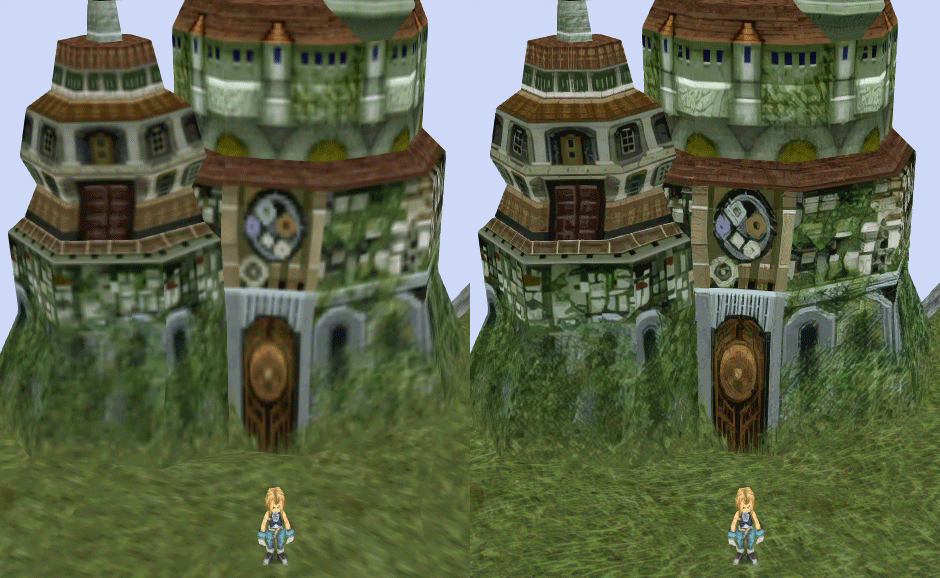
  • HD worldmap textures (upscaled and manually redone, mostly seamless and faithful)
  • Subtly moving seas
  • HD worlmap items (ships...) textures
  • Battles
  • HD monsters (with exceptions)
  • HD battlefields with redrawn edges (exceptions for animated textures)
  • Seamless skies (not 100% on point)
  • Fixed missing monster death sounds (credit: Tirlititi)
  • UI
  • Recreated faithful HD maps
  • Recreated Start menu and game over screens
  • Character portraits edges


OLD POST

2020-04-23 - Finally, here's a beta file of the backgrounds!
For those who chose to install it, please screenshot any problem or potential improvement, as major or minor it is.

If you can't post in this thread, you can contact me on reddit


Other parts of the mod available to download:
[size=14pt]NPC & Monsters HD V2 DOWNLOAD
Battle Backgrounds HD V1 DOWNLOAD
Worldmap HD V2 DOWNLOAD
UI Stuff V1 DOWNLOAD
Maybe save the original files beforehand

-------------------------------------------------------------

Hi everyone,

I'm making a thread to track my progress with my reworking of Moguri since June 2019

◈ Finishing touches, corrections & testing ◈
chat_loader.gif

◈ Backgrounds masks (redrawing by hand) ◈
⬛⬛⬛⬛⬛⬛⬛⬛⬛⬛⬛⬛⬛⬛⬛⬛⬛⬛⬛⬛ | 100% | 678/678

◈ Blended/light layers upscaling ◈
⬛⬛⬛⬛⬛⬛⬛⬛⬛⬛ | 100% | 1479/1479

◈ Re-drawing of transparency for fight scenes textures ◈
⬛⬛⬛⬛⬛⬛⬛⬛⬛⬛ | 100% | 186/186

◈ Monster texture upscaling ◈
⬛⬛⬛⬛⬛⬛⬛⬛⬛⬛ | 100% | 124/124

◈ NPC texture upscaling ◈
⬛⬛⬛⬛⬛⬛⬛⬛⬛⬛ | 100% | 150/150

◈ Item on field texure upscaling ◈
⬛⬛⬛⬛⬛⬛⬛⬛⬛⬛ | 100% | 101/101

◈ Worldmap re-texture ◈
https://www.ff7catalog.com/threads/13434/
⬛⬛⬛⬛⬛⬛⬛⬛⬛⬛ | 100%

◈ Place names upscaling (when introduced to a new place) ◈
⬛⬛⬛⬛⬛⬛⬛⬛⬛⬛ | 100% | 44/44


◈ (background) Videos improvement ◈
(⬜⬜⬜⬜⬜⬜⬜⬜⬜⬜⬜⬜⬜⬜⬜⬜⬜⬜ | 0/18) -> might try this in a next update

◈ Extra ◈
-Backgrounds were improved with various ESRGAN models
-Numerous visual corrections
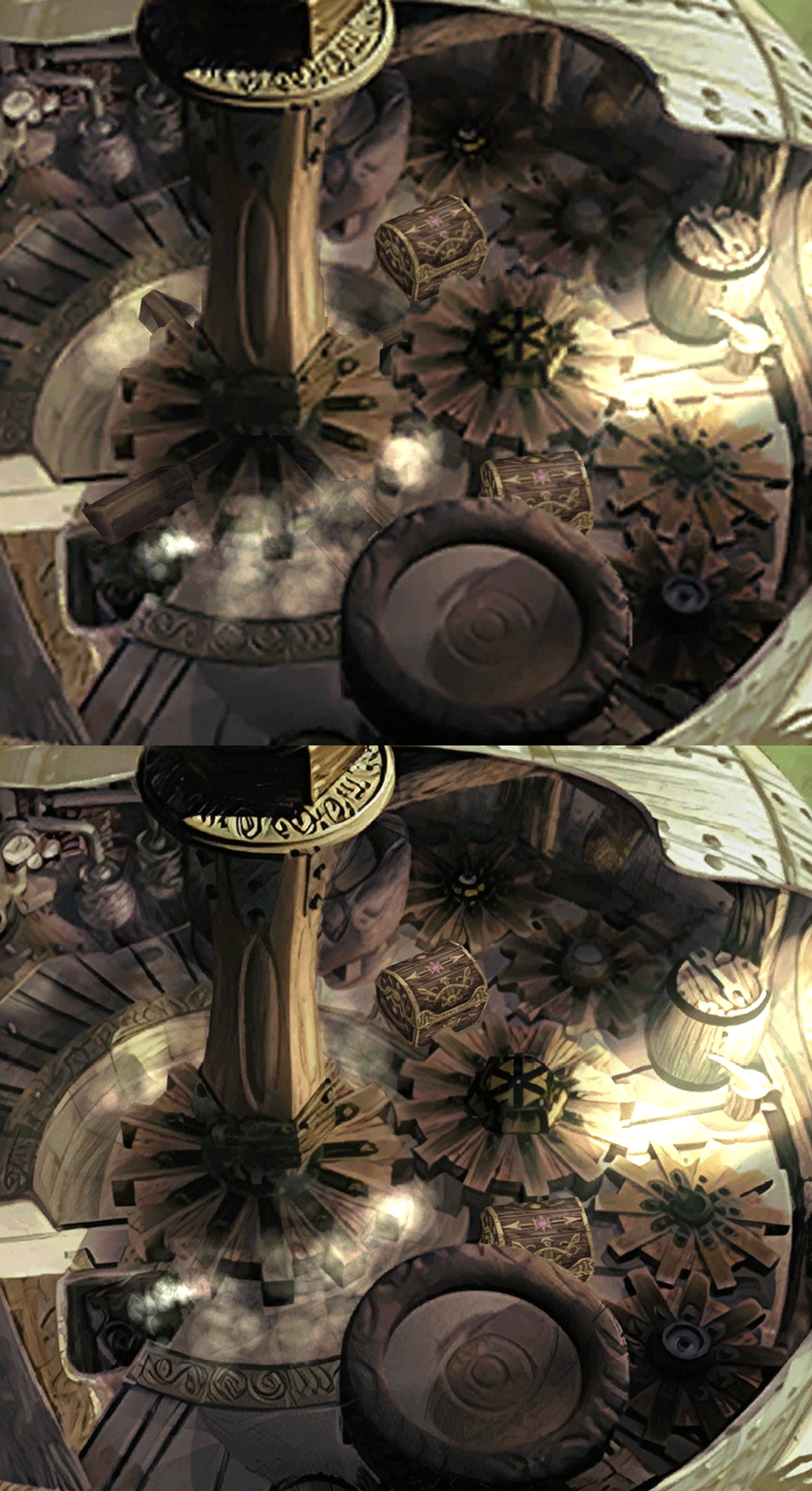
-Upstairs of Dali's Windmill debugged / recreated
-Removed seams in scrolling sky/smoke/sand textures.
-re-created a lot of sky textures for fight scenes, making them seamless and beautiful: 64
-regenerated the battle textures to remove white outlines
-corrected a bug with animated textures in battle scenes
-Multiple other bugs ironed out

◈ Ideas for later ◈
-drawing shadows for some chests/items
-look if I can improve fluidity of the videos with AI video interpolation: https://github.com/sniklaus/pytorch-sepconv (can't make it work yet)
-upscale contextual FMVs?
[/size]
SCREENSHOTS

Click to enlarge
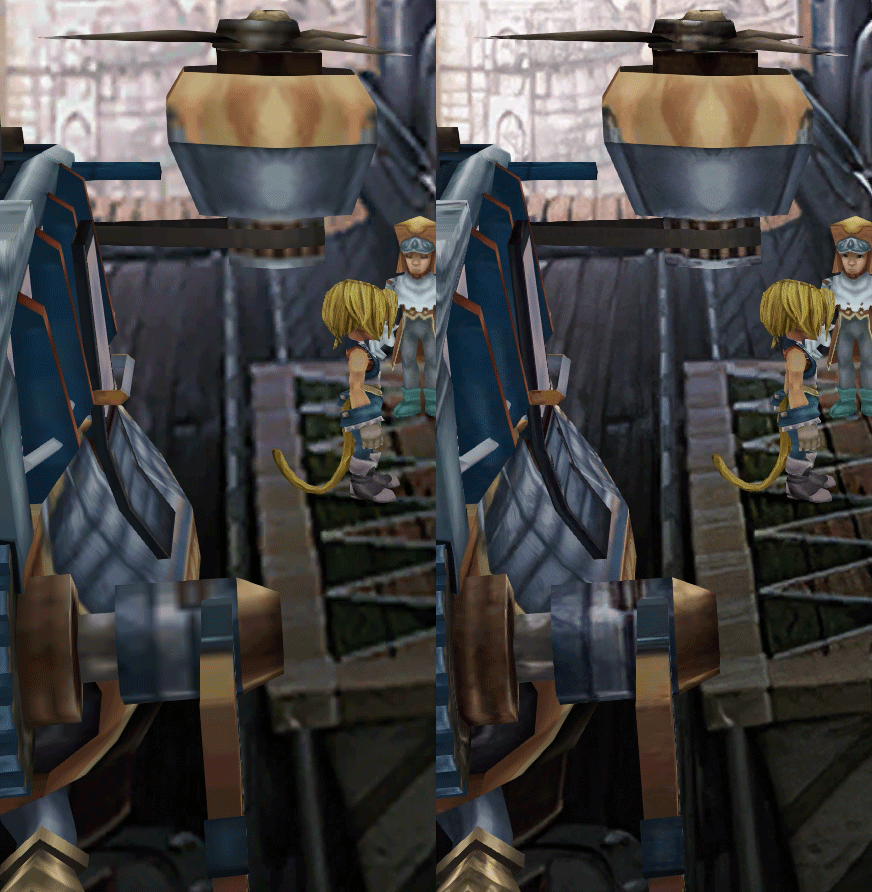
K78WnLu.gif

10pTbFs.gif
E8YADyT.gif
6RS2mEC.gif
OsoRNFn.gif
MVfMxaM.gif
uphBfuD.gif
YGwOCGG.gif
skQq07o.gif
xIcTyUR.gif
Z6k2Zyt.gif
XqomUcu.gif
SSBTwSa.gif
1GGTsJM.gif
eaTQUVb.gif
qKjYKR1.gif
13yOtwo.gif
 
Last edited:
S
I replaced the streaming assets in moguri folder and the x64 in the ff9 folder, but I got the same problem, I will say that on almost all screens the resolution and the sharpness of the image has been decreased, I don't know if it's intentional, here's a comparison link https://imgur.com/a/lMQ6jKp
 
M
Bravo Snouz pour la sortie de la V3 !

Une question :
Est ce que la V3 inclus les font "original" (ou similaire) et le 16/9 ? Ou faut il toujours installer la 7.0.1 pour pouvoir profiter de ces deux features ?

Merci à toi, et bon courage pour la suite !
 
N
Hi Snouz
Congrats for the mod, it's looking really great.
I have 1 question. I have the sound fix v2.1 and v2.2 but they replace the resources.assets and assemblysharp files. Are you planning to include this fixes in the mod? or upload a modification of this files to make the mods compatible?. If not, do you know what sould i do to have this sound fixes in my game. I ask you because i couldn't find the sound fix mod page to ask.
Thank you very much
Could you please upload sound fix 2.2?
I only have the version 2.1, which can be downloaded here:
http://dl.free.fr/getfile.pl?file=/LQl8YcOZ
https://www31.zippyshare.com/v/OGaqIwsV/file.html
https://1fichier.com/?njvfnuhdytf9a30g1kt2

Thank you very much!
 
I
I'm trying to understand the whole "sound fix mod" situation. After a bit of investigation with google and wayback machine, here's what I gathered.

If i understand correctly, there's one mod that fixes some bugs (in AssemblyCSharp.dll), as well as replaces sounds with better/original ones (in p0data or resources files -> would be easy to combine)
But the author has allegedly caused some trouble here and there:
Banned from Nexus - all other links link there. No luck with wayback machine.
Their reddit profile is u/dclem2 and they're still active
Still a post on Qhimm as Incinerator (Guest)
Deleted posts on forum eyesonff (wayback machine original post)

Apparently, the AssemblyCSharp part of it was added to Memoria by zePilot and will thus be part of 8.0
But for the "replacing all sounds" part, I don't have my hand on it. I don't know if there's a way to convince the modder to allow us to download and add it to Moguri.

@ivanfuhr000 if you have the files, could you share it with us on google drive?
https://drive.google.com/open?id=12Ubq7hnD8t3_FMb4nUw_AOlRAAa2eNQC

Sure, there it is.
 
X
I'm trying to understand the whole "sound fix mod" situation. After a bit of investigation with google and wayback machine, here's what I gathered.

If i understand correctly, there's one mod that fixes some bugs (in AssemblyCSharp.dll), as well as replaces sounds with better/original ones (in p0data or resources files -> would be easy to combine)
But the author has allegedly caused some trouble here and there:
Banned from Nexus - all other links link there. No luck with wayback machine.
Their reddit profile is u/dclem2 and they're still active
Still a post on Qhimm as Incinerator (Guest)
Deleted posts on forum eyesonff (wayback machine original post)

Apparently, the AssemblyCSharp part of it was added to Memoria by zePilot and will thus be part of 8.0
But for the "replacing all sounds" part, I don't have my hand on it. I don't know if there's a way to convince the modder to allow us to download and add it to Moguri.

@ivanfuhr000 if you have the files, could you share it with us on google drive?
Maybe it will help with something
https://yadi.sk/d/Q6Uk40n35-AVeA
 
E
Here are some subtle errors i found with the edges in this scene

9ac9c2bcf6cda3c243e9e7db6a230dbd.jpg


Also, on regards of the animated sea, I think the same as others have stated, it's pretty cool but it makes the sea to look like checkers.
 
C
zePilot submitted the fix in June to Memoria, gave the link in July for the Moguri file with the fix, then Albeoris added the fix to the main Memoria in September. The next update will use the last Memoria build, so it'll be included.
So when the Rework goes out of beta it won't work on stock FF9 like now? It'll require the Memoria engine like the Moguri Mod?
 
S
Thanks all for the file. Thanks to Doom Oyster, I got my hand on a fix for missing monster death sounds by Tirliliti, who kindly accepted I include it. I will avoid using the parts of the "sound fix" by /u/dclem2 that are not already fixed by Tirlititi and Memoria, as dclem2 apparently doesn't want to be part of this community, but if someone wants to recreate the missing parts...

So when the Rework goes out of beta it won't work on stock FF9 like now? It'll require the Memoria engine like the Moguri Mod?
Well my goal is to build on top of the existing project. The final update (combined and compiled by zePilot when all of this is done) will include Memoria.
BTW, Albeoris told me he just published a new Memoria version, and he fixed, between other things:
-the problem I reported of english only place names --> now I'll have to do a proper upscale of german, italian and spanish!
-crashes on battles !

About the moving water:
I've done a test with adding a plain color at 60% opacity at tile borders, but that's worse: https://i.imgur.com/lLTfxtS.jpg
I'll try adding noise instead and try to find the best balance.

About blurry backgrounds, I'll have to test with Memoria, as I think the rendering changes a bit.
The scenes with bach is surprising. I haven't tested it in widescreen. Is it fixed when you switch to not-widescreen?

EDIT: the Memoria update from this morning is crashing on startup. I've reported it and waiting for a fix.
 
Last edited:
Q
Thanks all for the file. Thanks to Doom Oyster, I got my hand on a fix for missing monster death sounds by Tirliliti, who kindly accepted I include it. I will avoid using the parts of the "sound fix" by /u/dclem2 that are not already fixed by Tirlititi and Memoria, as dclem2 apparently doesn't want to be part of this community, but if someone wants to recreate the missing parts...
Well my goal is to build on top of the existing project. The final update (combined and compiled by zePilot when all of this is done) will include Memoria.
BTW, Albeoris told me he just published a new Memoria version, and he fixed, between other things:
-the problem I reported of english only place names --> now I'll have to do a proper upscale of german, italian and spanish!
-crashes on battles !

About the moving water:
I've done a test with adding a plain color at 60% opacity at tile borders, but that's worse: https://i.imgur.com/lLTfxtS.jpg
I'll try adding noise instead and try to find the best balance.

About blurry backgrounds, I'll have to test with Memoria, as I think the rendering changes a bit.
The scenes with bach is surprising. I haven't tested it in widescreen. Is it fixed when you switch to not-widescreen?
First of all, thank you for the amazing work you do, I always wanted to play ffix but wanted to play it in the best way I could. Now with your and others great efforts is the best time to play the game.

I only have one question, I wanted to install the latest version of memoria along with Moguri 8 Beta, is this possible? if yes I would really appreciate you could tell me how.

Thanks again.
 
Last edited:
S
Hi there Snouz!

First of all, I want to thank you so much for further improving the Moguri Mod. ZePilot has done an amazing job, and yet you managed to improve it and bring it to perfection. FFIX is my favourite game of all time so it really means a lot.

I started today a new game of FFIX with your mod and I have found one bug where the characters end up behind the fence that's part of the background. It's the (kind of useless) location right when you get out of the Evil Forest and when you don't go straight to Ice Caverns:

https://imgur.com/IXmc9sN

I will keep you updated if I find something else!
 
S
I only have one question, I wanted to install the latest version of memoria along with Moguri 8 Beta, is this possible? if yes I would really appreciate you could tell me how.
Last version doesn't work right now, your best bet if you want memoria would be to install moguri 7 and follow the instruction in the install guide I provided.

I started today a new game of FFIX with your mod and I have found one bug where the characters end up behind the fence that's part of the background. It's the (kind of useless) location right when you get out of the Evil Forest and when you don't go straight to Ice Caverns:
https://imgur.com/IXmc9sN
Ah good eye! I forgot to revert back the change from a depth test. I was trying to fix the chest going in front of the post. Fixed.

@Caledor, I managed to fix another depth bug from PSX: the gates in the desert palace that are half closed, half open.
It's a bit more tricky:

in field Palace/Dungeon 2
in Main_init (beginning of the function:
    SetTilePositionEx( 13, 0, 0, 500 )
    SetTilePositionEx( 18, 0, 0, 500 )

after "    case 9530:" and after "    case 9815:"
        SetTilePositionEx( 2, 0, 0, -500 )
        SetTilePositionEx( 3, 0, 0, -500 )
        SetTilePositionEx( 4, 0, 0, -500 )
        SetTilePositionEx( 5, 0, 0, -500 )
        SetTilePositionEx( 6, 0, 0, -500 )
        SetTilePositionEx( 7, 0, 0, -500 )
        SetTilePositionEx( 8, 0, 0, -500 )
        SetTilePositionEx( 9, 0, 0, -500 )
        SetTilePositionEx( 13, 0, 0, -500 )


In Function Zidane_13
replace:
    ShowTile( 2, 0 )
    SetObjectLogicalSize( 14, 20, 30 )
    InitWalk(  )
    Walk( -1983, 2306 )
    InitWalk(  )

with:
    ShowTile( 2, 0 )
    SetTilePositionEx( 3, 0, 0, -500 )
    SetTilePositionEx( 4, 0, 0, -500 )
    SetTilePositionEx( 5, 0, 0, -500 )
    SetTilePositionEx( 6, 0, 0, -500 )
    SetTilePositionEx( 7, 0, 0, -500 )
    SetTilePositionEx( 8, 0, 0, -500 )
    SetTilePositionEx( 9, 0, 0, -500 )
    SetTilePositionEx( 13, 0, 0, -500 )
    SetObjectLogicalSize( 14, 20, 30 )
    InitWalk(  )
    Walk( -1983, 2306 )
    SetTilePositionEx( 3, 0, 0, 500 )
    SetTilePositionEx( 4, 0, 0, 500 )
    SetTilePositionEx( 5, 0, 0, 500 )
    SetTilePositionEx( 6, 0, 0, 500 )
    SetTilePositionEx( 7, 0, 0, 500 )
    SetTilePositionEx( 8, 0, 0, 500 )
    SetTilePositionEx( 9, 0, 0, 500 )
    SetTilePositionEx( 13, 0, 0, 500 )
    InitWalk(  )

In each main character _16:
add before "    WaitTurn(  )"
    SetTilePositionEx( 2, 0, 0, 200 )
    SetTilePositionEx( 3, 0, 0, 200 )
    SetTilePositionEx( 4, 0, 0, 200 )
    SetTilePositionEx( 5, 0, 0, 200 )
    SetTilePositionEx( 6, 0, 0, 200 )
    SetTilePositionEx( 7, 0, 0, 200 )
    SetTilePositionEx( 8, 0, 0, 200 )
    SetTilePositionEx( 9, 0, 0, 200 )
    SetTilePositionEx( 13, 0, 0, 200 )

This will re-arrange depth of doors so that no bit gets in front of characters and that they don't appear in front of the texture, while putting the closed doors layers in front of the open one.
 
Last edited:
C
Thanks snouz! Just tried and it works flawlessly except for one case: when frogcid goes out of the minigame and the party regroups, the doors will appear in front of the leading character when the goes near them. Obviously the issue is fixed by exiting and re-entering the room, but to fix that scene as well:

In Main_Loop near the end, after "ShowTile( 9, 1 )", i added:
        SetTilePositionEx( 2, 0, 0, 500 )
        SetTilePositionEx( 3, 0, 0, 500 )
        SetTilePositionEx( 4, 0, 0, 500 )
        SetTilePositionEx( 5, 0, 0, 500 )
        SetTilePositionEx( 6, 0, 0, 500 )
        SetTilePositionEx( 7, 0, 0, 500 )
        SetTilePositionEx( 8, 0, 0, 500 )
        SetTilePositionEx( 9, 0, 0, 500 )
        SetTilePositionEx( 13, 0, 0, 500 )
 
Last edited:
K
Hate to be a bother, but I'm having an issue getting Moguri and this new version working together.

With V3
https://postimg.cc/gallery/ScGb70W

Without V3 (Moguri only)
https://postimg.cc/gallery/xqcK95q

I'm judging by the ice cavern picture, you can see once V3 is installed, Moguri doesn't seem to work on it (but I do love the changes you've made! The open world looks so much nicer!

I haven't updated the sharp dll because the readme says not to if I'm using Moguri already. The assets files have been updated and the rest have been put into the Moguri folder.
 
S
Thanks snouz! Just tried and it works flawlessly except for one case: when frogcid goes out of the minigame and the party regroups, the doors will appear in front of the leading character when the goes near them. Obviously the issue is fixed by exiting and re-entering the room, but to fix that scene as well:

In Main_Loop near the end, after "ShowTile( 9, 1 )", i added:
        SetTilePositionEx( 2, 0, 0, 500 )
        SetTilePositionEx( 3, 0, 0, 500 )
        SetTilePositionEx( 4, 0, 0, 500 )
        SetTilePositionEx( 5, 0, 0, 500 )
        SetTilePositionEx( 6, 0, 0, 500 )
        SetTilePositionEx( 7, 0, 0, 500 )
        SetTilePositionEx( 8, 0, 0, 500 )
        SetTilePositionEx( 9, 0, 0, 500 )
        SetTilePositionEx( 13, 0, 0, 500 )
Ah thanks! I'm trusting you on this one and adding the fix. I've completely redone this field visually (regenerated, fixed here and there), it's been a difficult one, but I think it's almost perfect now.

BTW Al has fixed the crash of his latest Memoria version. Testing it right now. Then I'll work on water texture and worldmap objects, then I'll be ready for BETA V4.
EDIT: now the Memoria patcher runs but the game won't launch.
 
Last edited:
C
During my last FF9 run i saved in a different slot every time i had the chance. Do you think it'd be useful to you for testing purposes? if so i can upload it.
 
S
During my last FF9 run i saved in a different slot every time i had the chance. Do you think it'd be useful to you for testing purposes? if so i can upload it.
That's nice of you but I did exactly the same as I progressed !
 
Status
Not open for further replies.
Back
Top