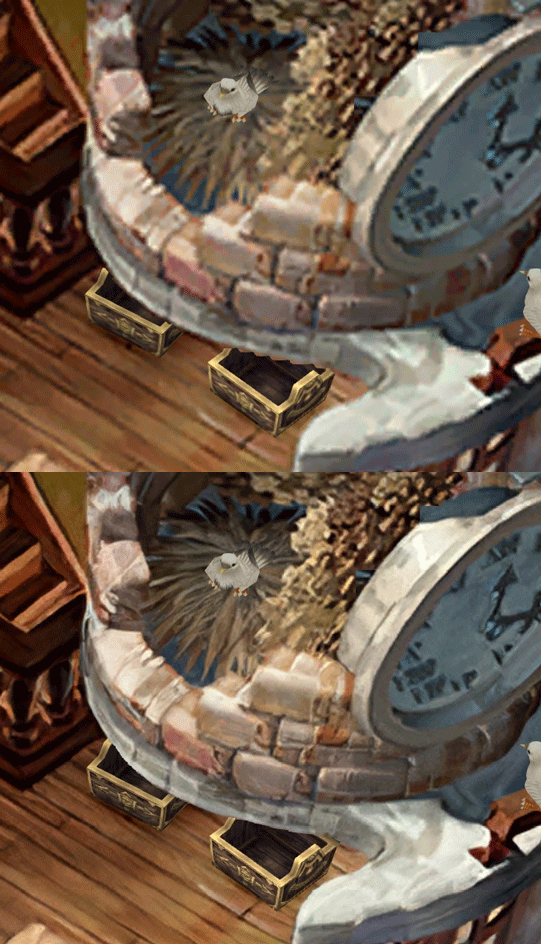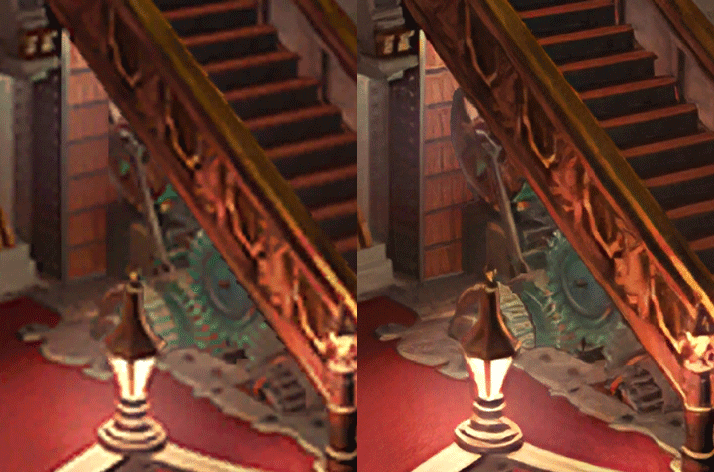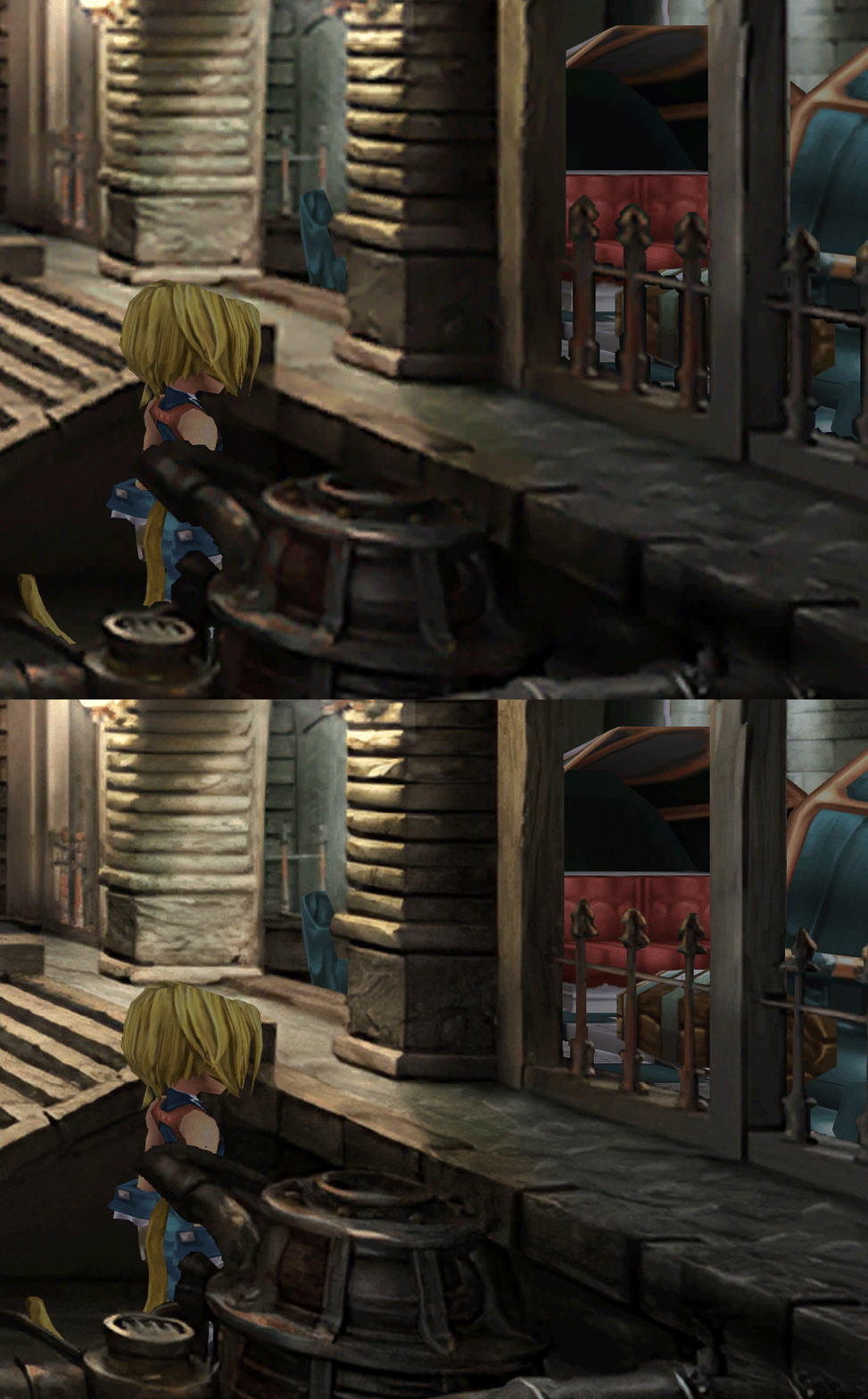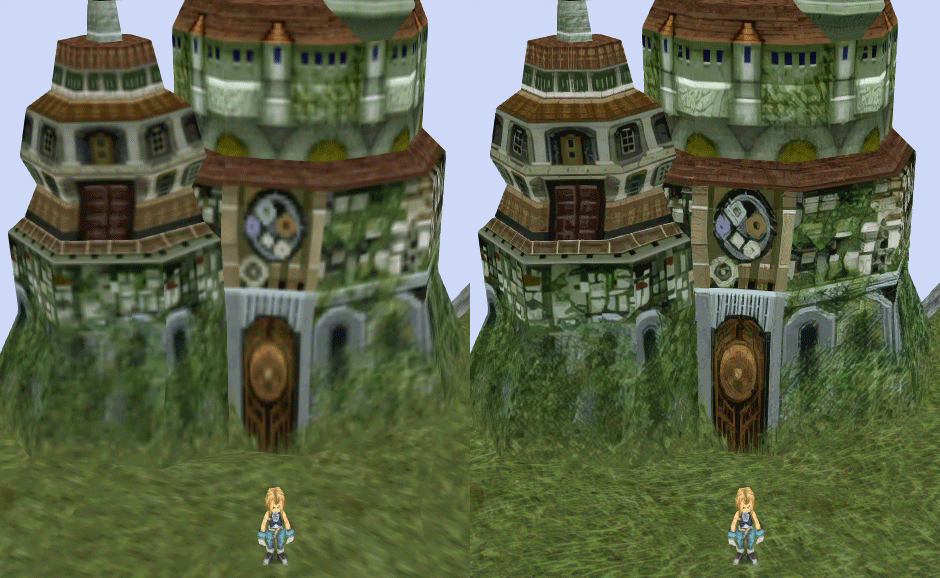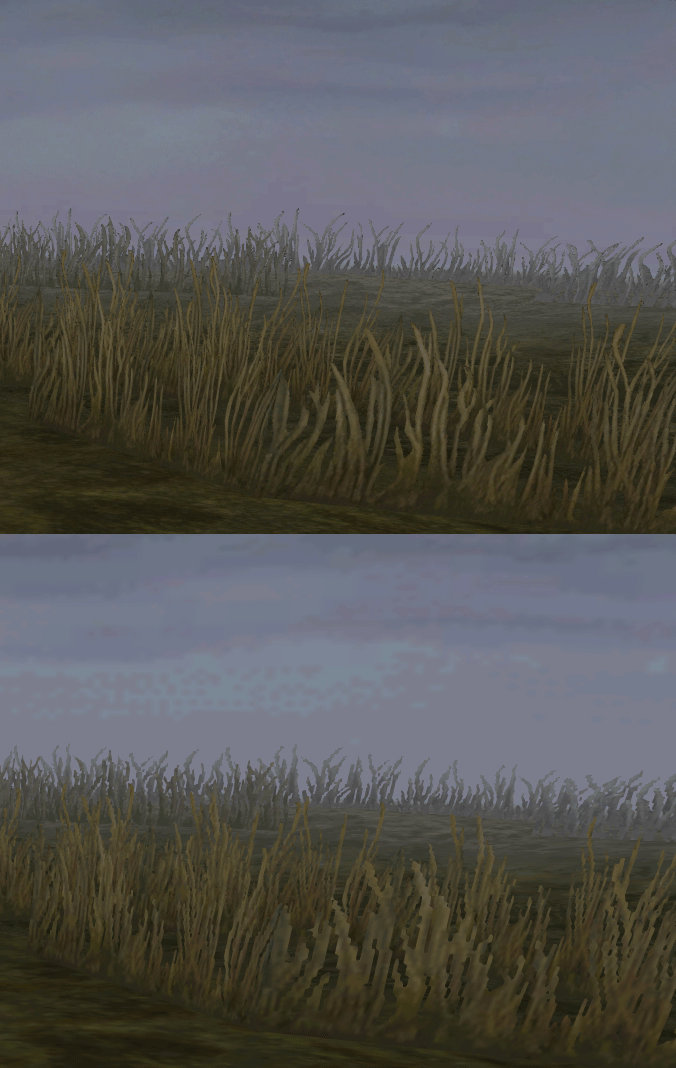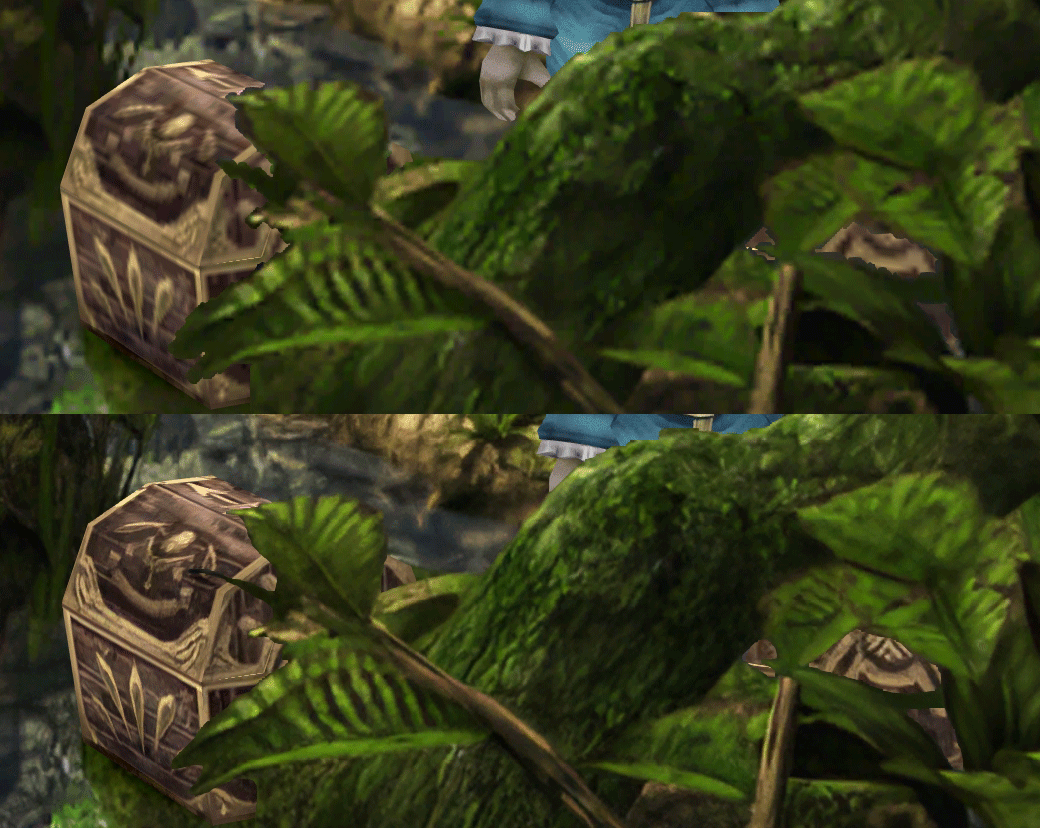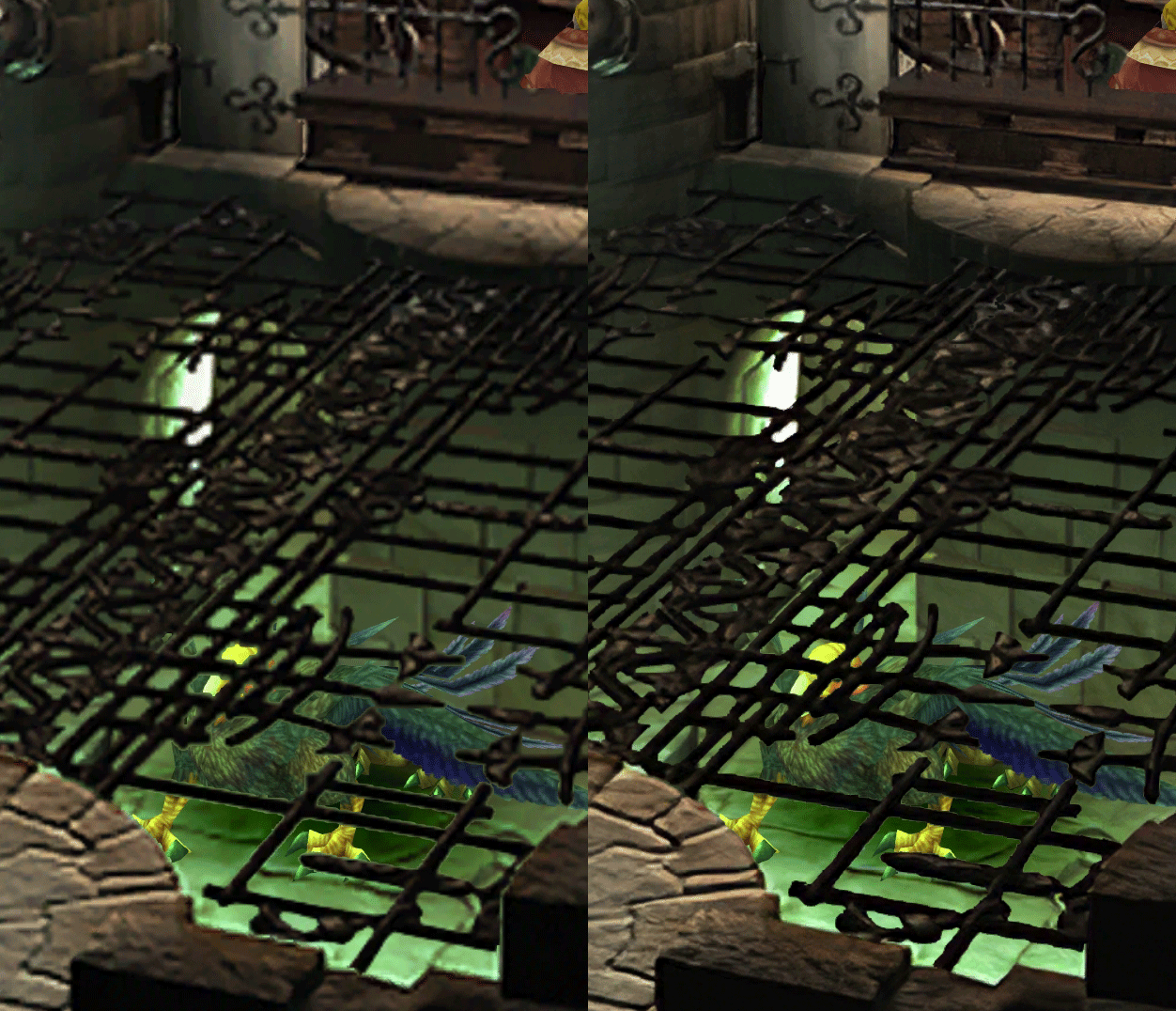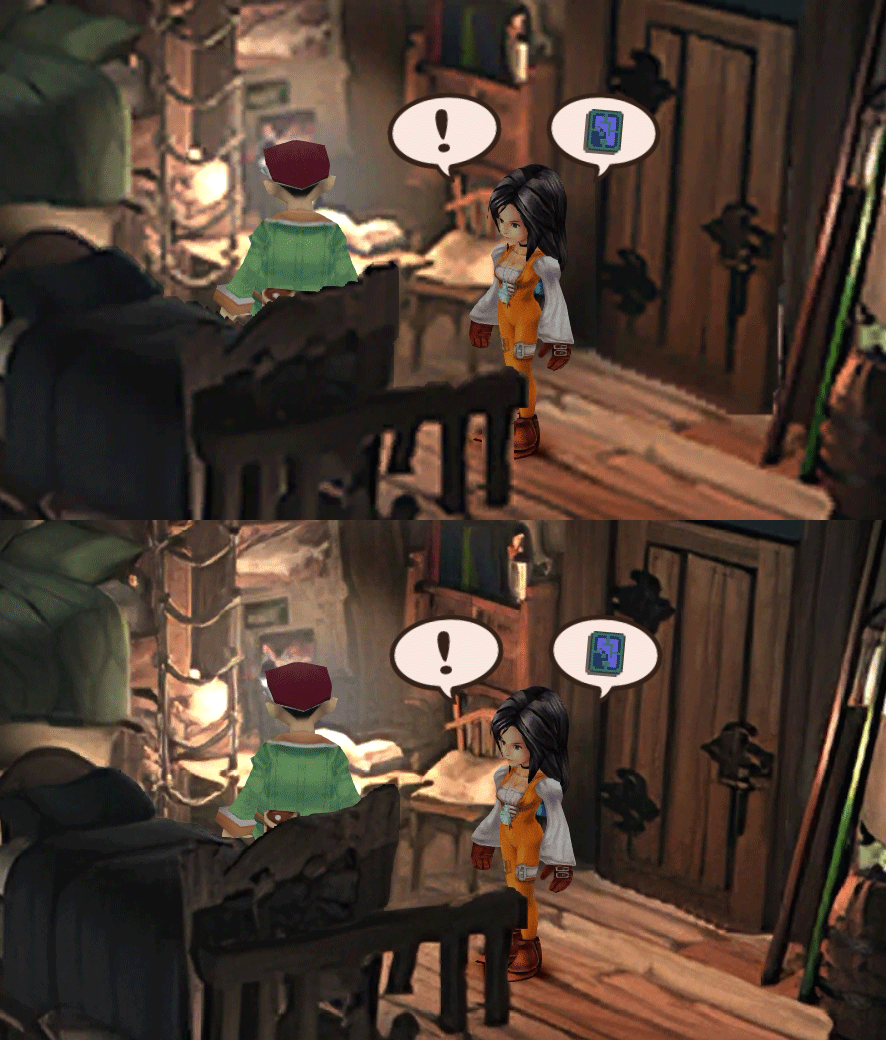
[FF9 PC] Moguri Mod update 8.2 (LIVE ON OFFICIAL SITE)

  • Thread starter Thread starter snouz
  • Start date Start date
Status
Not open for further replies.
s6YQdFA.jpg
eY0jRJ9.jpg
Kr5wC8e.jpg
lc1gfLK.jpg
JrssSrE.jpg


D O W N L O A D

THE UPDATE HAS NOW GONE LIVE OFFICIALLY


NEW 2020-05-23 - MOGURI 8 BETA V5 changelog -> Make a shortcut of the file to your drive then go into your drive, find the shortcut there and click "make a copy"
(outdated) 2020-05-11 - MOGURI 8 BETA V4 changelog
(outdated) 2020-05-04 - MOGURI 8 BETA V3 changelog
(outdated) 2020-04-28 - MOGURI 8 BETA V2 changelog
(outdated) 2020-04-23 - MOGURI 8 BETA V1


I N S T A L L _ G U I D E

[size=10pt]IF YOU DON'T HAVE MOGURI INSTALLED
1) Extract and replace the files in the .zip to SteamLibrary\steamapps\common\FINAL FANTASY IX\

IF YOU HAVE MOGURI INSTALLED (not required!)
1) If you installed it before 2020-04-2, uninstall and re-install Moguri again (SquareEnix pushed a Steam update that temporarily broke the game and Moguri)
2) Extract the content of StreamingAssets in \Program Files (x86)\Moguri Mod\StreamingAssets\
3) Extract \x64\FF9_Data\resources.assets & \x64\FF9_Data\sharedassets2.assets to SteamLibrary\steamapps\common\FINAL FANTASY IX\x64\FF9_Data\
   but DON'T replace Assembly-CSharp.dll

To check you have the right version, here's how the first frame should look
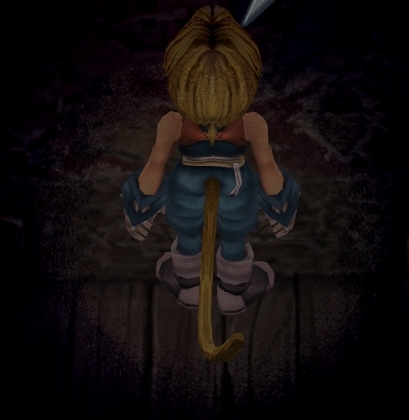
X6tHnEA.jpg


1) In steam, right click the game, go to "properties...", go to the LOCAL FILES tab, click VERIFY INTEGRITY OF GAME FILES. This will re-download the original files, but your saves are still intact.


p0data2.bin - Battle backgrounds
p0data3.bin - Worldmap textures
p0data4.bin - NPC, monsters and background items
p0data11.bin to p0data19.bin - Main backgrounds
resources.assets & sharedassets2.assets - UI stuff (maps, title screen...)
Assembly-CSharp.dll - The patched file that allows for the augmented resolution of backgrounds. (The one here and the one in moguri are different)

Note: If you have uninstalled Moguri and/or Memoria and you have names like ZidaneZidane, ViviVivi, you can salvage your save with this tool: https://www.ff7catalog.com/threads/7672/
Note: Alternate Fantasy is not currently supported.
[/size]


F E A T U R E S

  • Backgrounds
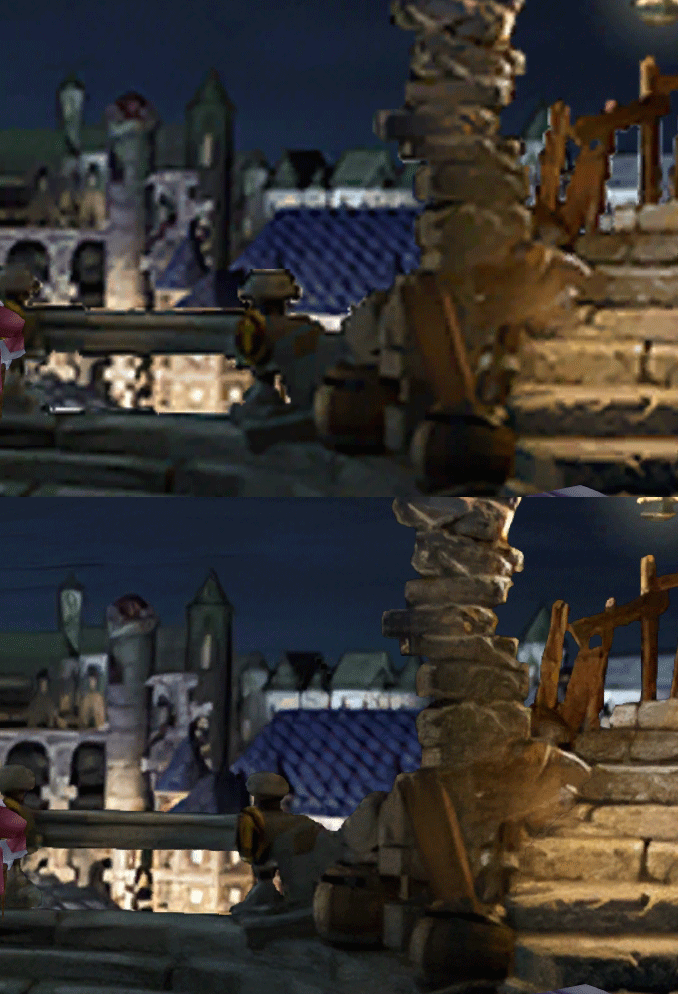
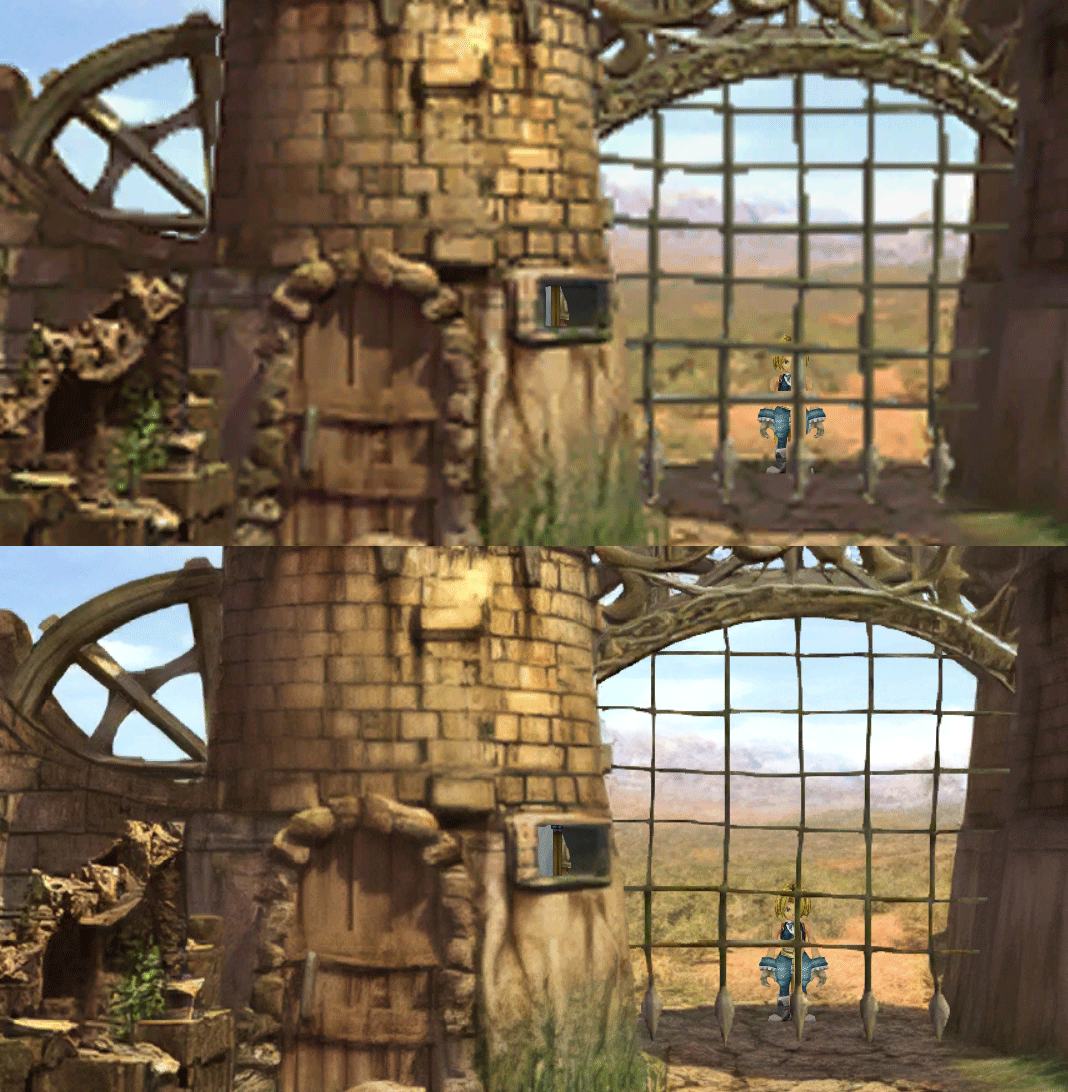
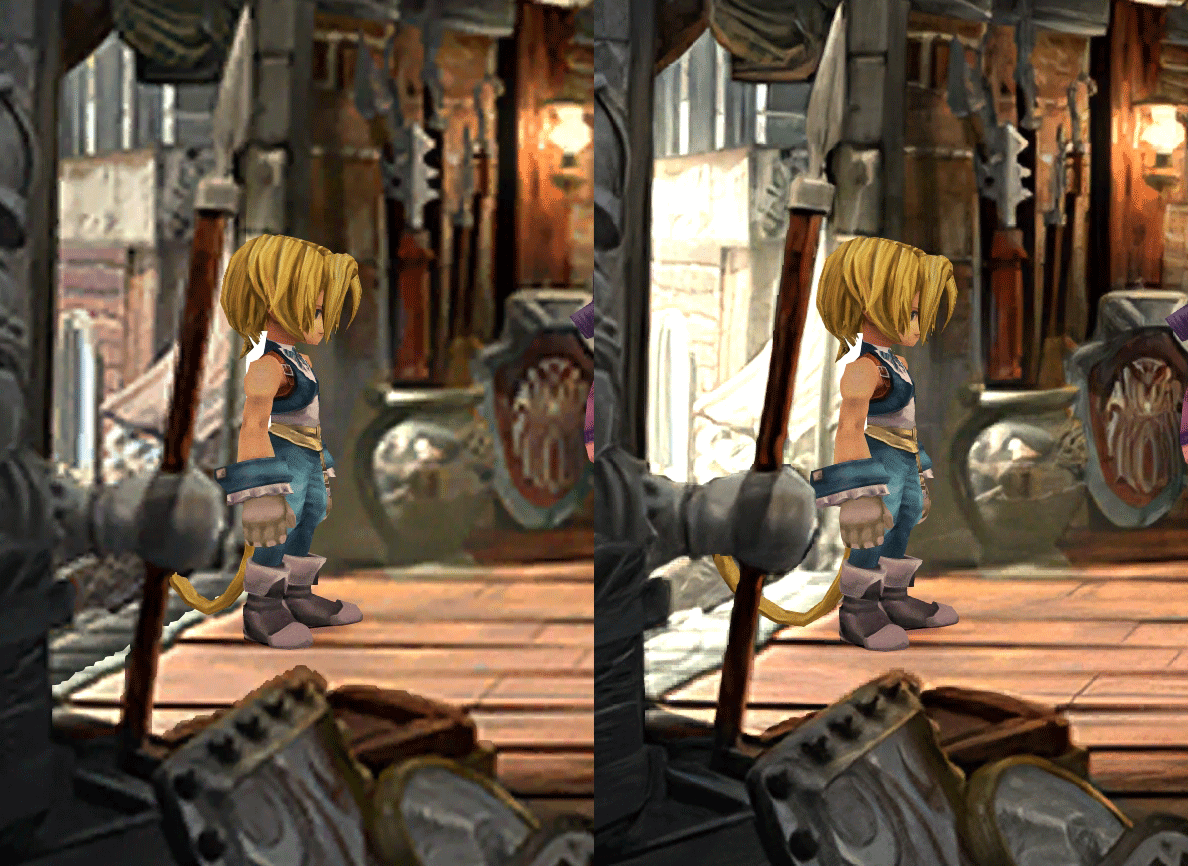
  • Fixed : almost all visual glitches
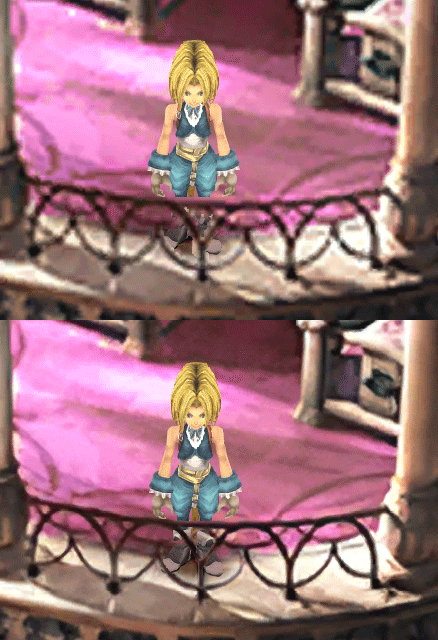
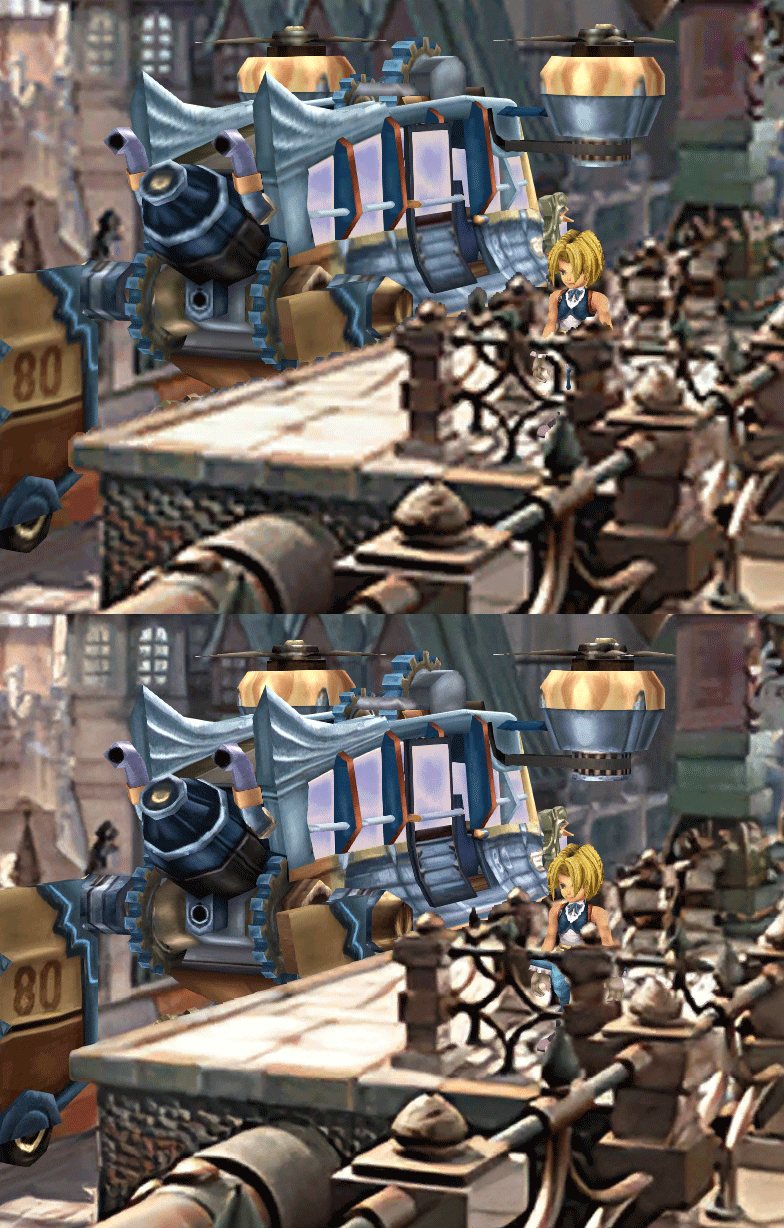
  • Redrawing of all layer edges (all 11000+)
  • Cleaner / sharper graphics (all 6000+)
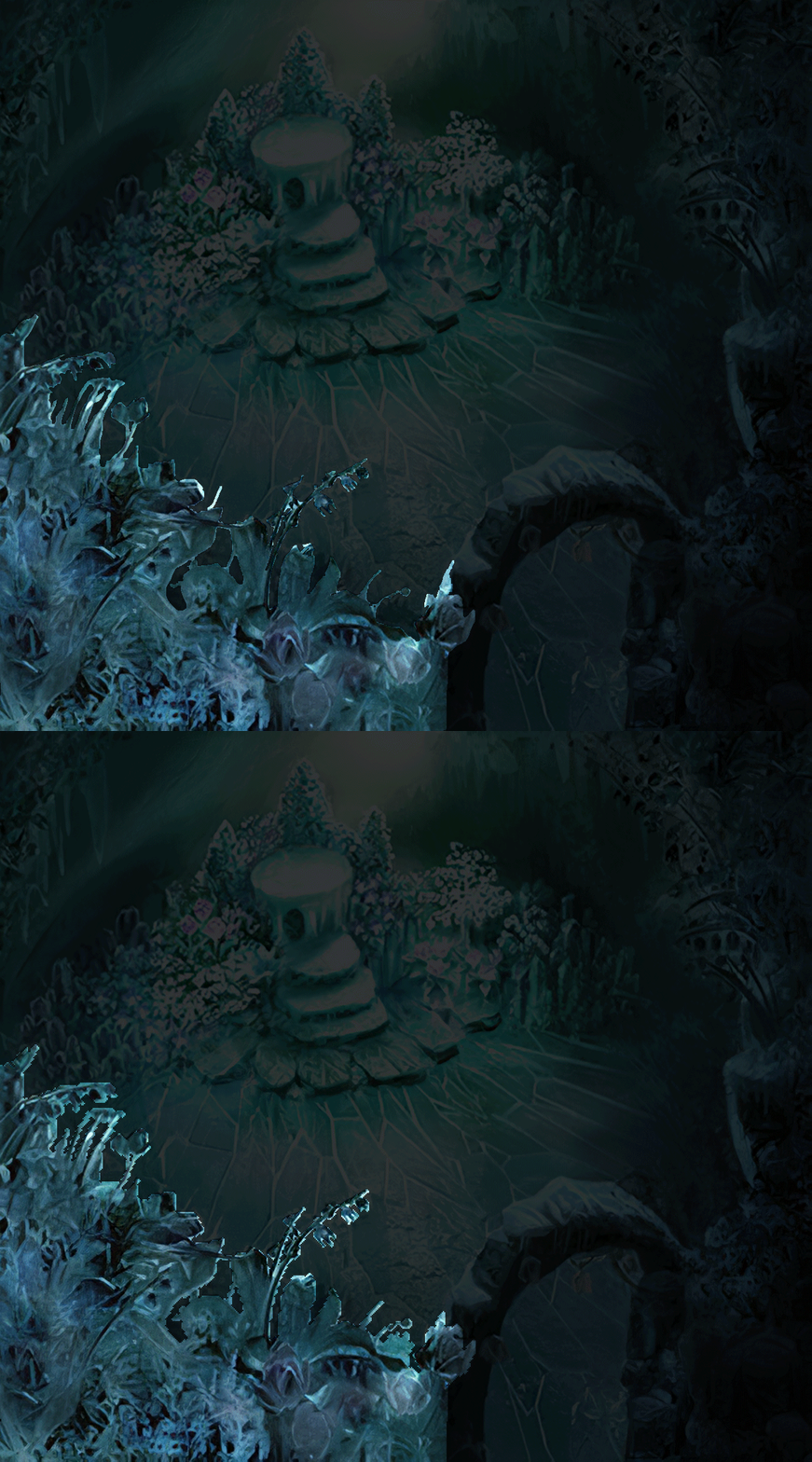
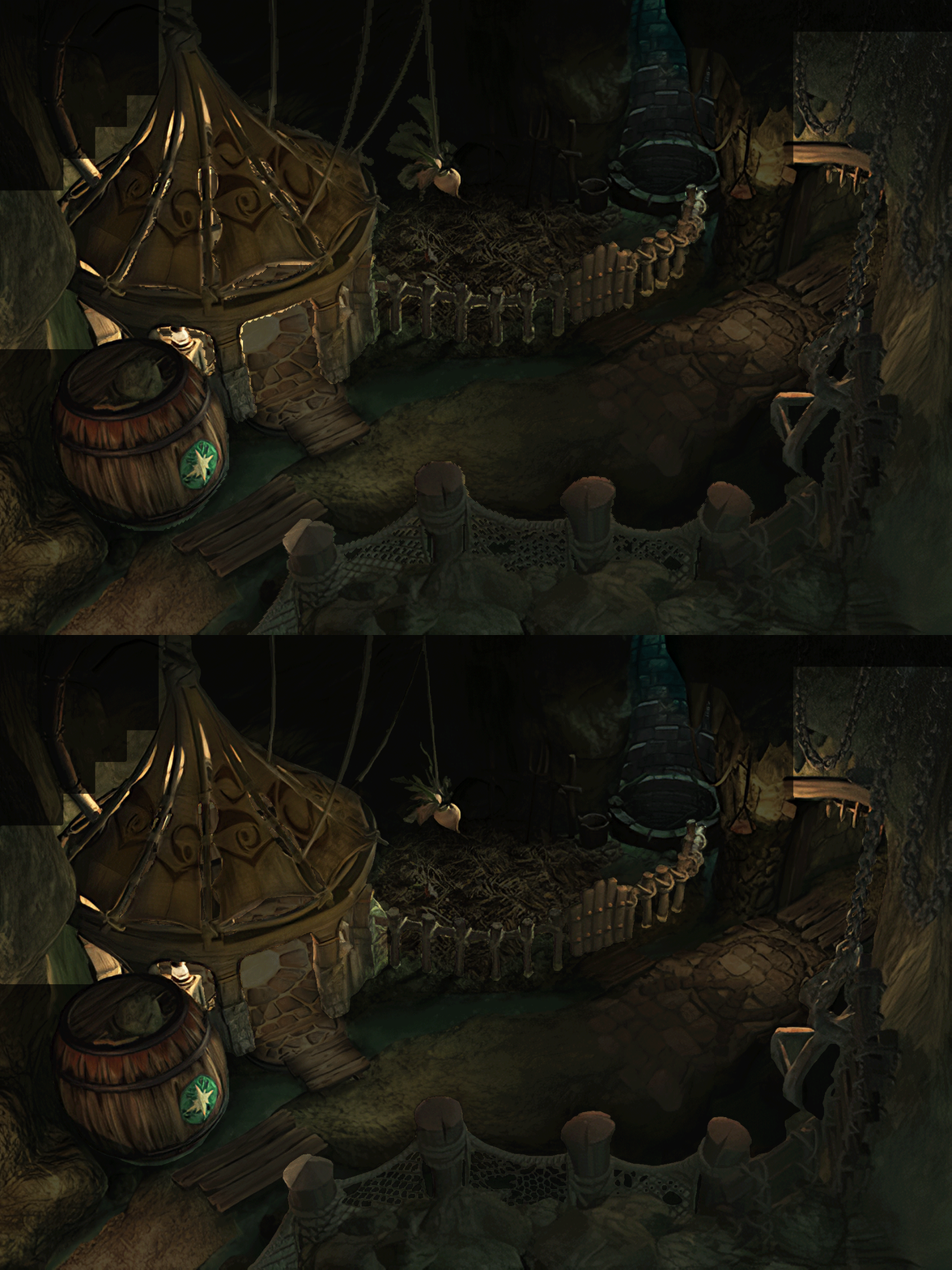
  • Better & cleaner lighting (all 1400+)
  • Countless manual image doctoring
  • Manually redrawn some parts (some partially based on portfolio images by Wesley Cann & Behrooz Roozbeh)
  • Background animations better integrated
  • Several bugs from the Steam & PSX versions fixed
  • Recreated all places names with original fonts (for English and French, rest to follow)
  • Seamless scrolling skies & backgrounds, removed 'staircase' edges
  • Recreated baked in textures NPCs
  • Background objects
  • HD background 3D objects
  • HD NPC (with exceptions)
  • Worldmap
  • HD worldmap textures (upscaled and manually redone, mostly seamless and faithful)
  • Subtly moving seas
  • HD worlmap items (ships...) textures
  • Battles
  • HD monsters (with exceptions)
  • HD battlefields with redrawn edges (exceptions for animated textures)
  • Seamless skies (not 100% on point)
  • Fixed missing monster death sounds (credit: Tirlititi)
  • UI
  • Recreated faithful HD maps
  • Recreated Start menu and game over screens
  • Character portraits edges


OLD POST

2020-04-23 - Finally, here's a beta file of the backgrounds!
For those who chose to install it, please screenshot any problem or potential improvement, as major or minor it is.

If you can't post in this thread, you can contact me on reddit


Other parts of the mod available to download:
[size=14pt]NPC & Monsters HD V2 DOWNLOAD
Battle Backgrounds HD V1 DOWNLOAD
Worldmap HD V2 DOWNLOAD
UI Stuff V1 DOWNLOAD
Maybe save the original files beforehand

-------------------------------------------------------------

Hi everyone,

I'm making a thread to track my progress with my reworking of Moguri since June 2019

◈ Finishing touches, corrections & testing ◈
chat_loader.gif

◈ Backgrounds masks (redrawing by hand) ◈
⬛⬛⬛⬛⬛⬛⬛⬛⬛⬛⬛⬛⬛⬛⬛⬛⬛⬛⬛⬛ | 100% | 678/678

◈ Blended/light layers upscaling ◈
⬛⬛⬛⬛⬛⬛⬛⬛⬛⬛ | 100% | 1479/1479

◈ Re-drawing of transparency for fight scenes textures ◈
⬛⬛⬛⬛⬛⬛⬛⬛⬛⬛ | 100% | 186/186

◈ Monster texture upscaling ◈
⬛⬛⬛⬛⬛⬛⬛⬛⬛⬛ | 100% | 124/124

◈ NPC texture upscaling ◈
⬛⬛⬛⬛⬛⬛⬛⬛⬛⬛ | 100% | 150/150

◈ Item on field texure upscaling ◈
⬛⬛⬛⬛⬛⬛⬛⬛⬛⬛ | 100% | 101/101

◈ Worldmap re-texture ◈
https://www.ff7catalog.com/threads/13434/
⬛⬛⬛⬛⬛⬛⬛⬛⬛⬛ | 100%

◈ Place names upscaling (when introduced to a new place) ◈
⬛⬛⬛⬛⬛⬛⬛⬛⬛⬛ | 100% | 44/44


◈ (background) Videos improvement ◈
(⬜⬜⬜⬜⬜⬜⬜⬜⬜⬜⬜⬜⬜⬜⬜⬜⬜⬜ | 0/18) -> might try this in a next update

◈ Extra ◈
-Backgrounds were improved with various ESRGAN models
-Numerous visual corrections
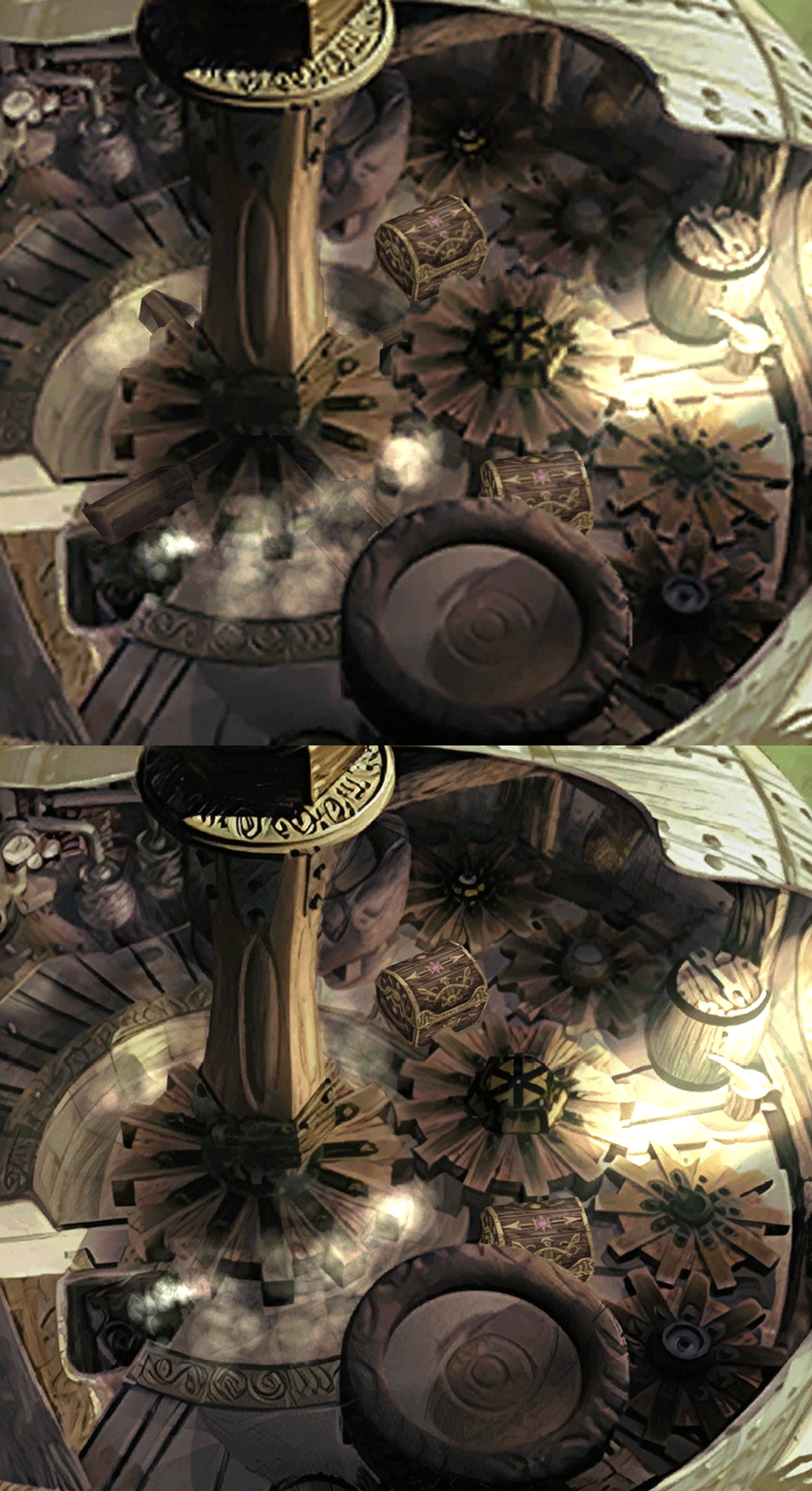
-Upstairs of Dali's Windmill debugged / recreated
-Removed seams in scrolling sky/smoke/sand textures.
-re-created a lot of sky textures for fight scenes, making them seamless and beautiful: 64
-regenerated the battle textures to remove white outlines
-corrected a bug with animated textures in battle scenes
-Multiple other bugs ironed out

◈ Ideas for later ◈
-drawing shadows for some chests/items
-look if I can improve fluidity of the videos with AI video interpolation: https://github.com/sniklaus/pytorch-sepconv (can't make it work yet)
-upscale contextual FMVs?
[/size]
SCREENSHOTS

Click to enlarge
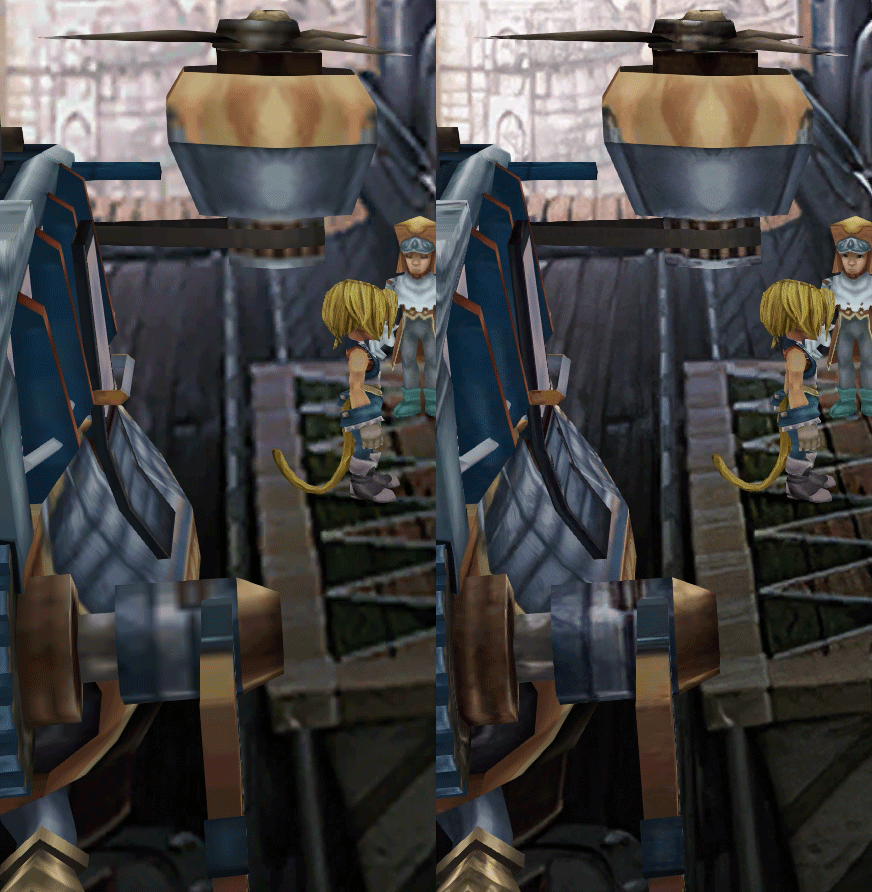
K78WnLu.gif

10pTbFs.gif
E8YADyT.gif
6RS2mEC.gif
OsoRNFn.gif
MVfMxaM.gif
uphBfuD.gif
YGwOCGG.gif
skQq07o.gif
xIcTyUR.gif
Z6k2Zyt.gif
XqomUcu.gif
SSBTwSa.gif
1GGTsJM.gif
eaTQUVb.gif
qKjYKR1.gif
13yOtwo.gif
 
Last edited:
A
It's a shame SE is so lazy these days they couldn't change the Battle UI from the phone port. This mod is BEAUTIFUL and IX is my favorite FF in the series, yet I still can't play because of the stupid Battle UI. I just can't do it. It's hideous and I can't see strawberries. But I wanted to say thanks to everyone involved with this Mod. Maybe one day someone can fix that stupid Battle UI!
I feel you on this one. It's one of the main things stopping me from doing a proper play through. There is a battle scale UI mod out there but for the life of me I can't get it working with Moguri in any version or even the vanilla game. It's especially annoying because they patched the Ps4 version Battle UI but just left the phone crap on this version.
If we could just get the battle scale UI mod officially merged with this one, we'd have a perfect overhaul of the game here.
 
K
I feel you on this one. It's one of the main things stopping me from doing a proper play through. There is a battle scale UI mod out there but for the life of me I can't get it working with Moguri in any version or even the vanilla game. It's especially annoying because they patched the Ps4 version Battle UI but just left the phone crap on this version.
If we could just get the battle scale UI mod officially merged with this one, we'd have a perfect overhaul of the game here.
https://www.nexusmods.com/finalfantasy9/mods/11


could always message the author and see about making it compatible. he was active as of a couple weeks ago on this.
I've also known about and had difficult times getting that mod to work. I've brought up my issues on the Steam page tutorial and the nexus comments. The author has only responded to me a couple times about a year or so ago. I've just recently posted some pics of my issues and haven't heard anything. The battle UI is truly the last and only thing keeping me from playing my favorite FF. A full playthrough that I've been wanting to do since they ported it to PC haha.
 
Last edited:
T
Open Memoria.ini in the game directory

[Graphics]
BattleFPS = 15 original fps
BattleSwirlFrames = 115 original fps curtains
I was thinking battleswirlframes is actually the length of the animation itself. I set it to 0 and it skips the godawful swirl completely, which is awesome.
 
O
I've been playing this a bunch these past couple weeks using the v3 beta install, and checked for an update just in time to see the full release so I updated over top of the install I had.

Unfortunately it popped up some error of file issues, which I didn't get a screencap of, so I uninstalled the mod and tried again, getting this error during installation:
https://i.imgur.com/u4kDXDY.png
If I hit enter the installation seems to finish as normal, but the game just runs as a vanilla install.
 
O
Also, you should not have any issue if: you have your game on C:/ and launch the mod as administrator.
funny you should mention that, i argued with zepilot a few years ago on steam forums about this, i NEVER got it to work on anything but a C: drive, (installer doesnt detect the game, so had to type the path of the game, and even when you did that it just didnt work)

i never did get it to work on my desktop pc (the C drive was small and too close to full)
 
Last edited:
K
Just letting everyone know that TehMighty just released an update to his Scaled Battle UI mod to work with Moguri 8. I'm happy to report this update installed first time with know issues. He has also implemented a feature that let's the user move the UI in battle to a custom position to eliminate issues at different resolutions. Simply press "U" while in battle to move the right side. Press "U" again to move the left side.

I did this and it worked. I closed my game, restarted and the positions were saved. Finally this UI is fixed and we can enjoy a beautiful FFIX with the original battle UI!! Happy freaking day!
 
S
funny you should mention that, i argued with zepilot a few years ago on steam forums about this, i NEVER got it to work on anything but a C: drive, (installer doesnt detect the game, so had to type the path of the game, and even when you did that it just didnt work)
Took me a number of bug reports to nail the bug to that, since people's description of a problem is often lacking in details and loose in precision, but now with the bug pinpointed, zePilot will hopefully be able to correct it. You confirm that it's the GAME that needs to be installed on C:/ ? there's no problem when the MOD is installed elsewhere, correct?

Just letting everyone know that TehMighty just released an update to his Scaled Battle UI mod to work with Moguri 8. I'm happy to report this update installed first time with know issues. He has also implemented a feature that let's the user move the UI in battle to a custom position to eliminate issues at different resolutions. Simply press "U" while in battle to move the right side. Press "U" again to move the left side.

I did this and it worked. I closed my game, restarted and the positions were saved. Finally this UI is fixed and we can enjoy a beautiful FFIX with the original battle UI!! Happy freaking day!
He just contacted me about it, I just updated the website to announce compatibility : ) I didn't know about the new feature, that's great! I'll test that right now!
 
Last edited:
K
I forgot to say you have to press "U" a third time to end the movement process and get back to in game control.
 
O
You confirm that it's the GAME that needs to be installed on C:/ ? there's no problem when the MOD is installed elsewhere, correct?
i actually have no idea, this was an older version close to the beginning i think

i know i've always installed moguri inside in the FFIX root folder to keep both it and the game together

but honestly to this day and even though i've never had issues with it on this pc i have my steam library set up so that every game except FFIX is installed on another drive
but keep the C: library available to install FFIX and moguri in default locations... i consider it just mandatory OS space now, to install Win10 on my machine i need a minimum of 30GB for windows + 20GB for FFIX and moguri on a C: drive or no deal
 
Last edited:
D
Patching C:\Program Files (x86)\Steam\steamapps\common\FINAL FANTASY IX\x64\FF9_Data\resources.assets
Patching C:\Program Files (x86)\Steam\steamapps\common\FINAL FANTASY IX\x64\FF9_Data\sharedassets2.assets
Unexpected error has occurred.
---------------------------
System.Exception: bad checksum
   at Fossil.Delta.Apply(Byte[] origin, Byte[] delta)
   at Memoria.Patcher.Program.PatchFile(GZipStream input, Int64 uncompressedSize, DateTime writeTimeUtc, ConsoleProgressHandler progressHandler, String[] outputPaths)
   at Memoria.Patcher.Program.ExtractFiles(GameLocationInfo gameLocation, GZipStream input, BinaryReader br, Int64& leftSize, ConsoleProgressHandler progressHandler)
   at Memoria.Patcher.Program.Run(String[] args)
   at Memoria.Patcher.Program.Main(String[] args)

I get this error every time I try to install the mod, does anyone know how to fix this?
 
P
I tried to use the Scaled Battle UI mod, but with Moguri 8 Beta V5, and it seems to cause some issues....

Can anyone confirm whether the battle UI mod only works with the 8.0 release? That would be a bummer if that's the case, since it looks like the game HAS to be install on C: with that version of Moguri.
 
M
I have just installed moguri 8.0 on the game in drive D: without any problems. I didn't even know it was an issue, is it really?

BTW, awesome job!
 
F
I tried to use the Scaled Battle UI mod, but with Moguri 8 Beta V5, and it seems to cause some issues....

Can anyone confirm whether the battle UI mod only works with the 8.0 release? That would be a bummer if that's the case, since it looks like the game HAS to be install on C: with that version of Moguri.
As this was always the case, at least for me, I needed to download the optional manual files and do what is written in the read me (it's really easy).

And I can confirm that it works. :)
 
S
I have just installed moguri 8.0 on the game in drive D: without any problems. I didn't even know it was an issue, is it really?
Mmmh... I'm still in the dark about this, I cannot reproduce the problem, and don't have access to zePilot's installer code.
Patching C:\Program Files (x86)\Steam\steamapps\common\FINAL FANTASY IX\x64\FF9_Data\resources.assets
Patching C:\Program Files (x86)\Steam\steamapps\common\FINAL FANTASY IX\x64\FF9_Data\sharedassets2.assets
Unexpected error has occurred.
---------------------------
System.Exception: bad checksum
   at Fossil.Delta.Apply(Byte[] origin, Byte[] delta)
   at Memoria.Patcher.Program.PatchFile(GZipStream input, Int64 uncompressedSize, DateTime writeTimeUtc, ConsoleProgressHandler progressHandler, String[] outputPaths)
   at Memoria.Patcher.Program.ExtractFiles(GameLocationInfo gameLocation, GZipStream input, BinaryReader br, Int64& leftSize, ConsoleProgressHandler progressHandler)
   at Memoria.Patcher.Program.Run(String[] args)
   at Memoria.Patcher.Program.Main(String[] args)

I get this error every time I try to install the mod, does anyone know how to fix this?
Does launching the installer as administator solves it?
 
P
System.Exception: bad checksum
   at Fossil.Delta.Apply(Byte[] origin, Byte[] delta)
   at Memoria.Patcher.Program.PatchFile(GZipStream input, Int64 uncompressedSize, DateTime writeTimeUtc, ConsoleProgressHandler progressHandler, String[] outputPaths)
   at Memoria.Patcher.Program.ExtractFiles(GameLocationInfo gameLocation, GZipStream input, BinaryReader br, Int64& leftSize, ConsoleProgressHandler progressHandler)
   at Memoria.Patcher.Program.Run(String[] args)
   at Memoria.Patcher.Program.Main(String[] args)

Errors I keep getting. I tried running as admin but did not help.
 
D
couldnt get the Scaled UI installer to work on 2 different rigs. Windows 8.1 and Windows 10. it creates a Memoria.ini file and does nothing. cycles for a few seconds. even with all safe guards disabled. tried compatibility modes. nothing. there is a manual option but the part about editing the INI is confusing. : (
 
S
couldnt get the Scaled UI installer to work on 2 different rigs. Windows 8.1 and Windows 10. it creates a Memoria.ini file and does nothing. cycles for a few seconds. even with all safe guards disabled. tried compatibility modes. nothing. there is a manual option but the part about editing the INI is confusing. : (
The ini should be something like that:

Under [Graphics], add
ScaledBattleUI = 1

[System]
Enabled=1
StreamingAssets="C:\Program Files\Moguri Mod\StreamingAssets"


Then put tehmightyassets in C:\Program Files\Moguri Mod\StreamingAssets and run the patcher from the game directory.


But that's be nice for him to describe the install problems you had with the non-manual version: https://www.nexusmods.com/finalfantasy9/mods/11?tab=bugs
 
Status
Not open for further replies.
Back
Top