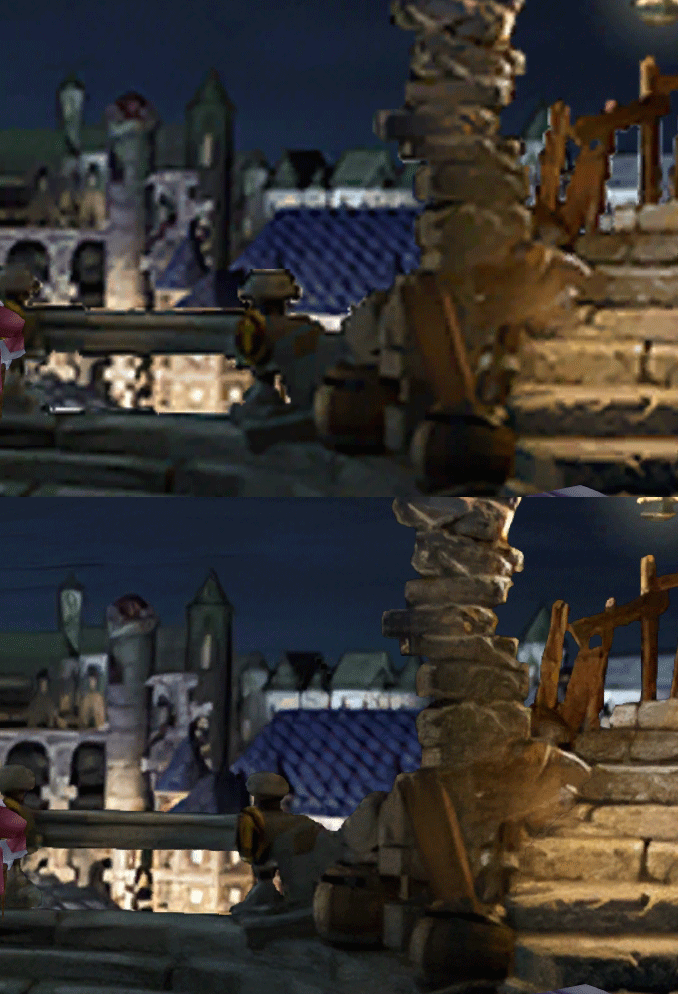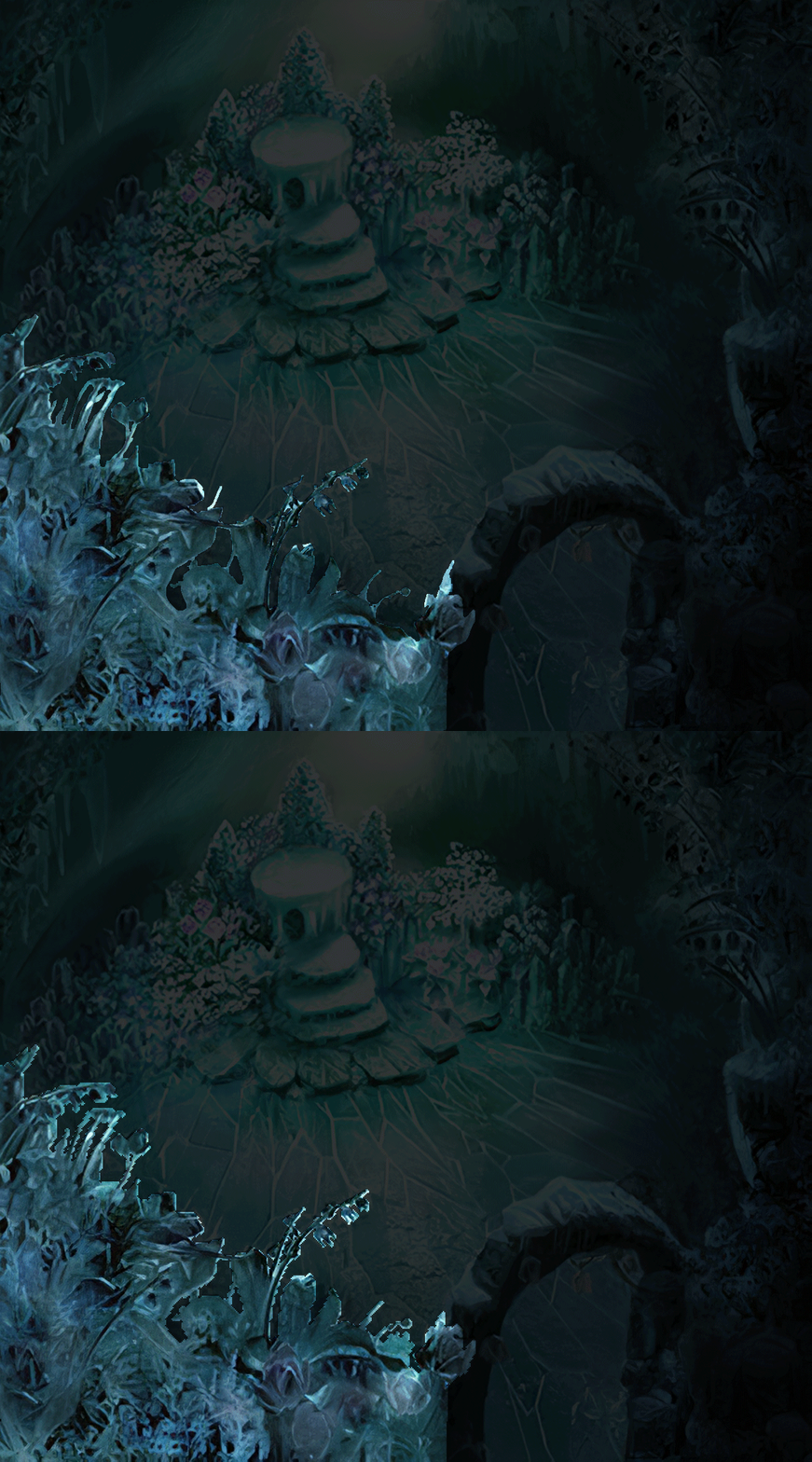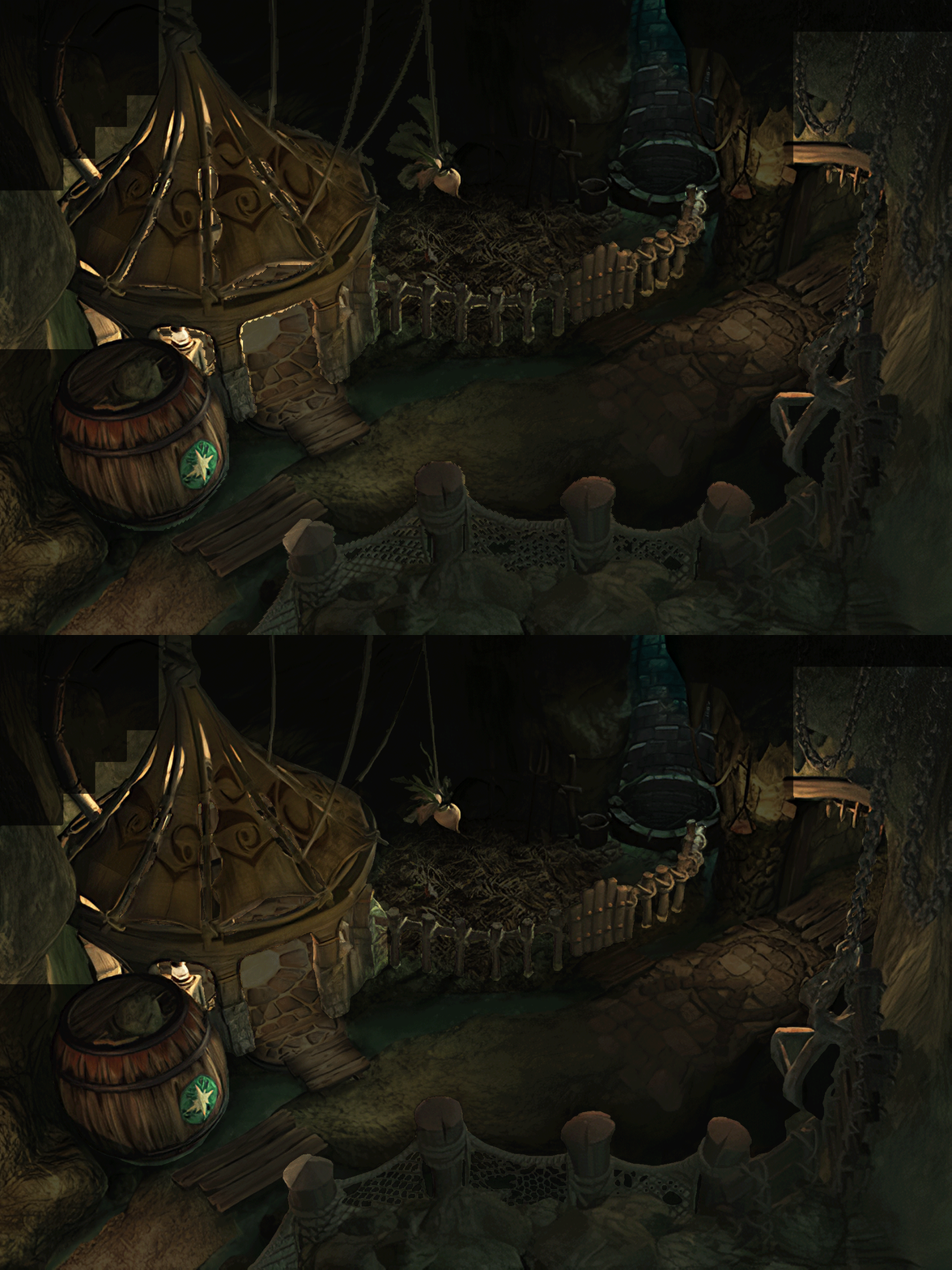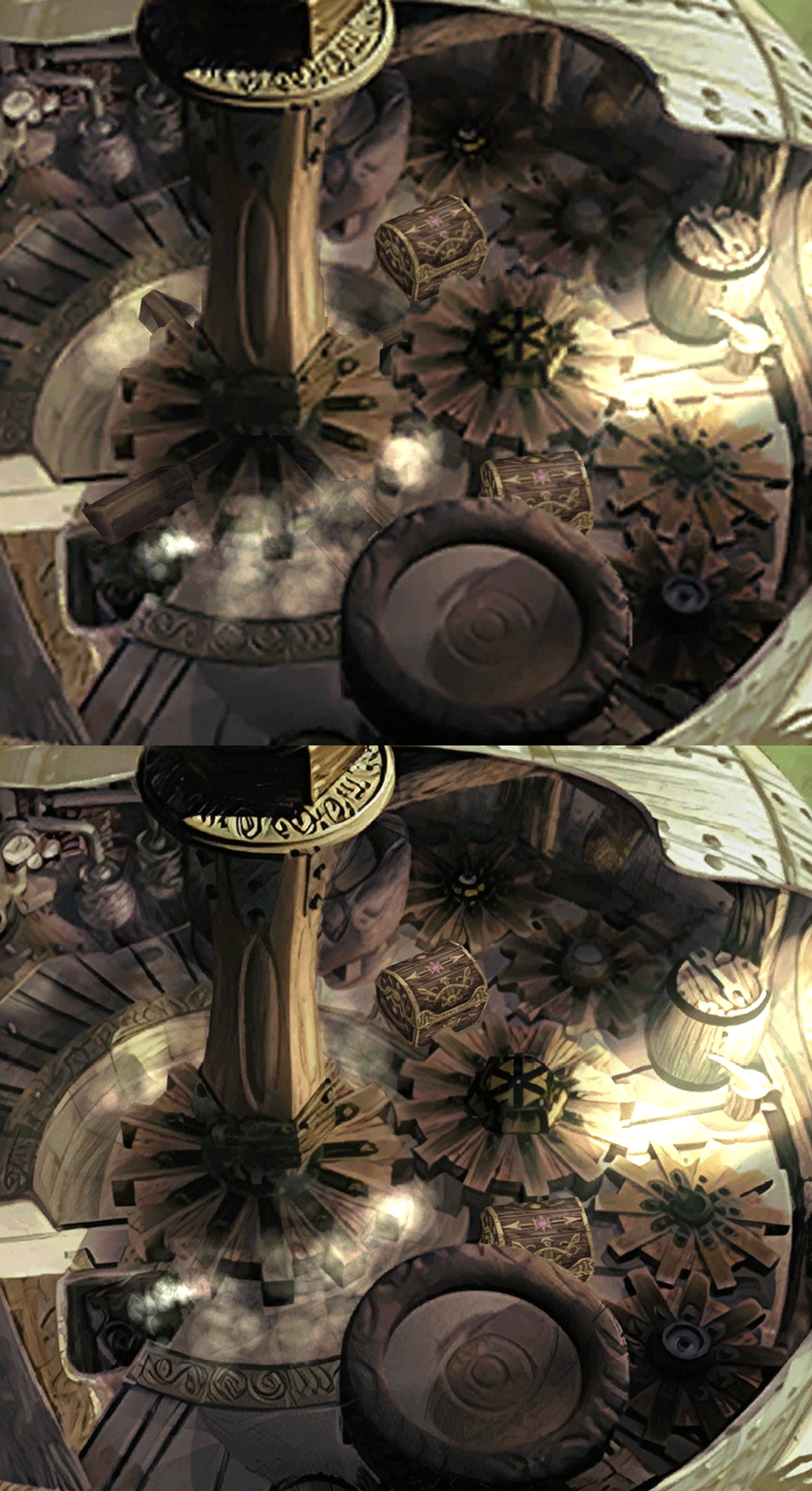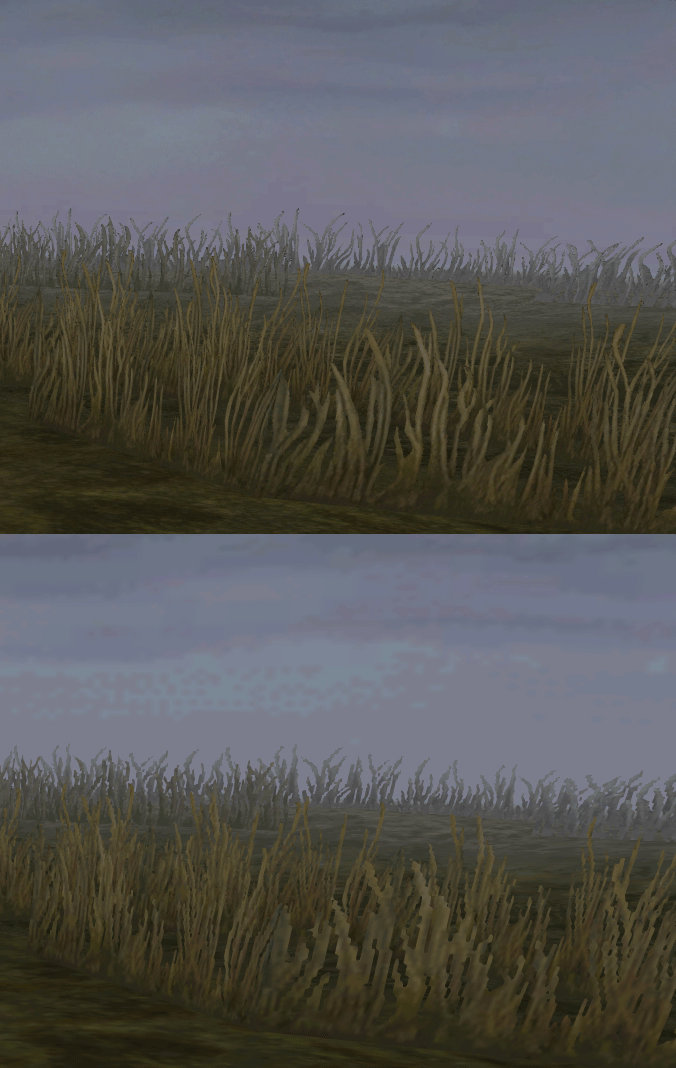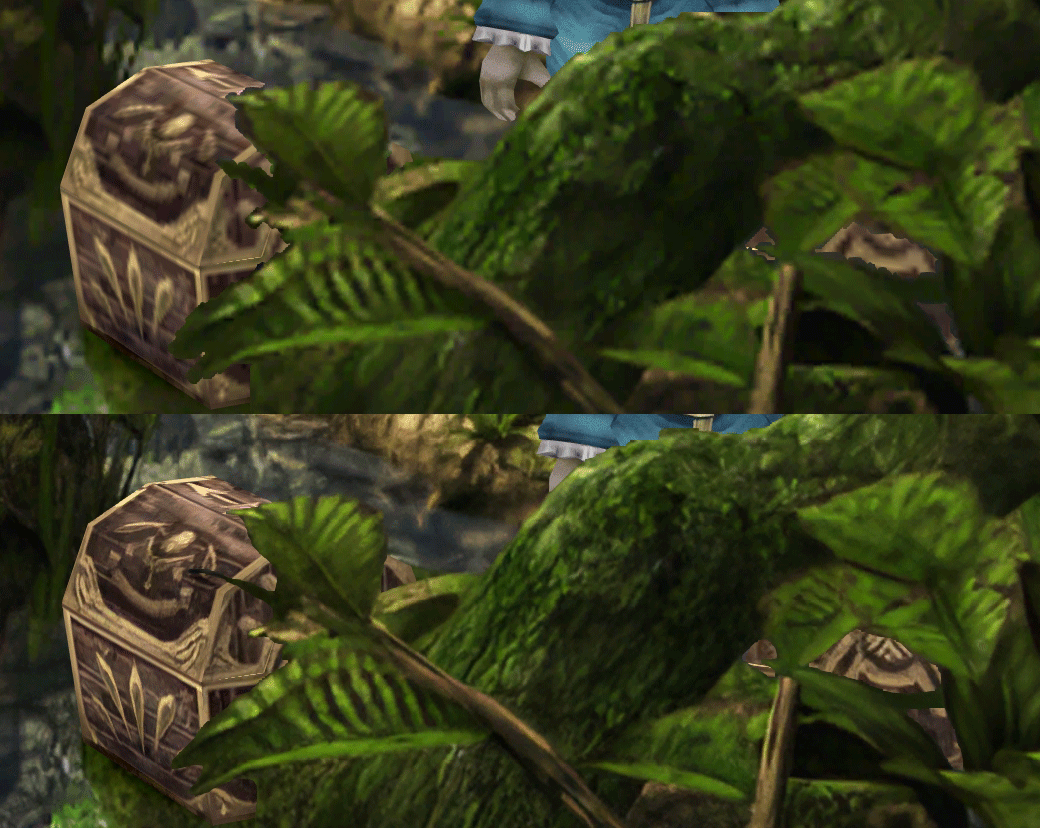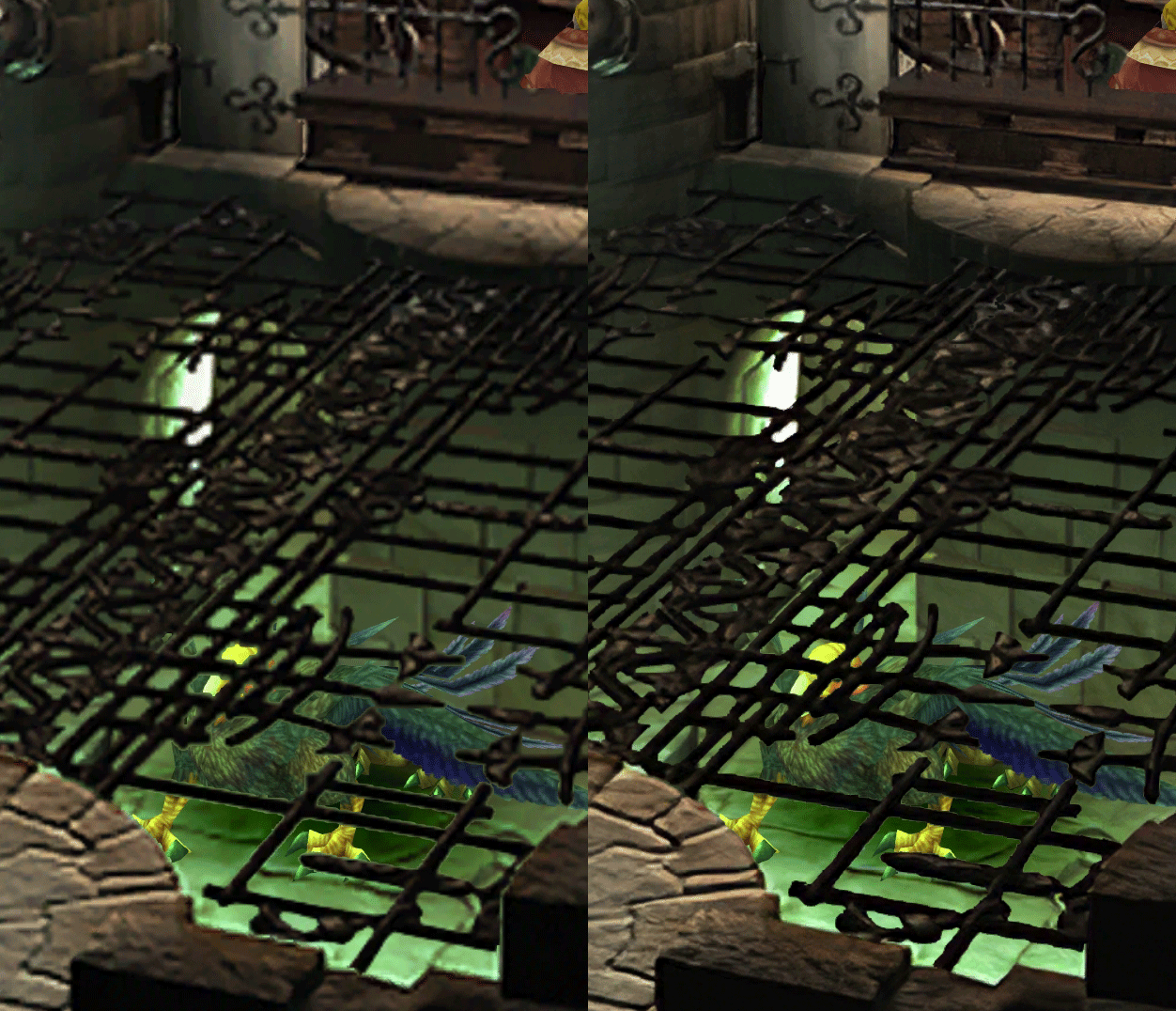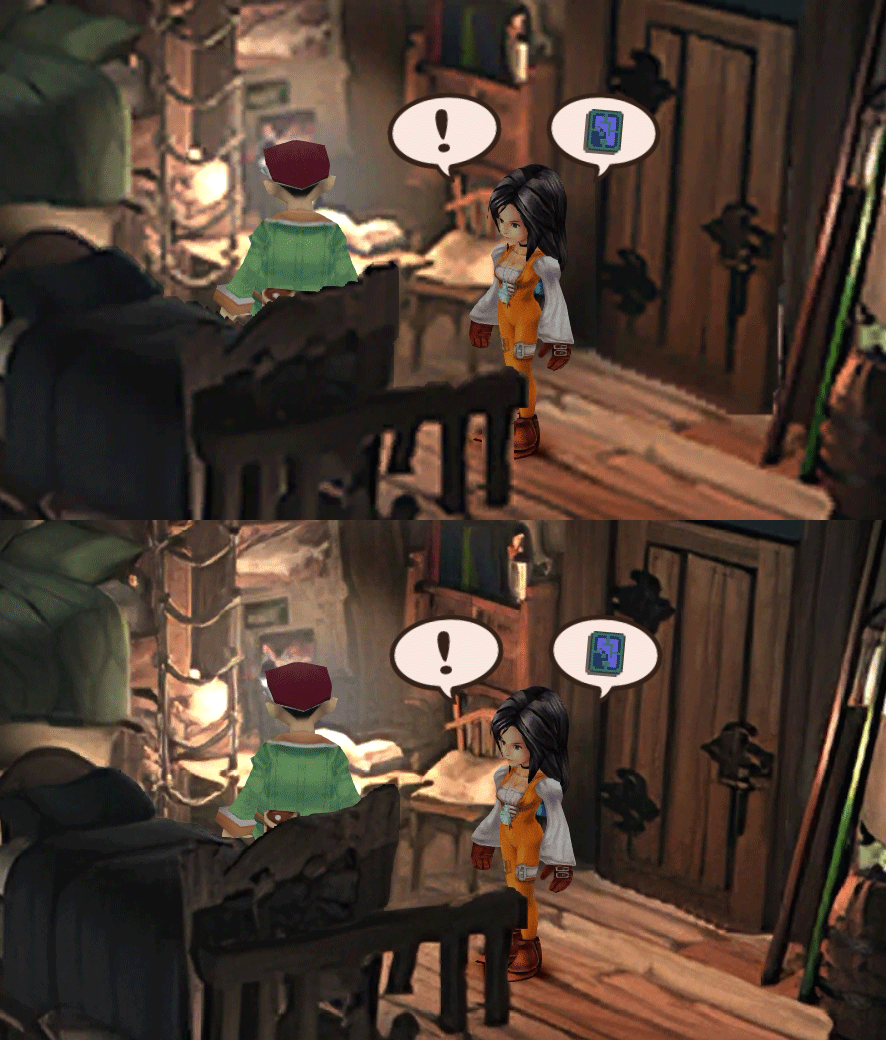
[FF9 PC] Moguri Mod update 8.2 (LIVE ON OFFICIAL SITE)

  • Thread starter Thread starter snouz
  • Start date Start date
Status
Not open for further replies.
s6YQdFA.jpg
eY0jRJ9.jpg
Kr5wC8e.jpg
lc1gfLK.jpg
JrssSrE.jpg


D O W N L O A D

THE UPDATE HAS NOW GONE LIVE OFFICIALLY


NEW 2020-05-23 - MOGURI 8 BETA V5 changelog -> Make a shortcut of the file to your drive then go into your drive, find the shortcut there and click "make a copy"
(outdated) 2020-05-11 - MOGURI 8 BETA V4 changelog
(outdated) 2020-05-04 - MOGURI 8 BETA V3 changelog
(outdated) 2020-04-28 - MOGURI 8 BETA V2 changelog
(outdated) 2020-04-23 - MOGURI 8 BETA V1


I N S T A L L _ G U I D E

[size=10pt]IF YOU DON'T HAVE MOGURI INSTALLED
1) Extract and replace the files in the .zip to SteamLibrary\steamapps\common\FINAL FANTASY IX\

IF YOU HAVE MOGURI INSTALLED (not required!)
1) If you installed it before 2020-04-2, uninstall and re-install Moguri again (SquareEnix pushed a Steam update that temporarily broke the game and Moguri)
2) Extract the content of StreamingAssets in \Program Files (x86)\Moguri Mod\StreamingAssets\
3) Extract \x64\FF9_Data\resources.assets & \x64\FF9_Data\sharedassets2.assets to SteamLibrary\steamapps\common\FINAL FANTASY IX\x64\FF9_Data\
   but DON'T replace Assembly-CSharp.dll

To check you have the right version, here's how the first frame should look
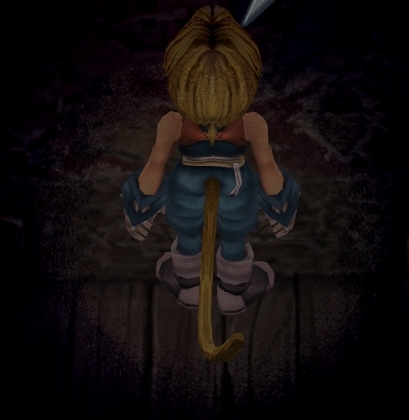
X6tHnEA.jpg


1) In steam, right click the game, go to "properties...", go to the LOCAL FILES tab, click VERIFY INTEGRITY OF GAME FILES. This will re-download the original files, but your saves are still intact.


p0data2.bin - Battle backgrounds
p0data3.bin - Worldmap textures
p0data4.bin - NPC, monsters and background items
p0data11.bin to p0data19.bin - Main backgrounds
resources.assets & sharedassets2.assets - UI stuff (maps, title screen...)
Assembly-CSharp.dll - The patched file that allows for the augmented resolution of backgrounds. (The one here and the one in moguri are different)

Note: If you have uninstalled Moguri and/or Memoria and you have names like ZidaneZidane, ViviVivi, you can salvage your save with this tool: https://www.ff7catalog.com/threads/7672/
Note: Alternate Fantasy is not currently supported.
[/size]


F E A T U R E S

  • Backgrounds
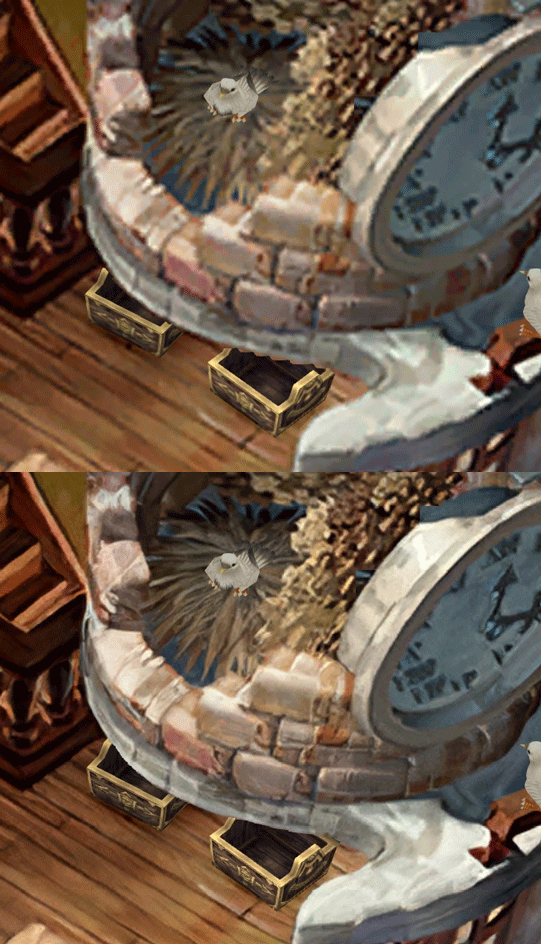
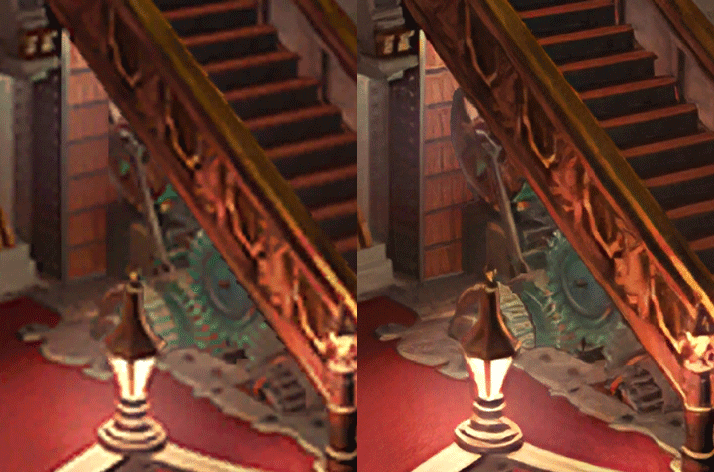
  • Fixed : almost all visual glitches
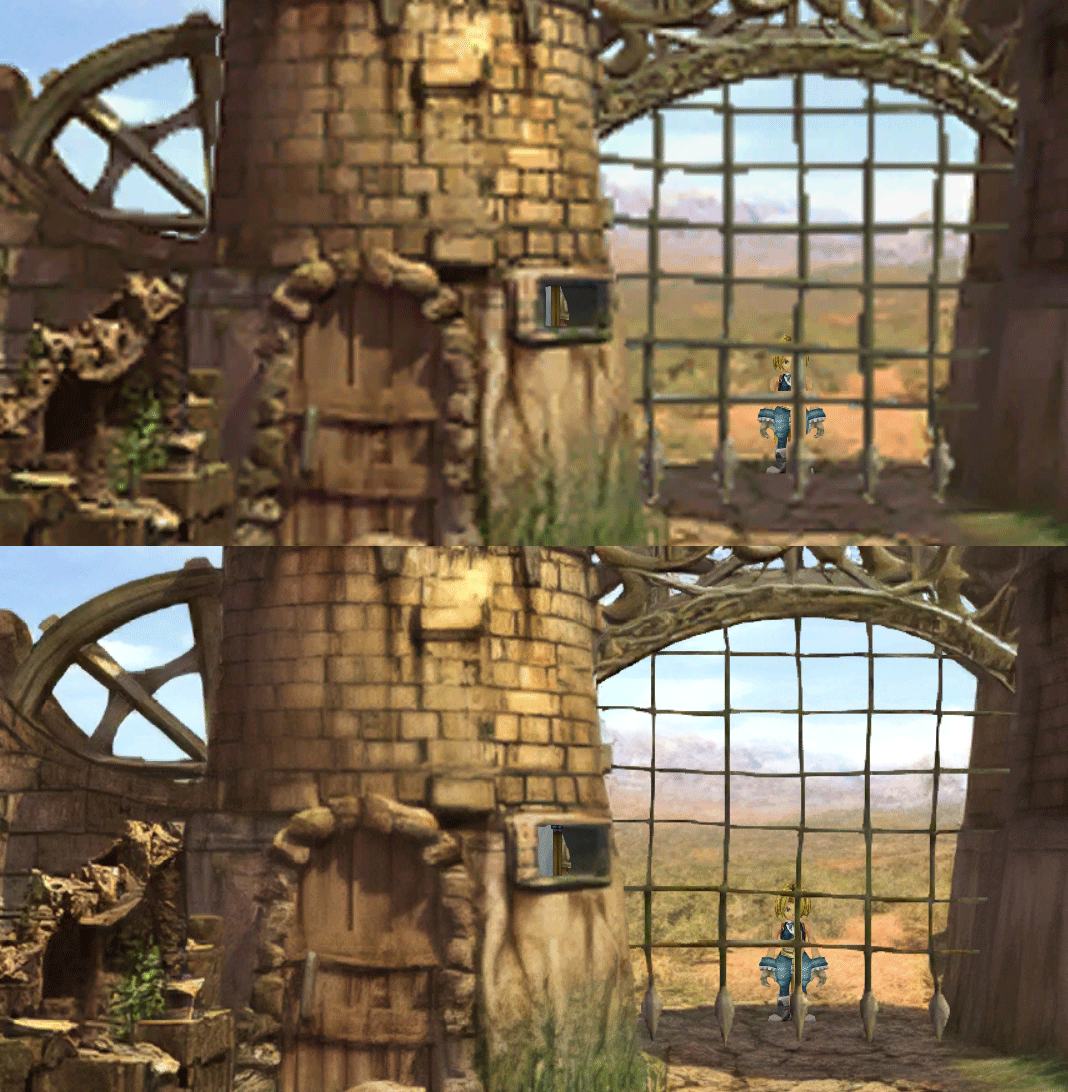
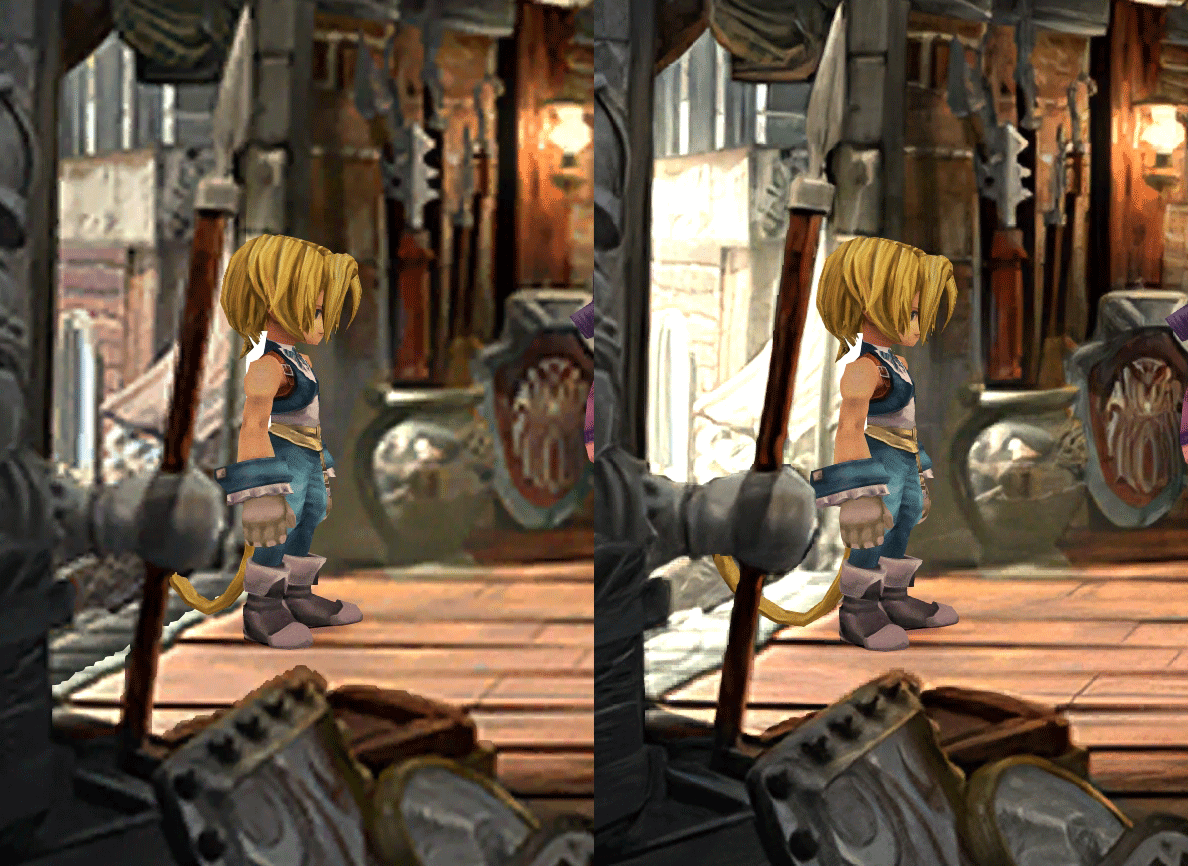
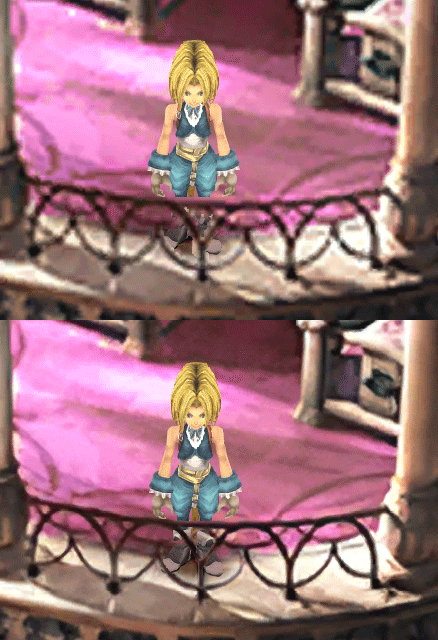
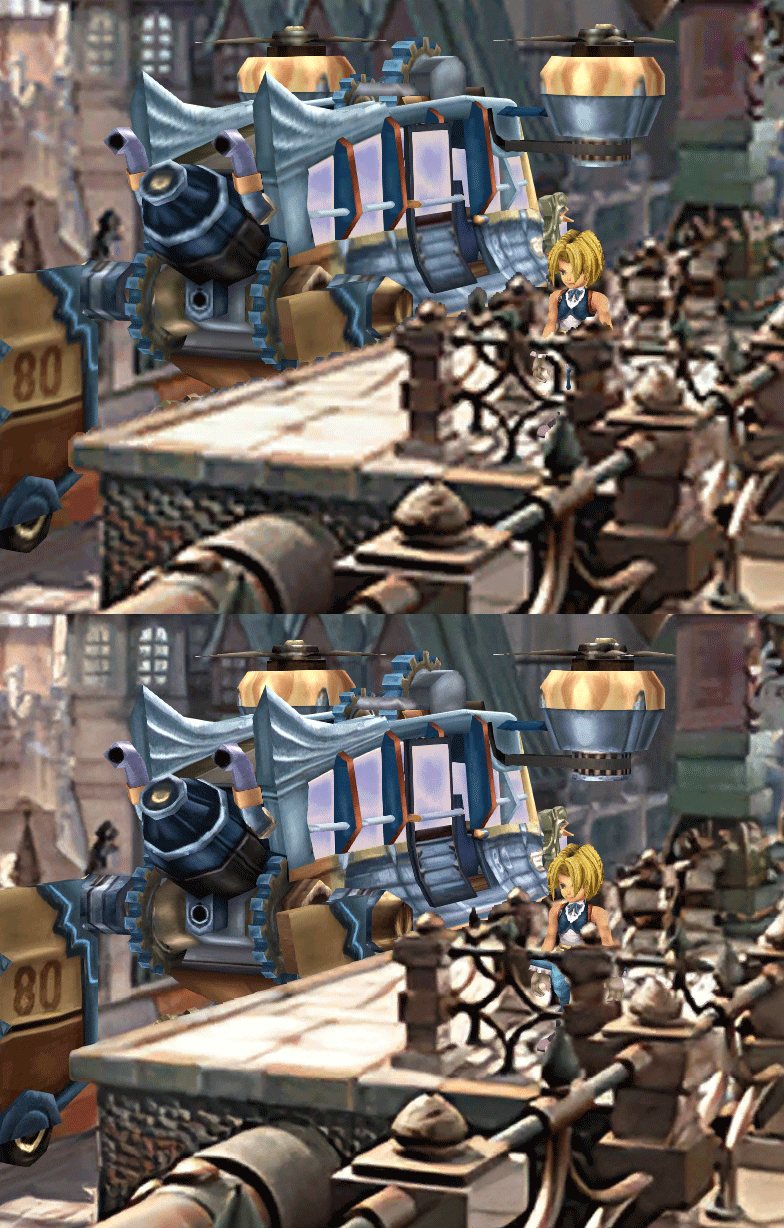
  • Redrawing of all layer edges (all 11000+)
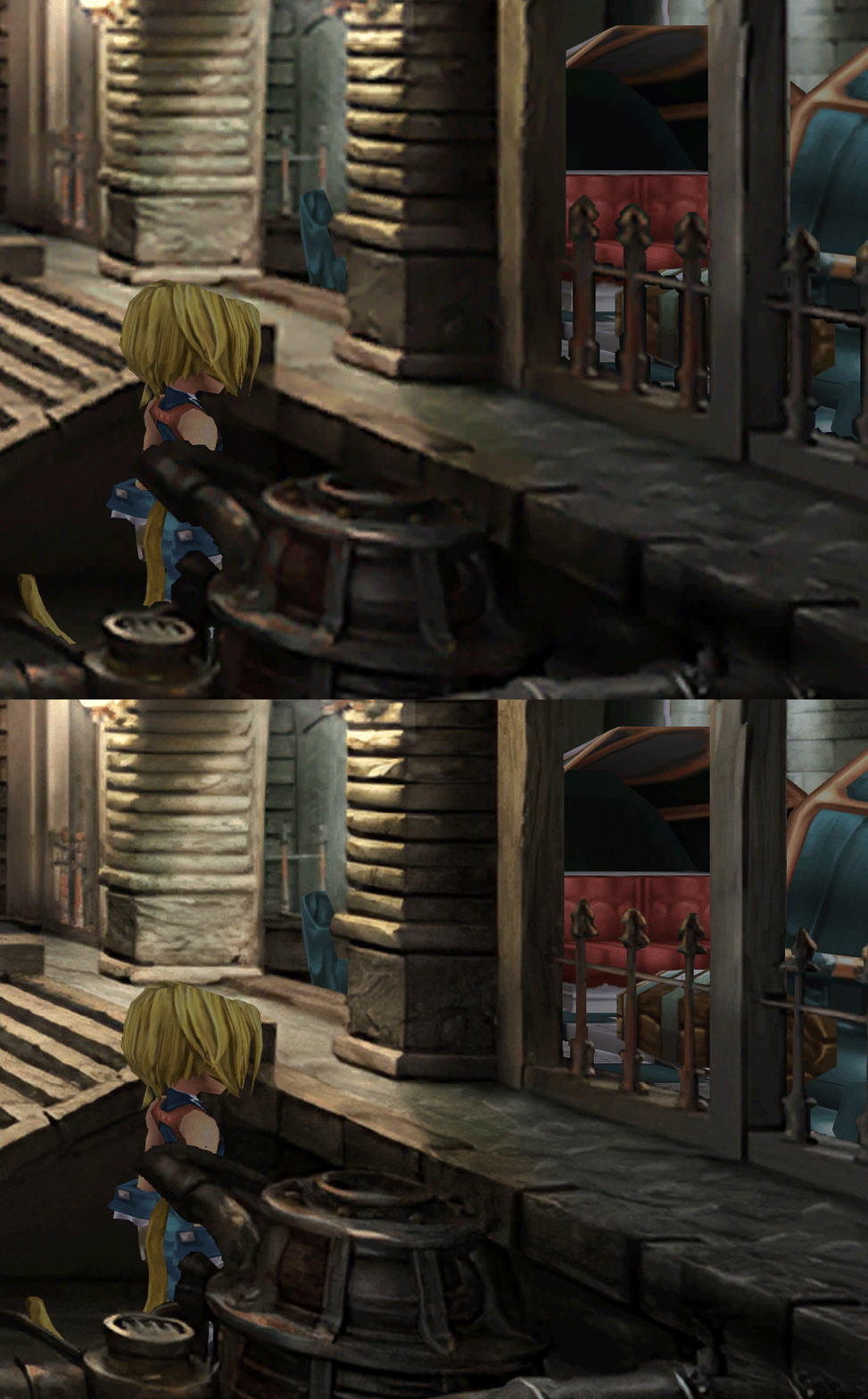
  • Cleaner / sharper graphics (all 6000+)
  • Better & cleaner lighting (all 1400+)
  • Countless manual image doctoring
  • Manually redrawn some parts (some partially based on portfolio images by Wesley Cann & Behrooz Roozbeh)
  • Background animations better integrated
  • Several bugs from the Steam & PSX versions fixed
  • Recreated all places names with original fonts (for English and French, rest to follow)
  • Seamless scrolling skies & backgrounds, removed 'staircase' edges
  • Recreated baked in textures NPCs
  • Background objects
  • HD background 3D objects
  • HD NPC (with exceptions)
  • Worldmap
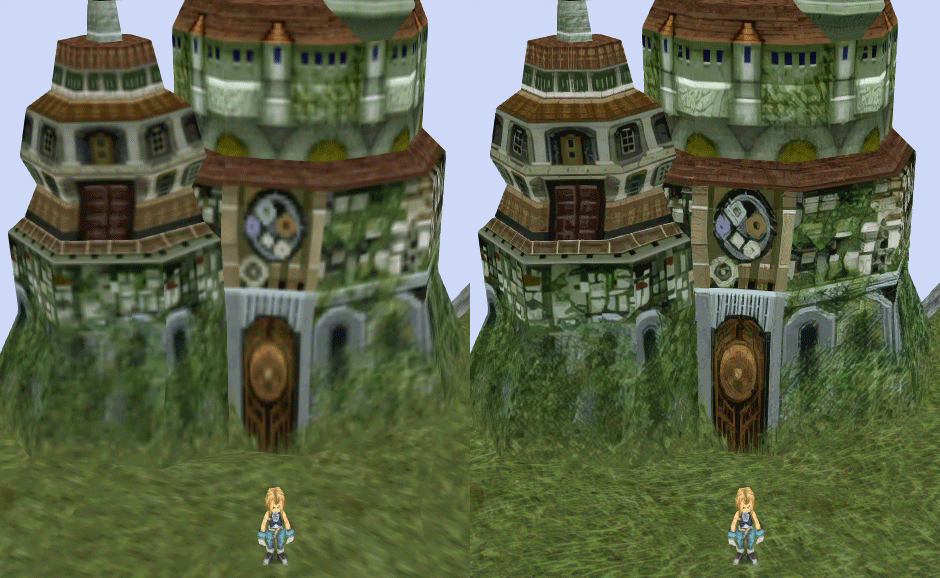
  • HD worldmap textures (upscaled and manually redone, mostly seamless and faithful)
  • Subtly moving seas
  • HD worlmap items (ships...) textures
  • Battles
  • HD monsters (with exceptions)
  • HD battlefields with redrawn edges (exceptions for animated textures)
  • Seamless skies (not 100% on point)
  • Fixed missing monster death sounds (credit: Tirlititi)
  • UI
  • Recreated faithful HD maps
  • Recreated Start menu and game over screens
  • Character portraits edges


OLD POST

2020-04-23 - Finally, here's a beta file of the backgrounds!
For those who chose to install it, please screenshot any problem or potential improvement, as major or minor it is.

If you can't post in this thread, you can contact me on reddit


Other parts of the mod available to download:
[size=14pt]NPC & Monsters HD V2 DOWNLOAD
Battle Backgrounds HD V1 DOWNLOAD
Worldmap HD V2 DOWNLOAD
UI Stuff V1 DOWNLOAD
Maybe save the original files beforehand

-------------------------------------------------------------

Hi everyone,

I'm making a thread to track my progress with my reworking of Moguri since June 2019

◈ Finishing touches, corrections & testing ◈
chat_loader.gif

◈ Backgrounds masks (redrawing by hand) ◈
⬛⬛⬛⬛⬛⬛⬛⬛⬛⬛⬛⬛⬛⬛⬛⬛⬛⬛⬛⬛ | 100% | 678/678

◈ Blended/light layers upscaling ◈
⬛⬛⬛⬛⬛⬛⬛⬛⬛⬛ | 100% | 1479/1479

◈ Re-drawing of transparency for fight scenes textures ◈
⬛⬛⬛⬛⬛⬛⬛⬛⬛⬛ | 100% | 186/186

◈ Monster texture upscaling ◈
⬛⬛⬛⬛⬛⬛⬛⬛⬛⬛ | 100% | 124/124

◈ NPC texture upscaling ◈
⬛⬛⬛⬛⬛⬛⬛⬛⬛⬛ | 100% | 150/150

◈ Item on field texure upscaling ◈
⬛⬛⬛⬛⬛⬛⬛⬛⬛⬛ | 100% | 101/101

◈ Worldmap re-texture ◈
https://www.ff7catalog.com/threads/13434/
⬛⬛⬛⬛⬛⬛⬛⬛⬛⬛ | 100%

◈ Place names upscaling (when introduced to a new place) ◈
⬛⬛⬛⬛⬛⬛⬛⬛⬛⬛ | 100% | 44/44


◈ (background) Videos improvement ◈
(⬜⬜⬜⬜⬜⬜⬜⬜⬜⬜⬜⬜⬜⬜⬜⬜⬜⬜ | 0/18) -> might try this in a next update

◈ Extra ◈
-Backgrounds were improved with various ESRGAN models
-Numerous visual corrections
-Upstairs of Dali's Windmill debugged / recreated
-Removed seams in scrolling sky/smoke/sand textures.
-re-created a lot of sky textures for fight scenes, making them seamless and beautiful: 64
-regenerated the battle textures to remove white outlines
-corrected a bug with animated textures in battle scenes
-Multiple other bugs ironed out

◈ Ideas for later ◈
-drawing shadows for some chests/items
-look if I can improve fluidity of the videos with AI video interpolation: https://github.com/sniklaus/pytorch-sepconv (can't make it work yet)
-upscale contextual FMVs?
[/size]
SCREENSHOTS

Click to enlarge
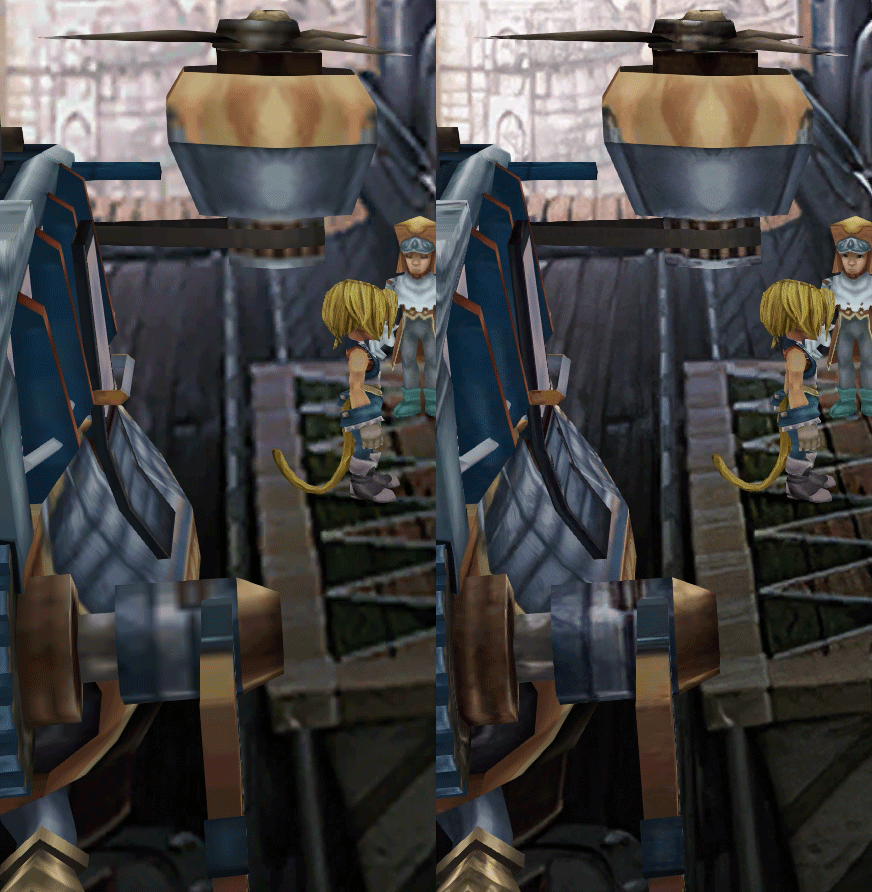
K78WnLu.gif

10pTbFs.gif
E8YADyT.gif
6RS2mEC.gif
OsoRNFn.gif
MVfMxaM.gif
uphBfuD.gif
YGwOCGG.gif
skQq07o.gif
xIcTyUR.gif
Z6k2Zyt.gif
XqomUcu.gif
SSBTwSa.gif
1GGTsJM.gif
eaTQUVb.gif
qKjYKR1.gif
13yOtwo.gif
 
Last edited:
D
I probably asked a little wrong question.
I would like the game to work in the given resolution, but not expand to full screen. You can play in windowed mode, but it’s not very, but in full-screen mode, the game is stretched.
Here is a picture, I want it to work like that.
https://imgur.com/a/uv82Z3T

And yet, I forgot, my monitor does not support 1600x900 mode.
If you have an Nvidia GPU, go to Nvidia Control Panel and go to this tab:

https://i.imgur.com/KL6JvuU.png

Check the last option, in english it should be "no scaling". Also change the "scaling with" option to "GPU".
 
C
I'm not sure what you want. Memoria's widescreen has been tested with 16/9, so if you want to use that in full screen without scaling, you should be able to set a smaller resolution in windows and it should add black bars on the side. I don't have any other solution for your specific request, and don't own a 16/10 monitor to test.
Thanks! I solved the problem like that, in the settings I registered a non-standard resolution of 1680x945, bypassing the launcher, the maximum width for my monitor and reduced in height to get (16/9). Everything works fine and does not scale.
 
C
If you have an Nvidia GPU, go to Nvidia Control Panel and go to this tab:

https://i.imgur.com/KL6JvuU.png

Check the last option, in english it should be "no scaling". Also change the "scaling with" option to "GPU".
No, I have Radeon :( And when i change video adapter settings, game still stretches to full screen
 
O
wait, Go isn't understood internationally? It's the same value as GB (one octet = one byte = 8 bits)

That's why I didn't understand the question, I thought it was obvious.
I'll put GB if that's more internationally understood.
i knew what you meant, but i thought the o was a typo, its definitely not something i have seen before (central-ish USA)
 
N
Hi everyone! I have a problem with the new scaled ui mod. I read about the compatibility with moguri, so I tought to install it. After a failed first try, the second one was good and now my ui is scaled correctly. Problem is, Moguri mod seems to be completely broken. No more full screen battle, no more wonderfull backgrounds and so on. So I decided to restart everything over, I've unistalled everything and reinstalled Moguri mod from the beginning like first time I did a week ago without scaled ui. Ok, now UI is not scaled anymore, and Moguri doesn't work. No widescreeen no background, the only hint that it's installed came from launcher and from start menu which is enhanced. I've unistalled ffix from steam now twice and reinstalled moguri over it AFTER removing every file with moguri exe. After deleting all content from ffix folder which were not removed from unistalling, I've put everything back and my game is working correctly. Point is, scaled ui removed any graphical enhancement from moguri and change even launcher with the one from memoria mod.
 
Last edited:
M
Had the checksum issue too, managed to fix it by NOT installing 30fps FMVs.

error:
unknown.png


Sorry for bad cropping.
 
C
Please explain the meaning of these parameters. Thanks!

[Cheats]
Rotation = 0
Perspective = 0
SpeedMode = 1
SpeedFactor = 3

[Import]
Field = 0

[Battle]
NoAutoTrance = 0
AutoPotionOverhealLimit = 20 ; Maximum oveheal in percents, -1 to disable a new behaviour

[Hacks]
BattleSpeed = 2
 
I
For some reason, as you can see in the image i uploaded, i can't target the enemy copy. I move the cursor from one enemy to another, but the epitaf (stone monster) is always targeted

https://imgur.com/a/im6xIuE
 
S
Please explain the meaning of these parameters. Thanks!

[Cheats]
Rotation = 0
Perspective = 0
SpeedMode = 1
SpeedFactor = 3

[Import]
Field = 0

[Battle]
NoAutoTrance = 0
AutoPotionOverhealLimit = 20 ; Maximum oveheal in percents, -1 to disable a new behaviour

[Hacks]
BattleSpeed = 2
Honestly I don't know all of them, I think Albeoris should comment these better in Memoria's documentation. In the next version, I'd like to have a more verbose Memoria.ini.


For some reason, as you can see in the image i uploaded, i can't target the enemy copy. I move the cursor from one enemy to another, but the epitaf (stone monster) is always targeted

https://imgur.com/a/im6xIuE
Probably a problem with Scaled Battle UI.

You can make him a ticket: https://www.nexusmods.com/finalfantasy9/mods/11?tab=bugs
 
A
Sorry I was out of time the update 8 v5 is the same as it is on the page moguri 8.0.1 or is this more advanced?
 
C
I found sound errors in my log file. Although the sound is normal by ear. The psx version is installed.


05.06.2020 05:53:52 |M| [SteamSdkWrapper] Initialized: True
05.06.2020 05:53:52 |M| Loading configuration Memoria.ini
05.06.2020 05:53:53 |M| [assetInterceptor] loading from directory [./StreamingAssets]
05.06.2020 05:53:53 |M| [FontInterceptor] Dynamic font initialization.
05.06.2020 05:53:53 |M| [FontInterceptor] Initialize new font: [Names: {Calibri, Times Bold}, Size: 24]
05.06.2020 05:53:53 |M| [FontInterceptor] Loading font [Original: Garnet (UnityEngine.Font)]
05.06.2020 05:53:54 |M| [LocalizationDictionary] Loading from [./StreamingAssets/Text/US/System.strings]...
05.06.2020 05:53:54 |W| [LocalizationDictionary] Loading was skipped because a file does not exists: [./StreamingAssets/Text/UK/System.strings]...
05.06.2020 05:53:54 |M| [GameLoopManager] RaiseStartEvent
05.06.2020 05:53:56 |M| InitializeItemText
05.06.2020 05:53:56 |M| [ItemImporter] Importing from [./StreamingAssets/Text/US/Items.strings]...
05.06.2020 05:53:57 |M| [ItemImporter] Importing completed successfully.
05.06.2020 05:53:57 |M| [assetInterceptor] loading from directory [./StreamingAssets]
05.06.2020 05:53:57 |M| InitializeImportantItemText
05.06.2020 05:53:57 |M| [KeyItemImporter] Importing from [./StreamingAssets/Text/US/KeyItems.strings]...
05.06.2020 05:53:57 |M| [KeyItemImporter] Importing completed successfully.
05.06.2020 05:53:57 |M| InitializeAbilityText
05.06.2020 05:53:57 |M| [AbilityImporter] Importing from [./StreamingAssets/Text/US/Abilities.strings]...
05.06.2020 05:53:57 |M| [AbilityImporter] Importing completed successfully.
05.06.2020 05:53:57 |M| [SkillImporter] Importing from [./StreamingAssets/Text/US/Skills.strings]...
05.06.2020 05:53:57 |M| [SkillImporter] Importing completed successfully.
05.06.2020 05:53:57 |M| InitializeCommandText
05.06.2020 05:53:57 |M| [CommandImporter] Importing from [./StreamingAssets/Text/US/Commands.strings]...
05.06.2020 05:53:57 |M| [CommandImporter] Importing completed successfully.
05.06.2020 05:53:57 |M| InitializeBattleText
05.06.2020 05:53:57 |M| InitializeLocationText
05.06.2020 05:53:57 |M| [LocationNameImporter] Importing from [./StreamingAssets/Text/US/Location]...
05.06.2020 05:53:57 |M| [LocationNameImporter] Importing completed successfully.
05.06.2020 05:53:57 |M| InitializeEtcText
05.06.2020 05:53:57 |M| [EtcImporter(CardLevels)] Importing from [./StreamingAssets/Text/US/ETC/CardLevels.strings]...
05.06.2020 05:53:57 |M| [EtcImporter(CardLevels)] Importing completed successfully.
05.06.2020 05:53:57 |M| [EtcImporter(CardTitles)] Importing from [./StreamingAssets/Text/US/ETC/CardTitles.strings]...
05.06.2020 05:53:57 |M| [EtcImporter(CardTitles)] Importing completed successfully.
05.06.2020 05:53:57 |M| [EtcImporter(BattleCommands)] Importing from [./StreamingAssets/Text/US/ETC/BattleCommands.strings]...
05.06.2020 05:53:57 |M| [EtcImporter(BattleCommands)] Importing completed successfully.
05.06.2020 05:53:57 |M| [EtcImporter(BattleMessages)] Importing from [./StreamingAssets/Text/US/ETC/BattleMessages.strings]...
05.06.2020 05:53:57 |M| [EtcImporter(BattleMessages)] Importing completed successfully.
05.06.2020 05:53:57 |M| [EtcImporter(Libra)] Importing from [./StreamingAssets/Text/US/ETC/Libra.strings]...
05.06.2020 05:53:57 |M| [EtcImporter(Libra)] Importing completed successfully.
05.06.2020 05:53:57 |M| [EtcImporter(WorldLocations)] Importing from [./StreamingAssets/Text/US/ETC/WorldLocations.strings]...
05.06.2020 05:53:57 |M| [EtcImporter(WorldLocations)] Importing completed successfully.
05.06.2020 05:53:57 |M| [EtcImporter(Chocobo)] Importing from [./StreamingAssets/Text/US/ETC/Chocobo.strings]...
05.06.2020 05:53:57 |M| [EtcImporter(Chocobo)] Importing completed successfully.
05.06.2020 05:53:57 |M| InitializeEtcText
05.06.2020 05:53:57 |M| [CharacterNamesImporter] Importing from [./StreamingAssets/Text/US/CharacterNames.strings]...
05.06.2020 05:53:57 |M| [CharacterNamesImporter] Importing completed successfully.
05.06.2020 05:53:57 |M| [ResourceExporter] Pass through {Configuration.Export.Enabled = 0}.
05.06.2020 05:53:57 |M| [BattleImporter] Loading from [./StreamingAssets/Text/US/Battle.strings]...
05.06.2020 05:53:57 |M| [BattleImporter] Loading completed successfully.
05.06.2020 05:53:57 |M| [BattleImporter] Loading...
05.06.2020 05:53:57 |M| [FieldImporter] Initialization...
05.06.2020 05:53:57 |M| InitializeItemText
05.06.2020 05:53:57 |M| [ItemImporter] Importing from [./StreamingAssets/Text/US/Items.strings]...
05.06.2020 05:53:57 |M| [ItemImporter] Importing completed successfully.
05.06.2020 05:53:58 |M| InitializeImportantItemText
05.06.2020 05:53:58 |M| [KeyItemImporter] Importing from [./StreamingAssets/Text/US/KeyItems.strings]...
05.06.2020 05:53:58 |M| [KeyItemImporter] Importing completed successfully.
05.06.2020 05:53:58 |M| InitializeAbilityText
05.06.2020 05:53:58 |M| [AbilityImporter] Importing from [./StreamingAssets/Text/US/Abilities.strings]...
05.06.2020 05:53:58 |M| [AbilityImporter] Importing completed successfully.
05.06.2020 05:53:58 |W| [FieldImporter] Failed to parse a line number from the reference: [066}].
05.06.2020 05:53:58 |M| [SkillImporter] Importing from [./StreamingAssets/Text/US/Skills.strings]...
05.06.2020 05:53:58 |M| [SkillImporter] Importing completed successfully.
05.06.2020 05:53:58 |M| InitializeCommandText
05.06.2020 05:53:58 |M| [CommandImporter] Importing from [./StreamingAssets/Text/US/Commands.strings]...
05.06.2020 05:53:58 |M| [CommandImporter] Importing completed successfully.
05.06.2020 05:53:58 |M| InitializeBattleText
05.06.2020 05:53:58 |M| InitializeLocationText
05.06.2020 05:53:58 |M| [LocationNameImporter] Importing from [./StreamingAssets/Text/US/Location]...
05.06.2020 05:53:58 |M| [FieldImporter] Initialization completed successfully.
05.06.2020 05:53:58 |M| [LocationNameImporter] Importing completed successfully.
05.06.2020 05:53:58 |M| InitializeEtcText
05.06.2020 05:53:58 |M| [EtcImporter(CardLevels)] Importing from [./StreamingAssets/Text/US/ETC/CardLevels.strings]...
05.06.2020 05:53:58 |M| [EtcImporter(CardLevels)] Importing completed successfully.
05.06.2020 05:53:58 |M| [EtcImporter(CardTitles)] Importing from [./StreamingAssets/Text/US/ETC/CardTitles.strings]...
05.06.2020 05:53:58 |M| [EtcImporter(CardTitles)] Importing completed successfully.
05.06.2020 05:53:58 |M| [EtcImporter(BattleCommands)] Importing from [./StreamingAssets/Text/US/ETC/BattleCommands.strings]...
05.06.2020 05:53:58 |M| [EtcImporter(BattleCommands)] Importing completed successfully.
05.06.2020 05:53:58 |M| [EtcImporter(BattleMessages)] Importing from [./StreamingAssets/Text/US/ETC/BattleMessages.strings]...
05.06.2020 05:53:58 |M| [EtcImporter(BattleMessages)] Importing completed successfully.
05.06.2020 05:53:58 |M| [EtcImporter(Libra)] Importing from [./StreamingAssets/Text/US/ETC/Libra.strings]...
05.06.2020 05:53:58 |M| [EtcImporter(Libra)] Importing completed successfully.
05.06.2020 05:53:58 |M| [EtcImporter(WorldLocations)] Importing from [./StreamingAssets/Text/US/ETC/WorldLocations.strings]...
05.06.2020 05:53:58 |M| [EtcImporter(WorldLocations)] Importing completed successfully.
05.06.2020 05:53:58 |M| [EtcImporter(Chocobo)] Importing from [./StreamingAssets/Text/US/ETC/Chocobo.strings]...
05.06.2020 05:53:58 |M| [EtcImporter(Chocobo)] Importing completed successfully.
05.06.2020 05:53:58 |M| InitializeEtcText
05.06.2020 05:53:58 |M| [CharacterNamesImporter] Importing from [./StreamingAssets/Text/US/CharacterNames.strings]...
05.06.2020 05:53:58 |M| [CharacterNamesImporter] Importing completed successfully.
05.06.2020 05:53:58 |M| [AudioResourceExporter] Pass through {Configuration.Export.Audio = 0}.
05.06.2020 05:53:58 |M| [CreditsImporter] Importing from [./StreamingAssets/Text/US/Manifest/StaffCredits_Steam.txt]...
05.06.2020 05:53:58 |M| [CreditsImporter] Importing completed successfully.
05.06.2020 05:54:06 |M| [SteamSdkWrapper] Request stats: False
05.06.2020 05:54:30 |W| [SoundLib] FF9SOUND_SNDEFFECTRES_RESTORE: slot: 1 is null!
05.06.2020 05:54:36 |M| InitializeBattleText
05.06.2020 05:54:44 |E| [SoundData] Sound not found: 102
05.06.2020 05:54:47 |E| [SoundData] Sound not found: 103
05.06.2020 05:54:52 |E| [SoundData] Sound not found: 326
05.06.2020 05:55:01 |E| [SoundData] Sound not found: 107
05.06.2020 05:55:05 |E| [SoundData] Sound not found: 100
05.06.2020 05:55:08 |E| [SoundData] Sound not found: 103
05.06.2020 05:55:12 |E| [SoundData] Sound not found: 102
05.06.2020 05:55:24 |E| [SoundData] Sound not found: 107

05.06.2020 05:55:42 |M| [GameLoopManager] RaiseQuitEvent
 
V
I probably asked a little wrong question.
I would like the game to work in the given resolution, but not expand to full screen. You can play in windowed mode, but it’s not very, but in full-screen mode, the game is stretched.
Here is a picture, I want it to work like that.
https://imgur.com/a/uv82Z3T

And yet, I forgot, my monitor does not support 1600x900 mode.
I think you're having the same issue I am having, even though I select 1920x1080 it does not output in that resolution, I wonder if its to do with windows scaling.
 
V
Can't seem to edit my post.

I can confirm that if you use windows scaling it breaks all the resolutions by the scale amount because it assumes you're scaling all monitors, which isn't always the case...

Also the screen selection dropdown doesn't work properly.
 
D
05.06.2020 05:54:44 |E| [SoundData] Sound not found: 102
05.06.2020 05:54:47 |E| [SoundData] Sound not found: 103
05.06.2020 05:54:52 |E| [SoundData] Sound not found: 326
05.06.2020 05:55:01 |E| [SoundData] Sound not found: 107
05.06.2020 05:55:05 |E| [SoundData] Sound not found: 100
05.06.2020 05:55:08 |E| [SoundData] Sound not found: 103
05.06.2020 05:55:12 |E| [SoundData] Sound not found: 102
05.06.2020 05:55:24 |E| [SoundData] Sound not found: 107
05.06.2020 05:55:42 |M| [GameLoopManager] RaiseQuitEvent
I also get sound not found: 200
 
O
Had the checksum issue too, managed to fix it by NOT installing 30fps FMVs.

error:
unknown.png


Sorry for bad cropping.
Was there anything else you did? Because aside from the first install I've also not been installing the 30fps FMVs but still having a problem. (Or the extra music, though that was the case for every install.)
 
A
Hello. I want to talk about a bug that is annoying to me and preventing me to play the pc version of this game (and also this beautiful mod). I know it's just a minor glitch but for me it's ruining the experience. This glitch is about the "ambience sounds" that you can hear in the background, for example the owl sounds in the evil forest, or the crowd sounds in Alexandria at the start of the game. The problem is that these sounds loop at every screen change. You can easily hear it in the evil forest, it always start with the same sound. In the psx version, these sounds continue between each screens. I hope I can make myself understood (I'm not English (french)).
No one is talking (or even seems to be aware of) about this glitch so I wanted to create an account just so it could maybe be fixed in the future.
Thanks and congratulation for the creator of this marvelous mod.
I've the same problem :( I don't want to play this game until there is a solution...I want the complete FFIX experience lol

Please, any help?
 
M
Was there anything else you did? Because aside from the first install I've also not been installing the 30fps FMVs but still having a problem. (Or the extra music, though that was the case for every install.)
Hi,

No extra music, no 30FPS FMV, and I disabled the 3 options on the next screen (fonts, cheats and I can't remember the last one)
Note that I was using beta 3-4 without any issue.
 
Status
Not open for further replies.
Back
Top